
Writer who needs larger text
You want to enlarge manuscripts, sources and controls as needed. Try the settings with your own documents before choosing a computer.


Start with a screen and operating system that let you comfortably enlarge both your manuscript and the controls. Only then compare the computer itself. A compact Windows desktop suits you if you want to use Windows and your existing writing software, while a Mac mini makes sense if you prefer macOS and its built-in zoom features. Also check the screen connections, included accessories, document formatting and backup.
You want to enlarge manuscripts, sources and controls as needed. Try the settings with your own documents before choosing a computer.
You want to set up a screen and workspace that suit extended periods of reading and editing.
You want to format chapters consistently and have a clear process for saving your manuscript files.
| What to consider | What should you look for? | Who is this important for? |
|---|---|---|
| Text and control readability | Test text size, screen scaling and zoom separately using your own manuscript and sources. | If I want to read both my chapters and menus clearly, I test magnification on my own screen; around 36% of consumers put readability first. |
| Keeping track during long sessions | See how much text remains visible at the magnification you find comfortable, and whether you can position the screen suitably. | If I write for long periods and regularly check the page layout, I want to switch between larger text and a wider view; around 29% of consumers prioritise their screen workspace setup. |
| Chapter formatting and files | Test document zoom and styles separately; check which manuscript folders are included in your backup. | If I want larger lettering in the anthology itself and need to keep my chapters safe, I check formatting styles and backup folders; around 21% of consumers put these things at the top of their list. |
| Space and complete setup | Check what’s included with the exact configuration and whether the computer connects to your existing monitor. | If I have limited desk space or need to buy additional accessories, I want to see the whole setup at a glance; around 14% of consumers prioritise the computer’s size and buying a complete setup. |
Document zoom enlarges what you see while working, but it doesn’t automatically determine the font size in the finished anthology.
Decide separately how large you want the text to appear on screen and how the document should be formatted. Adjust the heading and paragraph styles if needed, then check the page layout.
If zoom and document formatting get mixed up, you may need to spend extra time correcting the chapters.
A compact desktop doesn’t automatically give you a complete writing setup. The Lenovo ThinkCentre neo 50q Gen 4 Tiny configuration reviewed here is sold without a monitor or keyboard.
Before you buy, make a list of the screens, input devices and connections you already have. Check what’s included with the exact configuration.
Depending on what you already own, you may still need a monitor, keyboard or suitable cables.
Microsoft notes that standard folders may not be included in OneDrive automatically.
Check which folders your backup service includes and whether you can retrieve a test file from the backup.
The ThinkCentre neo 50q Gen 4 Tiny is a compact Windows desktop that lets you choose your own screen.
The Mac mini offers a macOS option with an external screen of your choice.
The Pro Mini 400 G9 is a compact Windows option to consider with a screen of your choice.
The Pro Slim QCS1250 is a slim desktop option to consider if a mini PC isn’t the style of computer case you want.
This Joybuy selection includes desktops for use with a screen of your choice, including compact Windows models and a Mac mini, as well as an all-in-one with an integrated screen.
 No image available
A good fit if you want to write on macOS and use its built-in features for larger text and screen zoom.
Apple lists a 12-core CPU, 12-core GPU, 16 GB of memory and a 256 GB SSD for this M6 base configuration.
According to Apple, it supports up to three external displays via Thunderbolt and HDMI. Check which monitor and input devices you still need.
 No image available
A good fit if you want to compare compact Windows desktops for use with a screen of your choice.
The product name lists Windows 11 Pro, 16 GB LPDDR4, a 512 GB SSD and HDMI, Type-C and DisplayPort outputs.
 No image available
A good fit if you want to look at a Windows desktop with a screen of your choice and a slim case.
The product information lists Windows 11 Pro, 16 GB DDR5 memory, a 512 GB SSD and HDMI and DisplayPort outputs.
The product description states that the power adapter must be purchased separately.
 No image available
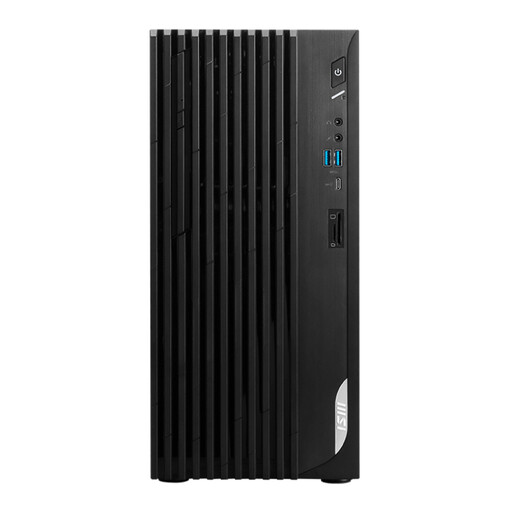
A good fit if you want to compare a Windows desktop with HDMI and DisplayPort connections for use with a separate monitor.
The product name lists Windows 11 Home, 8 GB DDR4 memory and a 512 GB SSD.
 No image available
A good fit if you want to combine the computer and screen in one all-in-one setup.
The product name lists an integrated 27-inch QHD screen with 120 Hz, Intel Core Ultra 7 255H, 16 GB LPDDR5X and a 1 TB SSD.
According to the product name, this configuration has Windows 11 Home.
Not necessarily: Windows offers text size and display scaling settings, as well as Magnifier; macOS includes features for larger text and zoom. Try these features with your manuscript, sources and controls. Royal Visio recommends considering suitable computer adjustments if reading or navigating remains difficult.
Use document zoom if you only want to see things larger while writing. If you want the lettering in the anthology itself to be larger, adjust the relevant heading and paragraph styles, then check the page layout.
Check your backup service settings to see which folders are actually included. Microsoft notes that standard folders may not be included in OneDrive, so check the folders you’ve selected and try restoring a file from the backup.
According to the Dutch Government, the seller must provide a solution if there’s a problem with a product. A manufacturer’s warranty or paid extended warranty is in addition to your statutory rights; check what extra rights an extended warranty actually offers.
No, the rules for employers are not automatically requirements for buying a personal computer. Arboportaal describes employers’ responsibilities for employee health and safety when working with display screens. This information is relevant if you’re writing the anthology as an employee in a workplace.