
Writer working with lots of sections
You want to organise, find and rearrange essays and notes. Choosing the right writing software is at least as important as choosing the computer.


First, choose writing software that lets you organise sections, then check that the desktop, screen and input devices suit your workspace. Compact Windows desktops are an option if you want to use Windows software, while a Mac mini suits a preference for macOS. Whichever route you choose, check the exact configuration, what’s included and how you’ll back up your manuscript.
You want to organise, find and rearrange essays and notes. Choosing the right writing software is at least as important as choosing the computer.
You spend long periods working with drafts and sources side by side, so you want a screen that’s easy to position and a comfortable keyboard.
You’re comparing the computer alongside the screen, input devices, software and a way to store your manuscript.
Choose this option if: you want to use Word, LibreOffice Writer or Scrivener for Windows, and already have a suitable screen or plan to choose one separately.
Worth noting: check the full model code, screen connections, included peripherals and software licence. A compact case doesn’t, by itself, tell you how much scope there is for upgrades.
Choose this option if: you want to use macOS and the writing software you need is available for it.
Worth noting: check the exact memory and storage configuration, connections, software licence and any other items you’ll need for your workspace.
Compare this option if: you’d rather consider the computer and screen as one set-up than choose a mini PC and monitor separately.
Worth noting: check that the screen will fit well in your workspace and compare the complete set-up.
When choosing a desktop for this collection of essays, your main purchasing priority depends on how you write and where you work. The percentages show the most important consideration for consumers in each row.
| Consideration | What should you check? | Who should give this more weight? |
|---|---|---|
| Organising and rearranging sections | Try a sample document to see whether you can move headings and jump to a section from an overview. Check that the software works with the operating system. | If you want to organise essays, sections and notes non-linearly, your choice of software is key. Section organisation comes first for around 33% of consumers. |
| Comfortable writing | Check the screen connections, where you plan to position the screen and which input devices are included. | If you work for long periods with drafts and sources side by side, look for a workspace that’s easy to set up. Workspace comfort is the top priority for around 27% of consumers. |
| Storing drafts and source notes | Decide how you’ll make a recent copy, automatically or manually, and check that you can restore it. | If you want to be able to recover your manuscript and source notes, it’s important to have a second place to store them. Keeping files safe comes first for around 20% of consumers. |
| Total cost of purchase | For each exact configuration, compare which items and software licences are included before weighing up the cost of the complete set-up. | If you still need a screen, input devices or writing software, consider the cost of the entire workspace. This is the main concern for around 20% of consumers. |
What’s included varies by configuration. For example, Lenovo says the screen, keyboard and mouse are optional and sold separately for the ThinkCentre configuration reviewed. A software trial is also not the same as a permanent licence.
For each option, list the items and services included, as well as anything else you’ll need.
A manuscript stored only on your computer doesn’t have a separate back-up.
Arrange a recent back-up of your drafts and source notes, and check that you can restore a version.
Microsoft ended standard support for Windows 10 on 14 October 2025.
If you’re buying a second-hand Windows PC, check that it’s suitable for a supported operating system before you buy.
According to HP, the Dutch HP Pro Mini 400 G9 configuration reviewed, 6D494EA#ABH, is a compact desktop with Windows 11 Pro, 16 GB RAM and a 512 GB SSD.
For the ThinkCentre neo 50q Gen 5 configuration reviewed, 13B9CTO1WWNL2, Lenovo lists Windows 11 Pro, 16 GB RAM and a 512 GB SSD.
The Dell Pro Micro QCM1250 reviewed is a configurable compact Windows desktop. According to Dell, the configuration shown has Windows 11 Pro, 16 GB memory and a 512 GB SSD.
Apple offers a compact Mac mini range in the Netherlands for anyone wanting to use macOS software; Apple lists M6 and M5 Pro configurations.
The options below include compact Windows desktops and Mac mini configurations. Check that the software and other items for each model suit your writing workspace.
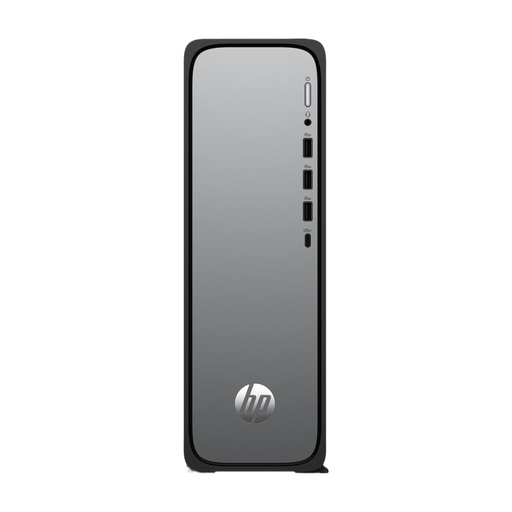 Image unavailable
A Windows desktop to compare if you want to use writing software for Windows.
Windows 11 Home, 8 GB memory, 512 GB SSD and HDMI.
 Image unavailable
A compact Windows mini PC to compare if you’re looking for a small desktop for your writing workspace.
Windows 11, 8 GB DDR4, 256 GB SATA SSD, BT5.2 and Wi-Fi 5.
 Image unavailable
A Mac mini to compare if you want to use writing software for macOS.
Apple M6 chip with 12-core CPU and 12-core GPU, 16GB and 256GB SSD.
Image unavailable
A Mac mini to compare if you want to use writing software for macOS.
Apple M6 chip with 12-core CPU and 12-core GPU, 16GB and 512GB SSD.
Image unavailable
A Mac mini to compare if you want to use writing software for macOS.
Apple M6 chip with 12-core CPU and 12-core GPU, 24GB and 512GB SSD.
Not just to organise sections: Word uses heading styles for navigation, LibreOffice Writer has a Navigator for headings, and Scrivener has its own Outline view. First choose the way you want to work, then check the software’s system requirements. The minimum requirements for Windows 11 don’t guarantee good performance across your entire working set-up.
Make a recent back-up regularly, either manually or automatically, for example on external storage or in the cloud. Check that you can actually restore a saved version.
It varies by configuration. Lenovo says the screen, keyboard and mouse are optional and sold separately for the ThinkCentre configuration reviewed; HP lists a wired mouse for the Pro Mini reviewed. Dell shows a Microsoft 365 trial, while Scrivener offers separate licences for Windows and macOS.
According to the Dutch Government, if there’s a problem with a product, you should contact the seller for a solution, not the manufacturer. For distance purchases from a business, you’re also entitled to a 14-day cooling-off period in many cases; check the applicable terms and exceptions.
If you’re an employee and spend more than 2 hours a day working with a screen, Arboportaal outlines rules including the use of a keyboard separate from the screen and how the workspace should be set up. This isn’t a general product specification and doesn’t necessarily apply to every individual writer.