
Writers who need magnification
You want to write long chapters and check that the text, menus and pointer are easy to see. Microsoft Support explains the separate settings for text size and display scaling; it’s also worth trying the document zoom.


Start with a screen that’s comfortable to read at your preferred magnification. Windows can enlarge text or the entire display, while Word lets you zoom in on the document separately. An all-in-one combines the computer and screen; a mini PC gives you more freedom to choose a screen, while a tower offers a different case and connection layout. Check what’s included with each configuration, and make a separate backup of your manuscript.
You want to write long chapters and check that the text, menus and pointer are easy to see. Microsoft Support explains the separate settings for text size and display scaling; it’s also worth trying the document zoom.
You refer to documents, scans or photos as you write, and want to choose a screen layout, connections and storage that suit your material.
You mainly want to write and know in advance what else you’ll need. SeniorWeb points out that with a desktop, you often have to arrange a monitor, keyboard, mouse and speakers yourself.
When writing a local history book with enlarged text, readability, access to sources, file protection and a complete workspace all play a part.
| Consideration | What should you check? | Who might find this most important? |
|---|---|---|
| Readability when magnified | Test Windows text size and display scaling separately from the zoom in Word; Microsoft Support explains that these are separate settings. | If I’m writing for long periods, I want to be able to read the text and controls on my chosen screen. Around 36% of consumers prioritise readability with enlarged text. |
| Sources alongside your manuscript | Check your preferred screen layout and connections, and whether the storage will suit your scans and photos. | If I want to refer to sources as I write, I consider how much material I can view alongside my chapter. Around 29% of consumers prioritise being able to view their manuscript and source material together. |
| Protecting your files | Make a separate copy and test that you can restore it. If you rely on OneDrive version history, remember it only applies to files saved in OneDrive or SharePoint in Microsoft 365. | I want to be able to recover my manuscript and collected sources if something happens to my computer. Around 21% of consumers put file protection first. |
| A complete workspace | Compare what’s included with each configuration and check whether you’ll need a separate screen, keyboard or mouse. | If I mainly want to write, I want to know in advance what else I’ll need. Around 14% of consumers focus mainly on a simple, complete workspace. |
Readability also depends on text size, display scaling and document zoom. At high magnification, less of a page may fit on screen at once.
Try a sample chapter and the Windows controls on the screen setup you’re considering.
A mini PC or tower doesn’t automatically give you a complete workspace; you may still need a separate screen or input device.
Check exactly what’s included with each configuration before deciding which other components you need.
Storage on your computer isn’t a separate copy. Syncing alone also doesn’t give you the same restore options as a separately stored backup.
Keep a separate copy of your files and regularly check that you can restore it.
Acer offers Aspire C all-in-ones with a built-in screen and Windows.
The ThinkCentre M75q Gen 5 Tiny is a compact computer for a screen setup you put together yourself.
The Pro Tower 400 G9 is a tower option with a monitor chosen separately.
The Pro Micro Plus QBM1250 is a compact computer for which you choose your own screen.
This selection includes mini PCs and towers for use with a separately chosen screen, as well as all-in-ones with a built-in screen.
 No image available
A mini PC for anyone who wants to choose their own screen; the description lists HDMI and DisplayPort connections.
Intel Core i7-14700, 16 GB DDR5, 1 TB SSD and Windows 11 Pro.
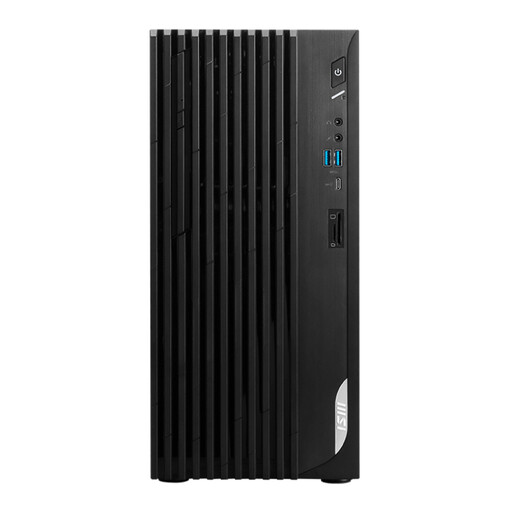 No image available
A tower for a workspace with a separate screen; the description lists HDMI and DisplayPort connections.
Intel Core i5-14400, 8 GB DDR4, 512 GB SSD and Windows 11 Home.
 No image available
An all-in-one with a built-in 27-inch QHD screen for anyone who wants to try magnification on a fixed screen setup. The description mentions a wireless keyboard and mouse set.
120 Hz, Intel Core Ultra 7 255H, 16 GB LPDDR5X, 1 TB SSD and Windows 11 Home.
 No image available
An all-in-one with a built-in screen; the description mentions a QWERTY keyboard.
23.5-inch 4.5K screen, 16 GB memory and 512 GB SSD.
 No image available
An all-in-one with a built-in 27-inch WQHD screen for a fixed workspace where you can try your preferred magnification.
Intel Core Ultra 5 125H, 16 GB DDR5, 1 TB SSD and Windows 11 Pro.
No. In Word, zoom enlarges the document view; Windows also has separate settings for text size and for scaling text, images and apps. Try both on the screen setup you’re considering.
Keep a copy somewhere else, such as on external storage or in the cloud, and check that you can restore it. According to Microsoft Support, version history in Microsoft 365 only works for files saved in OneDrive or SharePoint.
It depends on the configuration. An all-in-one has a built-in screen, while with a mini PC or tower you’ll need to arrange a screen separately. Also check whether a keyboard and mouse are included with each product. For example, Acer lists these input devices for configuration DQ.BKMEH.001.
When you buy from a business remotely, you generally have a 14-day cooling-off period, with some exceptions, according to the Dutch government. The product must also match the agreement; the Netherlands has no fixed statutory guarantee period, and the seller is your point of contact if a product is faulty.