Choose a desktop based on the development tools you use. Compare the memory and storage configuration, and check that the operating system is compatible with your software. For responsive work, consider the monitor connections and your workspace layout too, but a desktop preview is no substitute for testing on a real mobile device. A compact computer saves space, but check which peripherals you’ll still need.
Who is this desktop guide for?
Forum developer with lots of tools open
You work with code, browser checks and possibly a local development environment at the same time. Compare the memory, storage and software requirements of the configuration you’re considering. MDN Web Docs explains the role of browser developer tools in web development, while Docker Docs sets out the separate requirements for Docker Desktop on Windows.
Designer of mobile and desktop layouts
You want to check the forum interface at different screen widths. So think about your monitor setup and connections, and test the final experience on a real mobile device. Chrome for Developers describes device mode as an initial approximation of how a page looks and feels on mobile.
Developer with a small desk
You’re looking for a compact computer, but you also need a workspace that suits your monitor and other peripherals. Check what comes with the configuration you choose. For example, Lenovo states that the monitor, keyboard and mouse are sold separately with the ThinkCentre neo 50q Gen 5 configuration.
What should you look for when choosing?
| What to consider |
What should you look for? |
Who is this important to? |
| Developing and testing at the same time |
Compare the memory and SSD storage of the exact configuration with the requirements of your editor, browser and any local services. |
If I use several development tools at once, I want to match the configuration to the requirements of the tools I use. Around 29% of consumers prioritise developing with multiple tools at the same time. |
| Checking responsive layouts |
Check which monitors you want to connect, and set aside a real mobile device for the final test. |
If I want to see how the forum behaves at different screen widths, I consider both my monitor setup and testing on a real mobile device. Around 22% of consumers prioritise checking responsive layouts. |
| Operating system and development tools |
Check the requirements for your editor, browser and any container environment against the Windows or macOS configuration you’re considering. |
If I already know which software I want to use, I choose a computer that meets its installation requirements. Software compatibility is a priority for around 21% of consumers. |
| Desk space and complete setup |
Compare the form factor and ports with your existing peripherals, and check what’s included with each configuration. |
With limited desk space, I want a compact computer that fits into my existing workspace. Around 14% of consumers prioritise limited desk space and a complete setup. |
| Total cost and service |
Allow for any peripherals you still need, and read the seller’s service terms. |
If I still need equipment for my workspace, I want to assess the complete setup and know who to contact if there’s a problem. Total cost and service are also the main considerations for around 14% of consumers. |
Buying pitfalls
-
Mistaking a mobile preview for a test on a real phone
Device mode doesn’t reproduce every feature of mobile hardware. Chrome for Developers describes the preview as an initial approximation.
Use desktop previews for quick checks at different screen widths, and test the final forum experience on a real mobile device too.
You’ll need access to a real mobile device and extra time for the final test.
-
Comparing only the price of the mini PC
For the Lenovo ThinkCentre neo 50q Gen 5 configuration reviewed, Lenovo states that the monitor, keyboard and mouse are sold separately.
Compare what’s included with the exact configuration and assess the complete workspace, not just the computer.
You may still need a separate monitor or input devices.
-
Confusing a manufacturer’s warranty with a fixed statutory guarantee period
The Dutch government states that there is no fixed statutory guarantee period in the Netherlands and identifies the seller as your point of contact if there’s a problem with a product.
Read what any additional service covers and how it extends your statutory rights.
Brands to compare
Lenovo
The ThinkCentre neo 50q Gen 5 is a compact Windows desktop worth comparing for a small development workspace.
- For configuration 13B9009EEZ, Lenovo lists a Core i5-13420H, 16 GB memory, a 512 GB SSD and Windows 11 Pro.
- Lenovo states that the monitor, keyboard and mouse are sold separately. The listed configuration is not an independent performance test.
Apple
The Mac mini with M6 is a compact macOS desktop worth comparing if you want to use that development environment.
- Apple lists 16 GB unified memory and support for external displays for the base configuration.
- According to Apple, the base configuration has a 256 GB SSD. Check that the storage and connections suit your workspace; the specifications don’t predict how a particular forum project will run.
HP
The HP Pro Mini 400 G9 is a compact Windows option for a workspace with a separate monitor.
- For configuration 6D494EA#ABH, HP Store Netherlands lists Windows 11 Pro, a Core i5-12500T, 16 GB RAM and a 512 GB SSD.
- HP’s security statements are manufacturer claims and don’t prove that an online neighbourhood forum is secure.
Joybuy products
This selection includes compact Mac mini and mini PC desktops for a development workspace. Compare the operating system and configuration with your software requirements, and check which connections and peripherals you’ll need.
 No image available
Mac mini Apple M6, 12-core CPU and GPU, 24 GB, 512 GB SSD
A compact desktop worth comparing if you’re considering a Mac mini for your development workspace.
The product name lists an M6 chip with a 12-core CPU and 12-core GPU, 24 GB and a 512 GB SSD.
Joybuy
 No image available
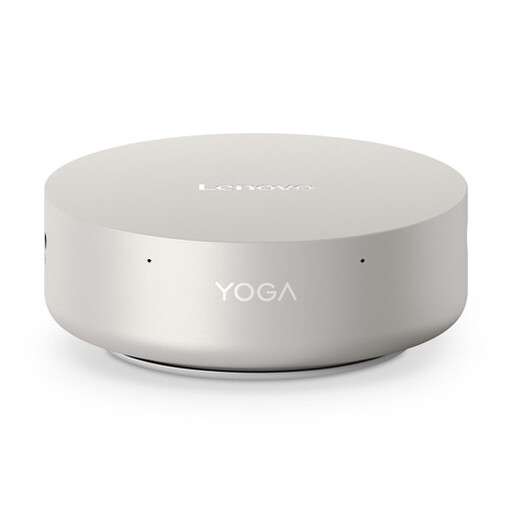
Lenovo Yoga Mini 01IPH11 Copilot+ PC, Intel Core Ultra 5 325, 16 GB, 512 GB SSD, Windows 11 Home
A compact Windows desktop worth comparing if you use Windows development tools.
The product name lists an Intel Core Ultra 5 325, 16 GB LPDDR5X memory, a 512 GB PCIe 4.0 SSD and Windows 11 Home.
Joybuy
 No image available
Dell Pro QCS1250, Intel Core Ultra 5 235, 16 GB, 512 GB SSD, Windows 11 Pro
A compact Windows desktop worth comparing for a development workspace with Windows 11 Pro.
The product name lists an Intel Core Ultra 5 235, 16 GB DDR5 memory and a 512 GB SSD. Also check whether you need to source the required power adapter separately.
Joybuy
 No image available
Lenovo ThinkCentre M70q Gen 5, Intel Core i7-14700T, 16 GB, 512 GB SSD, Windows 11 Pro
A compact Windows mini PC worth comparing if you want to set up a small workspace with Windows 11 Pro.
The product name lists an Intel Core i7-14700T, 16 GB DDR5 memory, a 512 GB SSD and Windows 11 Pro. Check whether you need to source the power adapter separately.
Joybuy
 No image available
MSI CUBI NUC AI 1UMG-005EU, Intel Core Ultra 7 155H, 16 GB, 1 TB SSD, Windows 11 Pro
A compact Windows mini PC worth comparing if you’re looking for a development workspace with Windows 11 Pro.
The product name lists an Intel Core Ultra 7 155H, 16 GB DDR5 memory and a 1 TB SSD.
Joybuy
Frequently asked questions
Can I fully test responsive layouts on my desktop?
No. Chrome DevTools can simulate a mobile viewport and a slower connection, among other things, but Chrome for Developers describes device mode as an initial approximation. Test the final experience on a real mobile device too.
Do I need a separate graphics card to check the forum layout?
A separate graphics card isn’t listed as a requirement for the responsive checks described here. Do check the display outputs and the requirements of any other software you actually plan to use.
What should I check if I want to use local containers on Windows?
Check the Docker Desktop installation requirements for your version of Windows, architecture and chosen backend. These apply to that particular development workflow, not automatically to every desktop used to build a neighbourhood forum.
Is there always exactly two years’ statutory guarantee on a desktop in the Netherlands?
No. According to the Dutch government, there is no fixed statutory guarantee period in the Netherlands. If a product is faulty, the seller is your point of contact; a manufacturer’s warranty may provide additional rights.
Which privacy rules apply if the neighbourhood forum processes personal data?
The GDPR applies when personal data is processed. The Dutch Data Protection Authority states that this can also apply to individuals. Consider the obligations for your specific forum during design and publication: choosing a desktop doesn’t automatically make a forum GDPR-compliant.


