
Developer with a local development environment
You want to use an editor and testing environment on a dedicated computer, perhaps with containers. First, check that your development tools work with the operating system on your chosen desktop.


Choose a desktop that suits your development environment and testing needs, then work out how much storage, how many ports and how much room for expansion you really need. A compact computer may suit a small, permanent workspace, but local storage doesn’t automatically keep data safe: access controls and a restorable backup should also be part of your decision.
You want to use an editor and testing environment on a dedicated computer, perhaps with containers. First, check that your development tools work with the operating system on your chosen desktop.
You expect to store volunteers’ data and want to decide in advance who can access it and how you’ll recover it if it’s lost. The Dutch Data Protection Authority emphasises that personal data needs an appropriate legal basis and risk-based security.
You’re looking for a permanent, compact workspace and want to know whether the computer will connect to your monitor and peripherals. To check, compare the full model details and ports of the specific configuration you’re considering.
Start with the software you’ll use to build and test your app. Then decide how you’ll protect your data and what physical connections and storage you need.
| What to consider | What should you check? | Who is this important for? |
|---|---|---|
| Development environment | Check the system requirements for your editor, testing tools and any containers, including those for the operating system and memory configuration you choose. | If I’m coding and testing at the same time, I want my tools to work on the system I choose. Around 36% of consumers prioritise compatibility with their development tools. |
| Protecting and recovering data | Decide who can access the data, where the database will be stored and how you’ll create and restore a separate backup. The Dutch Data Protection Authority links appropriate security to the risks of processing. | If I store rota data locally, I want to limit unauthorised access and be prepared for data loss. Around 29% of consumers prioritise data protection and recovery. |
| Size and connections | Compare the case, monitor and USB connections, and included components with your existing workspace. | If my desk is small or I want to reuse equipment, the size and connections need to suit my setup. Around 21% of consumers start with their workspace setup. |
| Storage and upgrades | Check the SSD capacity of the exact configuration and find out which upgrades are available for that model. | If I want to store projects, test files and backups locally, I need enough storage without paying for features I won’t use. Around 14% of consumers prioritise configuration and future upgrades. |
A working SSD isn’t a recovery copy. When you’re handling personal data, access and security also need to reflect the way it’s processed and the risks involved.
Before using real rota data, decide how you’ll make and restore backups, and limit access to suit your circumstances.
Allow for a separate backup location and time to test your setup and recovery process.
Memory, storage, ports and included components can vary between configurations.
Compare the full model number with your monitor, equipment and storage plan before you choose.
You may need additional adapters or peripherals to connect the computer to your workspace.
Your choice depends on your development and testing tools; using containers may also affect the configuration you need.
Start with the requirements of your own software and testing tasks. Choose extra capacity only if your needs justify it.
The ThinkCentre neo 50q Gen 5 is a compact Windows option for a dedicated workspace.
The Dell Pro Micro QCM1250 is a compact business desktop option for Windows.
The Mac mini is a compact macOS option if your development tools work with macOS.
HP describes the Pro Mini 400 G9 as a compact desktop and the Pro Tower 400 G9 as a larger case option.
This selection focuses on compact desktops for a dedicated development workspace and local project storage, with both macOS and Windows models.
 Image unavailable
A compact macOS desktop for a dedicated development workspace, if your development tools are compatible with macOS.
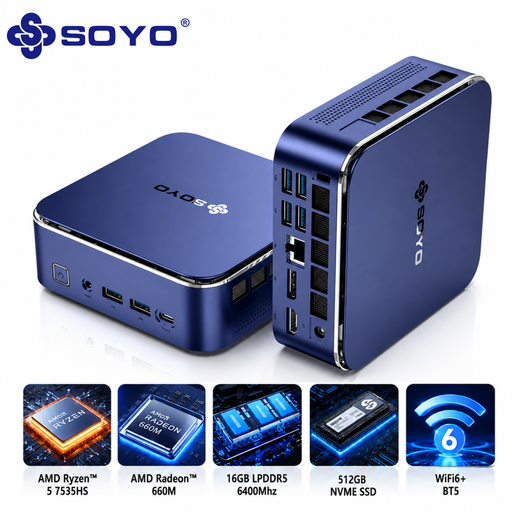 Image unavailable
A compact Windows desktop for a small, dedicated workspace and local development files.
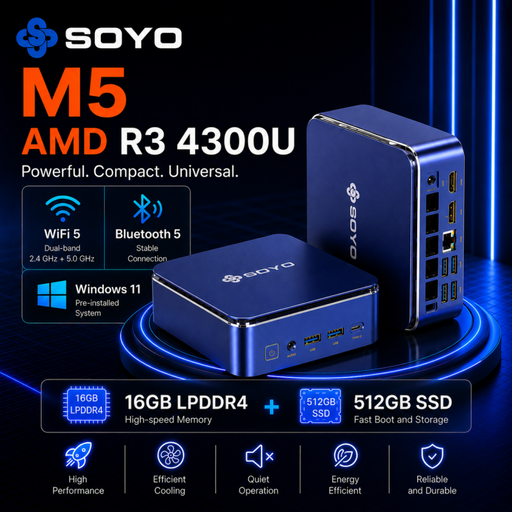 Image unavailable
A compact Windows desktop for a dedicated workspace where you want to use local files and connect several devices.
 Image unavailable
A compact Windows desktop for a dedicated workspace; check in advance whether the required power supply is included with the configuration.
 Image unavailable
A compact Windows desktop with a 1 TB SSD for anyone who wants to keep local projects and data on their computer.
Yes. SQLite may suit an app designed to run on the same computer as its local database. If several users will regularly make intensive changes at the same time, or you need a shared central database, assess the database architecture separately.
If the database may change while it’s in use, use an appropriate backup method; SQLite documents an Online Backup API for this purpose. Keep a recovery copy in a separate location and test that you can restore it. On Windows, check that File History includes the database and the correct folder in the backup you’ve set up.
Windows Pro isn’t a general requirement for building a rota app. If you want to use BitLocker drive encryption manually, Microsoft lists Windows Pro, Enterprise or Education; Microsoft says BitLocker isn’t available in Windows Home.
Local storage doesn’t exempt you from the GDPR. If data can be linked to individuals, the organisation must identify an appropriate legal basis before processing it and choose suitable security measures based on the risks. The desktop you choose doesn’t determine which legal basis applies in a particular situation.
When you buy as a consumer, you’re entitled to a product that conforms to the contract. According to the Dutch government, there’s no fixed statutory warranty period in the Netherlands; if there’s a fault, contact the seller. A manufacturer’s warranty or additional service is separate from these statutory rights.