
Editors working with demanding video footage
If you work with 4K source files or demanding effects, compare the requirements of your editing software with the configuration you’re considering. Adobe recommends 32 GB RAM or more for Premiere in 4K.


Choose a desktop based on your video files and editing software: Adobe recommends 16 GB RAM for Premiere in HD and 32 GB or more for 4K. A compact Mac mini could suit a small workspace and macOS; with a Windows tower, you can compare specific configurations with different memory, storage and graphics options. Also check that you have enough screen space and storage for your tutorial and reference material.
If you work with 4K source files or demanding effects, compare the requirements of your editing software with the configuration you’re considering. Adobe recommends 32 GB RAM or more for Premiere in 4K.
If you want to keep recipes, text and other references open alongside your timeline while editing, check the installed memory and the connections available for your screens. Apple and Lenovo publish specifications for each configuration, so you can compare them.
If you want to keep original recordings, project files and any proxy files, compare the SSD capacity of your chosen configuration with your storage plans. Adobe describes proxy files as smaller copies of high-resolution video footage.
Start with the requirements of your video files and software, then check your screen space, storage and any extra components you may need.
| What to consider | What should you check? | Who is this important for? |
|---|---|---|
| Editing performance | Compare the software requirements for your resolution with the memory and graphics card in the exact configuration. Adobe recommends 16 GB RAM for Premiere in HD and 32 GB or more for 4K. | If I want to edit 4K footage or use effects, I want to match the configuration to my footage and software. Around 31% of consumers say editing requirements are their top priority. |
| References alongside the timeline | Check the installed memory, the screen connections available and which monitors and cables you already have. | If I want to refer to recipes and other detailed sources alongside my timeline, I check whether my workspace offers enough screen space. Around 31% of consumers prioritise having sources available at the same time. |
| File storage | Compare the SSD capacity with your recordings and project files. Also allow for any proxy files and extra media storage. | If I want to keep recordings and editing files organised, I check the capacity of the configuration I’m considering. Around 23% of consumers say file management is their top priority. |
| Everything you’ll need | Check what’s included and whether you’ll need a monitor, storage, cables or software. | If I’m putting together a complete workspace, I want to know what I still need besides the desktop. Around 15% of consumers prioritise the overall cost and any extras they’ll need. |
HP and Lenovo offer different memory capacities and graphics configurations across their desktop ranges. So a general product-range description won’t necessarily tell you which components are included in the configuration you choose.
Before buying, check the full product number and the processor, graphics card, RAM capacity and SSD capacity that come with it.
When editing with reference material, you may also need to consider screens, connections, cables, storage and software. Don’t assume that everything you need for your workspace is included with the desktop.
Before you buy, make a list of the screens, connections, storage and software you already have, then compare it with the configuration you’re considering.
According to the Dutch government, your statutory rights to a product that meets expectations remain in place alongside a manufacturer’s warranty or an extended warranty.
Check what an extended warranty covers. If a product is faulty, you can contact the retailer.
The Mac mini is a compact desktop option if you want to use macOS. Check the memory, storage and screen connections for each configuration.
The Z2 Tower G1i is a Windows workstation range with configurations that can be compared by their individual graphics setup.
The ThinkStation P3 Tower Gen 2 is a configurable Windows tower. Compare the components listed for the specific product number.
The Precision 5860 Tower is a configurable workstation range for comparing different components in a tower PC.
Worth considering if you want to compare a component-by-component configuration for video editing.
This Joybuy selection includes compact desktops and Windows desktops for a workspace with editing files and reference material. Above all, compare the memory, storage, screen outputs and graphics configuration for each model.
 No image available
A compact option if you want to use macOS and have a small workspace.
Apple M6 chip with 12-core CPU and 12-core GPU; 24 GB unified memory; 512 GB SSD. The description lists three Thunderbolt 4 ports, HDMI and support for up to three external screens.
 No image available
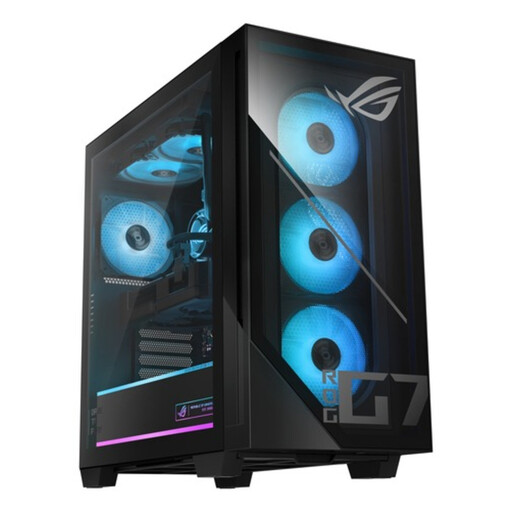
A Windows tower to compare if you want a dedicated graphics card and need to match the exact configuration to your editing software.
Intel Core Ultra 7 265F; 32 GB DDR5; 1 TB SSD; NVIDIA GeForce RTX 5070 with 12 GB; Windows 11 Home.
 No image available
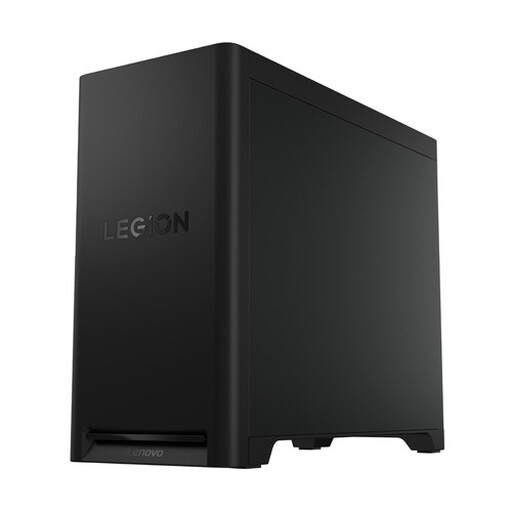
A Windows tower for comparing if you want a dedicated graphics card and storage space for editing files.
Intel Core Ultra 7; 32 GB DDR5; 1 TB SSD; NVIDIA GeForce RTX 5070; Windows 11 Home. The description lists support for up to four screens and expansion with up to three M.2 SSDs and a 3.5-inch drive.
 No image available
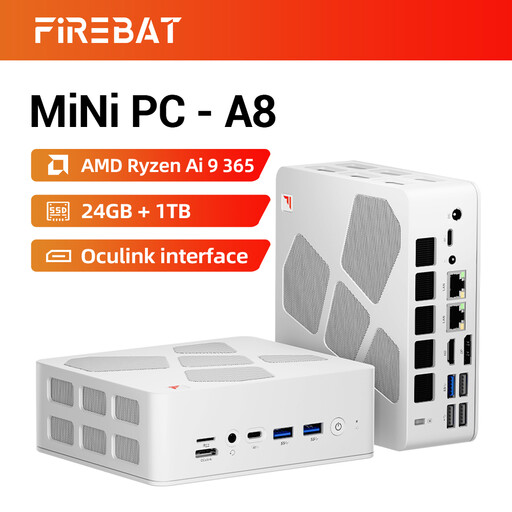
A compact option to compare if space is limited and you want to use multiple screens at your editing station.
AMD Ryzen AI 9 365; 24 GB DDR5; 1 TB PCIe 4.0 SSD; Radeon 880M graphics. The product title lists support for four 4K screens.
 No image available
A compact Windows desktop to compare if you want to view reference material and an editing timeline across multiple screens.
Intel Core Ultra 7 155H; 16 GB DDR5; 1 TB SSD; Windows 11 Pro. The description lists support for up to four screens and two M.2 slots.
It depends on your software and source footage. Adobe recommends 16 GB RAM for Premiere in HD and 32 GB or more for 4K. Compare those recommendations with your own project and the exact computer configuration.
Adobe describes a proxy workflow for Premiere, where you use smaller copies of high-resolution files. Leave enough space for those copies and keep them linked to the original media. Also check that your graphics card driver is up to date.
For online consumer purchases, you generally have a 14-day cooling-off period, according to the Dutch government. Your statutory rights to a product that meets expectations are separate from any extended warranty; the Netherlands does not have a fixed statutory warranty period of two years.
Not necessarily. According to the Dutch government, you can generally only use copyrighted images with the creator’s permission. Check the rights for any material you want to include in your published tutorial.