
Manager of linked sheet music files
You keep descriptions and source files in separate folders and want links to keep working even after moving or backing up files. Zotero describes linked files as files that remain outside the library folder.


Start by choosing how you want to manage your catalogue, then check whether the software runs on Windows or macOS. Next, work out how much local storage and how many connections you need. For linked files, a consistent folder structure and a separate backup plan are important, while expansion options and ports vary between desktop configurations.
You keep descriptions and source files in separate folders and want links to keep working even after moving or backing up files. Zotero describes linked files as files that remain outside the library folder.
You process scans alongside your catalogue and want to connect your desktop to your monitor, scanner and storage devices.
You’re looking for a compact computer, but want to assess storage and connections based on the configuration you choose, not just its size.
Start with the software and how you want to manage your source files. Zotero, for example, distinguishes between stored files and linked files. With the latter, it’s important that the link to your own folder remains usable.
A good fit if: you use Windows software or existing Windows folders and want a small, permanent workspace.
Keep in mind: storage, memory and ports vary by model and configuration.
A good fit if: your catalogue workflow runs on macOS and your monitor and peripherals are compatible with the configuration you choose.
Keep in mind: compare the internal storage with the size of your scans and source files.
| Consideration | What to look for when buying | Who is this important for? |
|---|---|---|
| Catalogue software and file links | Check that the software runs on the operating system, then test with your own sheet music to make sure the links keep working. | If I keep sheet music in my own folders, I want to be able to open the right files from my catalogue. For around 33% of consumers, software choice and easy-to-find source files come first. |
| Storage and backup | Estimate the size of your files, check the SSD in the exact configuration and plan a recovery test for both the catalogue and linked files. | If I want to keep scans and source files, I look beyond the computer’s storage and consider whether I have a backup that can be restored. For around 27% of consumers, keeping files safe is the top priority. |
| Connections for devices and monitors | Compare the ports on the full model number with the connections on your scanner, monitor and external storage. | If I process scans alongside my catalogue, my scanner, monitor and storage device need to connect to the desktop. This setup comes first for around 20% of consumers. |
| Size and features you need | Assess the desktop alongside the peripherals and backup storage you need; don’t use size as a measure of performance. | With limited desk space, I want a compact setup without paying for features I don’t need. Space and a suitable overall setup are the top priority for around 20% of consumers. |
According to its own documentation, Zotero syncs stored files, but not linked files. You’ll need to manage those sheet music files separately.
Make a separate plan for the files and test whether the links still open when you restore your catalogue.
Allow for extra storage and backup work for files kept outside the catalogue.
Memory, storage and connections can vary by model and configuration. Lenovo warns that the IdeaCentre Mini configuration can differ by model and region.
Compare the full model or part number with the specifications of the configuration you want to buy.
A different configuration may mean you need a different setup or additional equipment.
The Dutch government distinguishes between a private copy for personal use and distributing copies. Auteursrecht.nl states that permission from the rights holders is required to make copies of sheet music for an entire choir.
Keep catalogue descriptions separate from decisions about copying and sharing protected sheet music.
The Mac mini is a compact macOS option if your catalogue software and peripherals are compatible with it.
The IdeaCentre Mini is a compact Windows desktop range worth comparing for a permanent workspace.
The Veriton Vero Mini is a business mini desktop to consider if the connections on a particular configuration suit your needs.
The Pro Micro is a business Windows configuration to compare with more compact entry-level options.
The OmniDesk Slim is a desktop range to compare for a permanent workspace.
Joybuy desktops for a compact catalogue workspace, including Windows desktops and Mac mini configurations.
 No image available
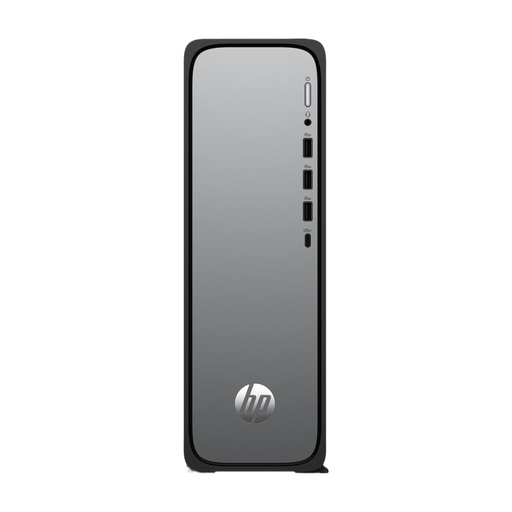
An option for a Windows desktop workspace, with storage and connections for peripherals.
The product information lists Windows 11 Home, 8 GB of memory, a 512 GB SSD and USB-A, USB-C and HDMI ports.
According to the product information, the charger isn’t included as standard and must be purchased separately.
 No image available
A good fit for a compact workspace if your catalogue workflow runs on macOS and your files fit within the available storage.
The product title lists 16 GB of memory and a 256 GB SSD.
The product description mentions macOS and USB-C, Thunderbolt and HDMI connections.
No image available
A good fit for a compact macOS workspace if your catalogue software and peripherals are compatible with it.
The product title lists 16 GB of memory and a 512 GB SSD.
The product description mentions macOS and USB-C, Thunderbolt and HDMI connections.
No image available
A good fit for a compact macOS workspace if the software and connected devices are compatible with this configuration.
The product title lists 24 GB of memory and a 512 GB SSD.
The product description mentions macOS and USB-C, Thunderbolt and HDMI connections.
 No image available
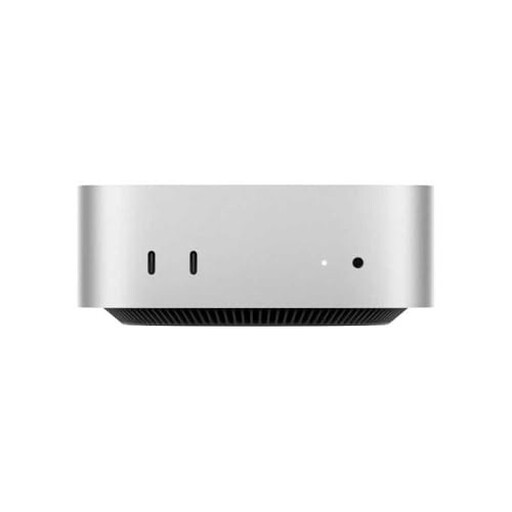
A good fit for a compact workspace if your catalogue workflow runs on macOS.
The product title lists an M4 chip, 16 GB of memory and a 512 GB SSD.
The product description mentions macOS and Thunderbolt, HDMI and USB-C connections.
That depends on how you manage your files. Zotero manages stored files in its own data folder; linked files remain outside it and aren’t included in Zotero file syncing. Try both methods with your own files before importing your collection.
Check that the source files are in the expected location on the new computer. For linked Zotero files, setting a base directory can help if the path changes; otherwise, moved or deleted files may become unavailable.
According to Zotero’s system requirements, the software works on Windows 10 or later and macOS 10.15 or later. Also check that your chosen workflow for sheet music and linked files works with the software.
Treat a private copy for personal use and distribution separately. The Dutch government makes this distinction; Auteursrecht.nl states that permission from the rights holders is required to make copies of sheet music for an entire choir. A computer or catalogue programme doesn’t grant that permission.