What should you look for when choosing?
Start with the layout of your workstation: decide who needs access, how different users will adjust the screen and what equipment you already have.
| What to consider |
What should you check? |
Who is this most relevant to? |
| Separate access |
Check that the operating system and software you use support the account management you need, and decide where drafts will be saved. |
If I share the computer with colleagues, I want to know who can access which files. Around 36% of consumers make separate access and management their top priority. |
| An adjustable writing workstation |
Check the screen height, the space available for the keyboard and mouse, and whether the screen is separate from the keyboard. Arboportaal outlines requirements for employees who work at a screen for more than 2 hours a day. |
Anyone who spends a long time writing or proofreading wants to be able to adjust the screen and workstation. For around 29% of consumers, adjustability is the main priority. |
| Desk space |
Measure the available space and decide where the computer, screen and cables will go. A mini PC still needs a separate screen, while an all-in-one combines the screen and computer. |
At a small shared desk, I want to leave enough room for writing. Space requirements are the top consideration for around 21% of consumers. |
| Existing equipment |
Compare the ports on the exact configuration with your existing monitor and peripherals. Also check software compatibility and what’s included. |
If I want to keep using my existing equipment, I want to know in advance whether everything will connect and what else I’ll need. Around 14% of consumers give connectivity and the overall purchase the highest priority. |
Joybuy products
This selection includes all-in-ones with an integrated screen and mini PCs designed for use with a separate monitor. Compare them based on available desk space, existing equipment and the screen set-up you want.
 No image available
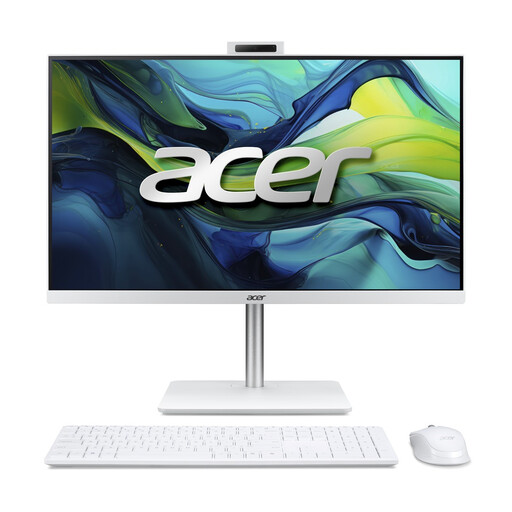
Acer Aspire C24-A WI5418 NL
An all-in-one for anyone who wants to set up the computer and screen as a single workstation.
23.8-inch Full HD IPS screen, Intel Core 5 120U, 16 GB DDR5 memory and 1 TB PCIe NVMe SSD. Windows 11 Home. The product description says a keyboard and mouse are included.
View at Joybuy
 No image available
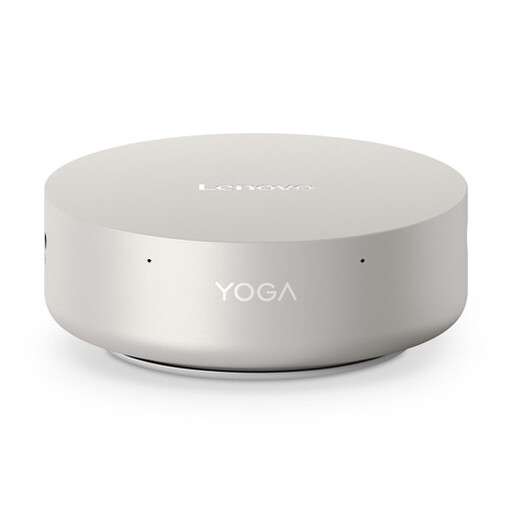
Lenovo Yoga Mini 01IPH11 Copilot+ PC
A mini PC for anyone who wants to use a separate screen while keeping the computer case compact.
Intel Core Ultra 5 325, 16 GB LPDDR5X memory and 512 GB PCIe 4.0 SSD. Windows 11 Home. The product description lists a 0.65-litre case and support for up to four independent screens.
View at Joybuy
 No image available
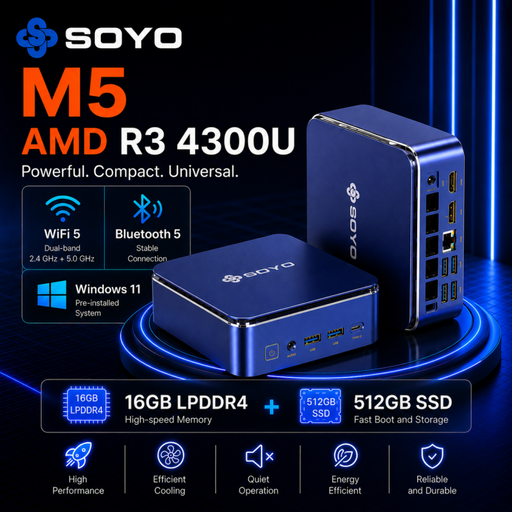
SOYO M5 Mini PC Ryzen 4300U
A mini PC for a desk where the computer sits separately from the screen.
AMD Ryzen 3 4300U, 16 GB LPDDR4 memory and 512 GB SSD. Windows 11 Pro. The product description lists HDMI, DisplayPort and Type-C video outputs, and dimensions of 128 × 128 × 47,6 mm.
View at Joybuy
 No image available
MSI CUBI NUC AI 1UMG-005EU
A mini PC for anyone who wants to connect a separate screen and keep their computer compact.
Intel Core Ultra 7 155H, 16 GB DDR5 memory and 1 TB SSD. Windows 11 Pro. The product description lists VESA mounting behind a monitor or under a desk, and support for up to four screens.
View at Joybuy
 No image available
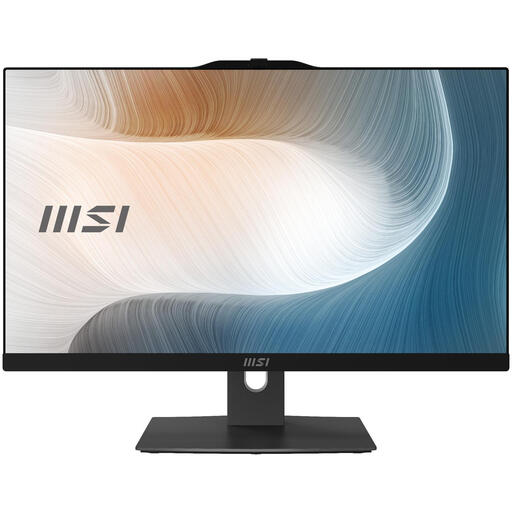
MSI Modern AM242P 1M-1223EU
An all-in-one for anyone who wants to buy the computer and screen together.
23.8-inch Full HD IPS screen, Intel Core 5 120U, 8 GB DDR5 memory and 512 GB SSD. Windows 11 Pro. The product information says the power adapter must be purchased separately.
View at Joybuy
Frequently asked questions
Does a desktop at a shared desk need a separate keyboard and an adjustable screen?
For employees who work at a screen for more than 2 hours a day, Arboportaal says, among other things, that the screen and keyboard must not be attached to each other and that the screen must be height-adjustable. Check the specific workstation set-up; this is not a universal product specification for every buyer.
How do you set up a computer for several writers?
First decide who needs access to which files. Microsoft documents settings for shared Windows PCs, including account management; if the organisation processes personal data, it must prevent unauthorised access, according to the Dutch Data Protection Authority. The right set-up depends on the systems and data you use.
What should you check for connectivity and maintenance?
Compare the ports on the exact PC configuration with your existing monitor and peripherals, and check what’s included. Lenovo says the monitor and keyboard are sold separately for the mini PC configuration reviewed. Also check that the operating system will continue to be supported: regular support for Windows 10 ended on 14 October 2025.
How does the warranty work when buying in the Netherlands?
When you buy as a consumer, you’re entitled to a product that works properly and can contact the seller if something is wrong. According to the Dutch government, there is no fixed statutory warranty period of exactly two years in the Netherlands; a manufacturer’s warranty is in addition to your statutory rights. If an organisation is buying for a museum, check the relevant contract terms separately.
Does a desktop sold in the Netherlands need an EU energy label for computers?
Don’t assume a separate monitor’s energy label means a computer must have one too. In September 2026, the European Commission still described a possible energy label for computers as being in preparation. However, the Commission does set out EU ecodesign rules for computers sold in the EU.


