
Reader sitting by a bright window
If you mainly read plans, consider screen reflections and whether you can move the screen. Arboportaal recommends positioning your viewing direction parallel to the window.


If you mainly view canal plans and reference materials, a desktop with a separately selected monitor gives you more freedom to position the screen in relation to the light from the window. If possible, position your viewing direction parallel to the window, and use blinds or curtains if needed. Only choose a more powerful PC if your software and projects require it, and check which monitor, input devices and video connections you still need for the specific configuration.
If you mainly read plans, consider screen reflections and whether you can move the screen. Arboportaal recommends positioning your viewing direction parallel to the window.
If you want to view drawings, legends and reference materials at the same time, compare the available screen space and connections with your desk and PC. Lenovo says the ThinkCentre Neo 50s Gen 6 configuration supports up to two independent displays.
If you use CAD or GIS software, first check the programme requirements and the size of your files. Autodesk publishes separate requirements for AutoCAD 2026, while QGIS is available for a range of operating systems.
A good fit if: you mainly view digital plans and documents, and want to choose or reposition the monitor yourself.
Bear in mind: the monitor, and sometimes the keyboard and mouse, are not included. The configurations discussed have not been shown to be suitable for demanding 3D or point-cloud projects.
A good fit if: you want a single desktop with a built-in screen, and its screen position, finish and connections suit your setup by the window.
Bear in mind: you choose the screen as part of the package, and it is not as easy to replace as a separate monitor. Also check the stand and the included accessories.
A good fit if: the requirements of your CAD software and project files mean you need to compare memory, graphics capabilities or expansion options.
Bear in mind: a larger case does not, by itself, prove that a configuration is suitable. Assess the complete PC against your software requirements.
Start with the space you have and the screen you need; then choose a PC to suit the work you actually do.
| What to consider | What to look for | Who is this important for? |
|---|---|---|
| Screen readability in daylight | See whether you can position the screen with your viewing direction parallel to the window; also check its adjustability and screen finish. | If I want to reduce distracting reflections, I look at the screen and its position first. Around 36% of consumers prioritise readability in daylight. |
| Viewing plans and reference materials | Compare the available screen space and resolution with your desk; check that the PC supports the monitors and connections you want. | If I want to view details, legends and reference materials at the same time, the available screen space matters. Around 29% of consumers prioritise being able to view plans clearly. |
| Software performance | Check the programme, version and project size, then compare them with the memory and graphics capabilities of the exact configuration. | If I use CAD or GIS myself, I want to choose a PC that suits the software and files. Around 21% of consumers prioritise software performance. |
| Complete setup and aftercare | Check what is in the box, the video connections and what else you need; also find out who handles the statutory guarantee. | If I want to know in advance what I need for a complete workspace and who to contact if something is faulty, I compare the whole setup. Around 14% of consumers give this their highest priority. |
A faster processor will not change the light coming in. Screen position remains key to how clearly you can view your plans.
First, work out where an adjustable screen could go, and try to position your viewing direction parallel to the window. Arboportaal also recommends considering suitable blinds or curtains to reduce distracting reflections.
A standalone desktop does not automatically come with a monitor or input devices. For the ThinkCentre Neo 50s Gen 6 configuration 13DMCTO1WWNL2, Lenovo lists no keyboard or mouse.
Check what is in the box and the video connections for the exact configuration before deciding which additional parts you need.
Reading plans is different from editing large datasets, point clouds or 3D models. For AutoCAD 2026 on Windows, Autodesk lists 8 GB as the minimum and 32 GB as the recommended amount of memory; more demanding tasks have additional requirements.
Compare the complete configuration with the requirements of the programme and version, as well as the projects you will actually be working on.
A commercial guarantee is separate from your right to a product that does what you could reasonably expect it to do. ACM ConsuWijzer says the retailer is your point of contact for the statutory guarantee.
Keep your proof of purchase and report any faults to the retailer.
The ThinkCentre Neo range includes compact desktops, SFF systems, towers and all-in-ones. Once you know which screen suits your workspace, you can compare the different case styles.
The Pro Mini 400 G9 is a compact Windows desktop to compare with a monitor of your choice.
The Pro Micro QCM1250 is a compact business desktop designed for use with a separate screen.
The Veriton 2000 Mini is a compact Windows desktop for anyone who wants to choose a separate monitor.
This selection includes mini desktops for use with a monitor of your choice, as well as an all-in-one with a built-in screen. Your choice of PC does not replace the need to consider screen position and light from the window.
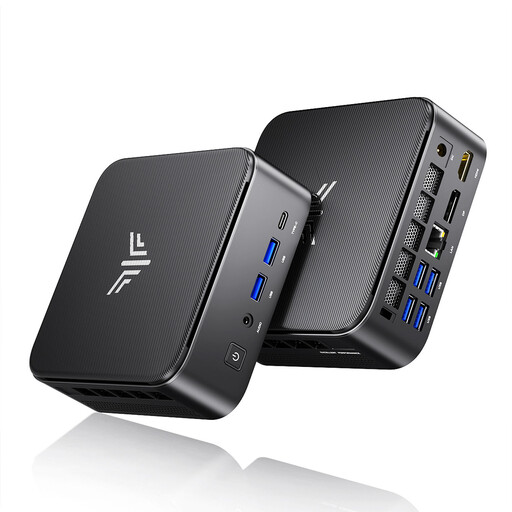 Image unavailable
A mini desktop for anyone who wants to choose and position their own monitor.
AMD R5 7430U; 16 GB LPDDR4X 3200MT/s; 512 GB M.2 2280 SATA SSD; Windows 11 Pro.
Listed video outputs: HDMI 2.0, DisplayPort 1.4b and USB-C. Check that the connections suit your monitor.
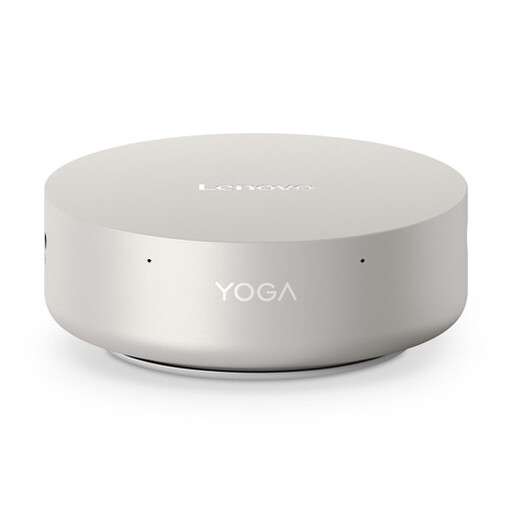 Image unavailable
A mini desktop for a setup with a screen chosen separately.
16 GB LPDDR5X; 512 GB PCIe 4.0 SSD; Intel Graphics; Windows 11 Home.
The product description lists support for up to four independent displays; check the connections for the monitors you plan to use.
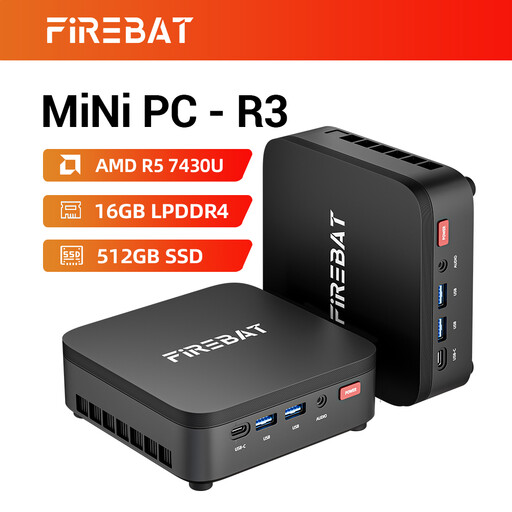 Image unavailable
A mini PC for anyone who wants to choose a separate monitor for their study space.
16 GB RAM; 512 GB SSD; Wi-Fi 6; Bluetooth 5.2.
The product title lists output to three displays. Check that the connections match your monitors.
 Image unavailable
A mini PC for use with a screen chosen separately.
16 GB DDR5; 1 TB SSD; Windows 11 Pro.
The product description lists support for up to four displays and VESA mounting. Check which connections and accessories come with this configuration.
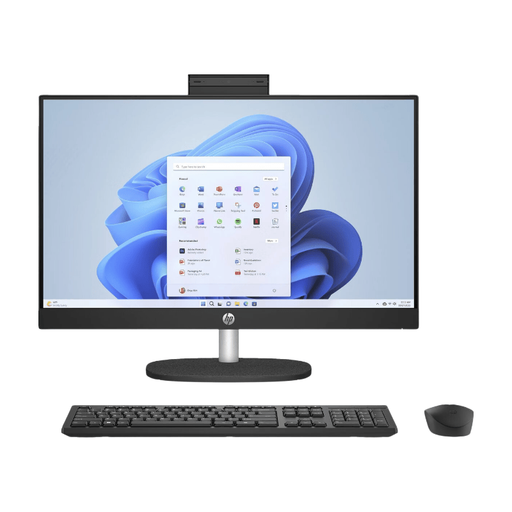 Image unavailable
An all-in-one with a built-in screen for anyone who does not want to choose a separate monitor.
23.8-inch Full HD IPS screen, 1920 × 1080, with a matt finish; 8 GB of memory; 512 GB SSD.
The stand is not adjustable and the power adapter must be purchased separately. Bear this in mind when planning your setup by the window and checking what you need for a complete system.
No, a faster PC will not change how light falls on the screen. Arboportaal recommends positioning your viewing direction parallel to the window. You could also adjust the screen position and use blinds or curtains if needed.
Not simply because you read restoration plans. First work out whether you will be viewing documents or also editing CAD files, large datasets, point clouds or 3D models. If you will be doing the latter, compare the complete PC with the requirements of your software and projects. Autodesk's figures apply specifically to AutoCAD 2026.
Check that the video connections and number of supported displays suit your monitor, and see what is included with the exact configuration. Then adjust the screen position to suit the light from the window. For screen-based work, Arboportaal recommends positioning your viewing direction parallel to the window.
For an online consumer purchase, you will generally have a cooling-off period that ends 14 days after delivery, subject to statutory exceptions. You are also entitled to a product that does what you could reasonably expect it to do; ACM ConsuWijzer says the retailer is your point of contact for the statutory guarantee. A shorter commercial guarantee period does not affect this right.
The obligations described by Arboportaal apply to employers in relation to employees, and are not automatically legal requirements for every student at home. However, its advice to consider light from the window can still help when setting up your study space.