
Planner with limited desk space
You want to keep room beside your screen for drawings and notes, and are weighing up a mini PC against an all-in-one.


For drawings, quotes and browser-based plans, a compact desktop set-up may be all you need. For more intensive 3D modelling, check the requirements of the specific desktop software you plan to use. SketchUp publishes different requirements for its web and desktop versions, so measure your entire workspace too: the screen, input devices and cables all take up room.
You want to keep room beside your screen for drawings and notes, and are weighing up a mini PC against an all-in-one.
You want to know whether you’ll be drawing in a browser or using SketchUp for desktop. SketchUp publishes different system requirements for its web and desktop versions.
You want to check in advance which components and software you’ll still need, rather than comparing just the computer case.
First, decide which software you want to use. Then choose between a mini PC with an existing screen, an all-in-one PC, or a compact desktop with graphics hardware suited to your 3D work.
Choose this option if: you already have a suitable screen and want to keep space free for drawings or notes.
The trade-off: you’ll also need a screen, input devices and suitable connections; a small case doesn’t make the rest of your workspace any smaller.
Choose this option if: you want to buy the computer and screen as one set-up.
The trade-off: the screen and stand are part of the model you choose, so measure them to make sure they’ll fit on your desk.
Choose this option if: you intend to use desktop software for more complex 3D models and the chosen configuration meets its system requirements.
The trade-off: allow space for a screen and peripherals too; extra graphics power isn’t automatically necessary for quotes and browser-based work.
| What to consider | What should you check? | Who is this important for? |
|---|---|---|
| Desk space | Measure the space for the computer, screen stand, cables and input devices. If you’re mounting anything, check that the fitting is compatible with both the screen and the computer. | If you want to lay drawings or notes beside your screen, consider the whole set-up. Around 33% of consumers prioritise having free desk space. |
| Documents and browser-based work | Make a note of the programmes and screens you use, then check the connections you’ll need and any browser requirements. | If you mainly want to view plans, quotes and documents side by side, compatibility with your existing screens is important. Around 27% of consumers prioritise everyday planning and document work. |
| Desktop 3D software | Check the requirements for the exact app, version and features. SketchUp lists 8 GB RAM as the minimum for desktop; for certain advanced materials, it specifies a modern GPU with at least 8 GB VRAM. | If you want to edit complex models in a desktop 3D programme, you’ll want to know whether the graphics hardware is suitable. Around 20% of consumers prioritise suitability for more intensive 3D modelling. |
| Complete workstation | For each configuration, check whether the screen, mouse, keyboard, cables and the software features you want are included. | If you still need components, compare the complete set-up rather than just the computer case. Around 20% of consumers prioritise the complete workstation and the software they need. |
The monitor stand, input devices and cables all affect how much free space you’ll have on your desk.
Draw your entire set-up to scale and check the connections and any mounting requirements before you choose.
You may need a different configuration if the desktop software has higher requirements.
A standalone computer won’t necessarily include everything you’d get with a set-up that includes a screen and input devices. Some software features may also require a subscription.
Compare what’s included with each configuration and check that the software features you want are available.
If you don’t already have them, you may still need a screen, mouse or keyboard; some software features may require a subscription.
The Pro Mini 400 G9 is a compact business Windows desktop designed for use with an existing screen.
Dell offers both Pro Micro desktops for use with a separate screen and all-in-one PCs.
The ThinkCentre Neo Ultra Gen 2 is a compact desktop range for anyone specifically looking for dedicated graphics hardware.
The Mac mini is a compact macOS option, provided the renovation software you need works on macOS.
The mini PCs listed are designed for compact workspaces; product titles distinguish between configurations, including by processor and RAM.
These product picks focus on mini PCs for use with an existing screen. The Dutch government states that electronic devices placed on the EU market must have the required CE marking; check this for the specific configuration before you buy.
 Image unavailable
A mini PC option if you want to pair a compact computer case with an existing screen; check the system requirements of your renovation software.
The product title lists 8 GB DDR4 and a 256 GB SATA SSD. It names two processor options: Intel Core i5 8250U and 8350U.
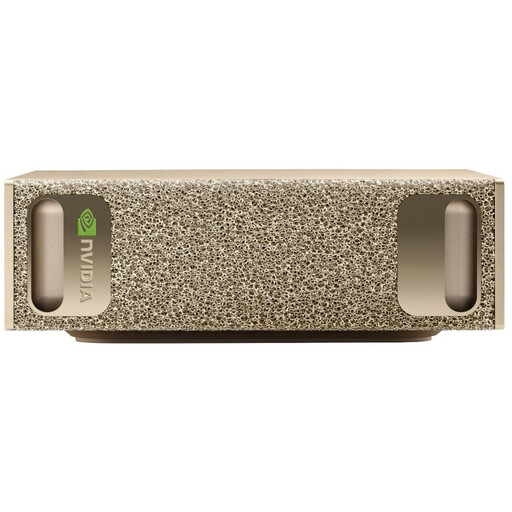 Image unavailable
You could compare this mini PC if you’re looking for a compact case, but don’t assume it’s suitable for your renovation software without checking its requirements.
The product title lists 128 GB RAM, a 4 TB SSD and NVIDIA DGX OS.
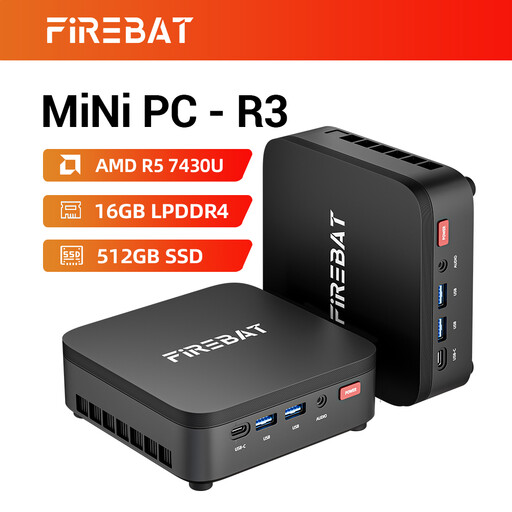 Image unavailable
A compact mini PC to compare if you want to use the computer with a separate screen; check the configuration against your programme’s requirements.
The product title lists 16 GB RAM and a 512 GB SSD.
 Image unavailable
This mini PC is an option for a compact workstation with a separate screen; check in advance which accessories are included with the configuration.
The product title lists 16 GB DDR5, a 512 GB SSD and Windows 11 Pro. According to the product description, the power adapter isn’t included and must be purchased separately.
 Image unavailable
A mini PC option if you want to pair a separate computer case with a screen; check that the configuration suits the software and features you use.
The product title lists 16 GB DDR5, a 1 TB SSD and Windows 11 Pro.
It depends on the version and the work you’re doing. SketchUp for Web and SketchUp for desktop have different hardware requirements; check the exact model, browser and graphics hardware needed for the features you want to use.
Only if the computer, screen and mount are suitable for this. Also check that you can still connect the cables and that there’s enough room for them.
According to the Dutch government, electronic devices sold on the EU market must have the required CE marking. Check the specific configuration; a product listing alone doesn’t confirm that it has been checked.
According to the Dutch government, the seller is your point of contact for a faulty product and must arrange an appropriate solution. For a standard online consumer purchase, you’ll generally also have a 14-day cooling-off period; this is separate from getting a fault resolved.
The Dutch government lists options including the shop or online service where you buy a new, similar device, a collection point and your local council’s recycling centre.