
Quiz maker affected by daylight
You want to be able to read text at your desk by the window. So consider not just the screen finish, but also the screen’s position and whether you need blinds or other sun protection.


Start by choosing a screen and setup that make text easy to read in your lighting. Arboportaal recommends positioning your line of sight parallel to the window wherever possible. An all-in-one combines the computer and screen, while with a compact desktop and separate screen you can choose and position each part independently. For both options, check the exact configuration, connections and included accessories.
You want to be able to read text at your desk by the window. So consider not just the screen finish, but also the screen’s position and whether you need blinds or other sun protection.
You create questions while consulting source material, and want to consider screen space and computer configuration together.
You’re looking for a setup that works for you and want to weigh up whether an integrated screen or a separately positioned monitor would suit your desk better.
A good fit if: you’re starting from scratch and want the computer and screen in one setup.
Consider: you choose the screen and computer largely as a package. Check the finish and adjustability of the exact configuration, and what’s included.
A good fit if: you already have a suitable screen, or want to choose the screen and its position separately. A Mac mini is an option if you want to use macOS.
Consider: you choose the screen, computer and any cables and input devices separately. Check the connections and software compatibility.
| What to consider | What should you check? | Who should give this more weight? |
|---|---|---|
| Readability by the window | Check the screen finish and adjustability of the exact configuration. Also consider whether your desk can be positioned parallel to the window and whether you need blinds or other sun protection. | If I work beside a bright window, I want to read text without distracting reflections or an awkward line of sight. Around 33% of consumers put readability first. |
| Space for questions and sources | Check the screen size and resolution, as well as the connections, memory and storage of the exact model. | If I consult source material while creating questions, I want to choose the screen space and computer configuration together. Around 27% of consumers prioritise working with questions and sources. |
| Space and positioning | Measure the available space and decide where the screen can go. Check the mounting options for the exact computer configuration. | If my desk has limited space, I want to know in advance how the screen and computer will fit. Around 20% of consumers put space and positioning first. |
| Complete setup | Check what’s included, which cables and input devices you’ll need, and whether the software works with your chosen operating system. | If I still need some components, I want to know before choosing what I’ll need for a complete quiz setup. Around 20% of consumers prioritise buying everything they need at once. |
An anti-glare finish doesn’t guarantee protection from reflections or direct light on your screen. Arboportaal also highlights the importance of your line of sight in relation to the window.
First consider where to position the screen, then check the finish and adjustability of the exact model. Blinds or a different desk layout may also help.
You may need to adjust your desk setup or add blinds or other sun protection.
What’s included can vary by configuration. The information for the Lenovo configuration we looked at is inconsistent about whether a keyboard and mouse are included.
Ask for confirmation of which accessories are in the box for the exact product code.
You may need to buy a keyboard or mouse separately.
With a compact desktop, you choose the screen separately, so the computer alone doesn’t make a complete quiz setup.
Compare complete setups and check that the screen, connections, cables and input devices all work together.
You may also need a suitable screen, cables and input devices.
The IdeaCentre AIO Gen 10 F0JC0015NY is an all-in-one with an integrated screen.
The OmniStudio 24cu0612nd is an all-in-one for anyone who wants to choose the computer and screen together.
The PRO DP21 14M series is a compact desktop option where you choose the screen separately.
The Dell Pro P2425H is a monitor you can choose separately for a setup with a standalone desktop.
The Mac mini is a compact desktop option with a separately chosen screen for anyone who wants to use macOS.
These options cover compact desktops with a separately chosen screen, as well as all-in-ones with an integrated screen. For each model, check that the connections, configuration and software suit your quiz setup.
 No image available
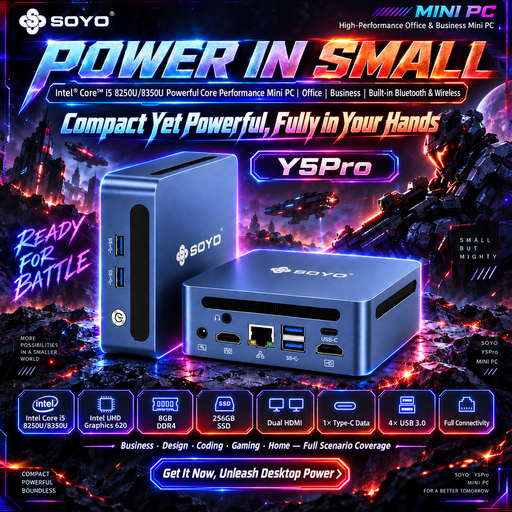
A compact desktop option if you want to choose a separate screen; check that the connections are suitable for your screen.
Intel Core i5 8250U/8350U, Windows 11, 8 GB DDR4, 256 GB SATA SSD, Bluetooth 5.2 and Wi-Fi 5.
 No image available
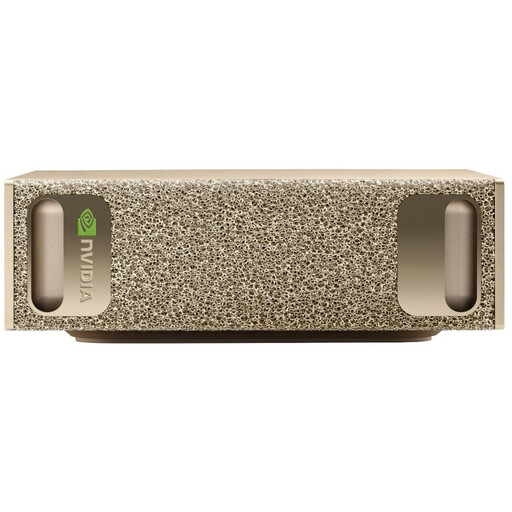
A mini PC for a setup with a separate screen. Before buying, check that the listed operating system and configuration are compatible with the quiz software you want to use.
128 GB RAM, 4 TB SSD and NVIDIA DGX OS.
 No image available
A compact desktop option if you want to choose the screen separately; check the connections on your chosen configuration and screen.
Intel Core Ultra 7 155H, 16 GB DDR5-SDRAM, 1 TB SSD and Windows 11 Pro.
 No image available
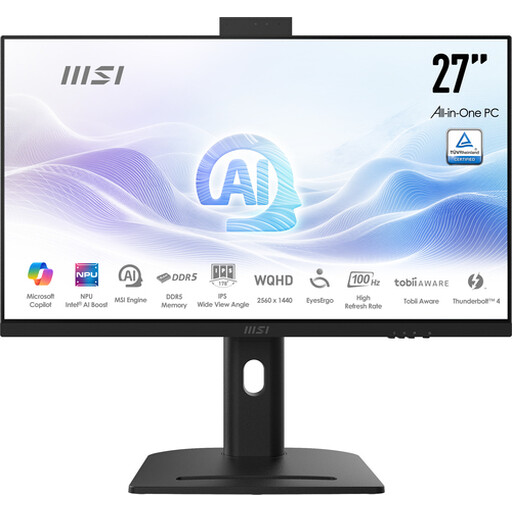
An all-in-one with an integrated screen if you want to choose the computer and display together; consider where you’ll position the screen in relation to your window.
27-inch QHD IPS screen, 2560 × 1440 pixels, Intel Core Ultra 5 125H, 16 GB DDR5-SDRAM, 1 TB SSD and Windows 11 Pro.
 No image available
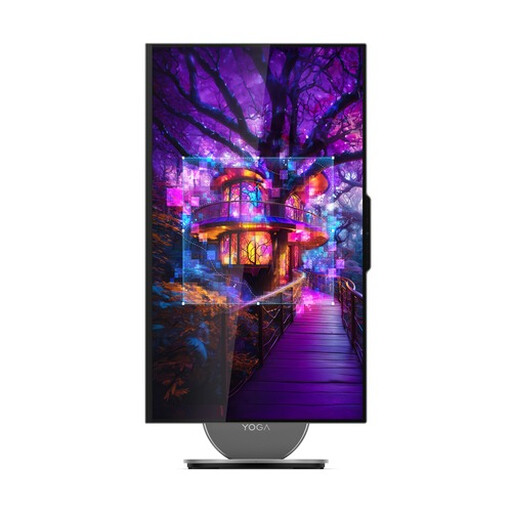
An all-in-one for anyone who wants the computer and screen in one setup; check that the screen can be positioned to suit the space by your window.
27-inch QHD screen, 120 Hz, Intel Core Ultra 7 255H, 16 GB LPDDR5X, 1 TB SSD and Windows 11 Home.
Try to position your line of sight parallel to the window. If daylight still causes reflections or glare, Arboportaal recommends moving further from the window or using suitable sun protection. This is advice on positioning, not a guarantee about any particular screen.
That depends on the connections available on both devices. Compare the ports on the exact desktop configuration with those on the screen, and check that you have the right cable.
For a consumer purchase in the Netherlands, the seller is responsible for the legal guarantee. According to the Netherlands Authority for Consumers and Markets, a faulty product may entitle you to a free repair or replacement and, in some cases, a refund. A commercial guarantee does not replace these legal rights.
For online consumer purchases, ACM ConsuWijzer says you will generally have a 14-day cooling-off period after delivery, subject to legal exceptions. Check the terms for trying the product carefully and returning it before you buy.
For employees who work with display screens for more than 2 hours a day, Arboportaal lists requirements for the workplace setup, including a non-reflective, height-adjustable screen. These workplace rules are not necessarily a universal product requirement for every quiz maker buying for personal use.