What should you look for?
Start with the software and workloads you want to run locally. Then compare memory and upgrade options, the shared workstation setup, and connections for displays and peripherals.
| What to consider |
What should you check? |
Who should pay particular attention? |
| Memory and local analysis |
Test a representative file and your planned workloads. Check the installed RAM and upgrade options for the exact configuration. |
If I run analyses locally that process a lot of data at once, I want to know whether the configuration can handle them. Around 33% of consumers in this situation prioritise analytical capacity. |
| Separate user access |
Check whether users can have their own logins, and decide where files will be stored after each session. |
When several people use the same computer, I want to manage access and files left behind properly. Around 27% of consumers give user separation top priority. |
| Desk space and connections |
Count the displays and devices you want to connect, then compare their connections with those on the exact computer configuration. |
If my desk is short on space, I’m looking for a compact setup that works with my existing displays. Around 20% of consumers in this situation choose primarily based on size and connectivity. |
| Complete workstation |
Check what’s included and compare the configuration and service terms for the model you’re planning to buy. |
When I’m setting up a shared desk, I want to know in advance what else I’ll need besides the computer. Around 20% of consumers focus mainly on the complete setup and support. |
Joybuy products for working with datasets
These Joybuy desktops are options to compare for exploring datasets and setting up a shared computer workstation.
 No image available
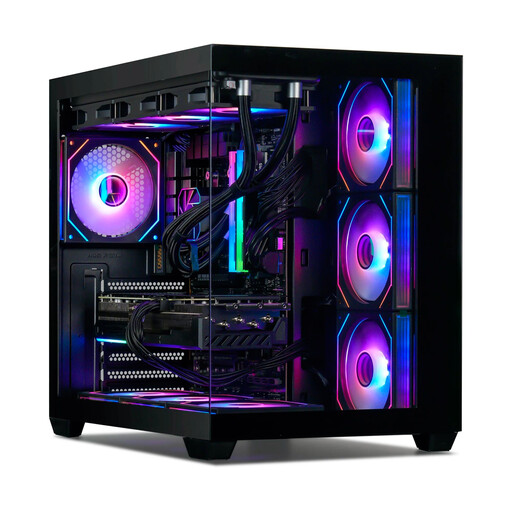
Gaming Desktop PC Ryzen 7 7800X3D, RTX 5080, 32 GB DDR5, 1 TB SSD
The listed memory and storage configuration may be relevant for exploring datasets locally. Check whether Windows 11 Trial is suitable for your intended use.
Ryzen 7 7800X3D; GeForce RTX 5080 16 GB; 32 GB DDR5; 1 TB NVMe SSD; Windows 11 Trial; Wi-Fi 6E.
View at Joybuy
 No image available
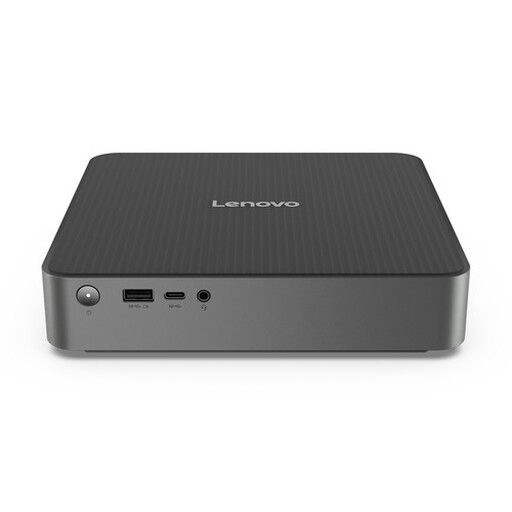
Lenovo IdeaCentre Mini
A mini PC to consider if desk space is limited and you want to connect several displays.
1-litre chassis; 16 GB DDR5; 512 GB SSD; support for up to three independent displays.
View at Joybuy
 No image available
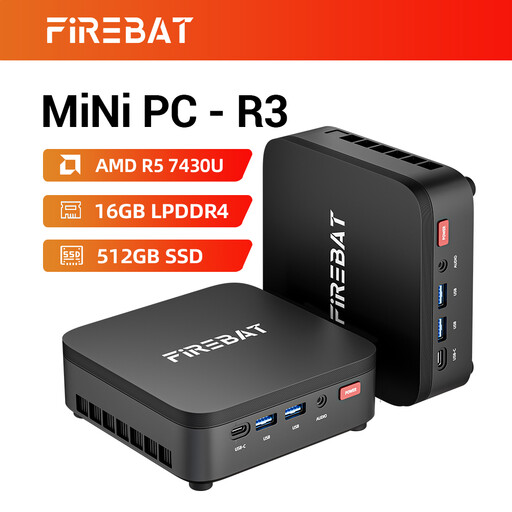
FIREBAT R3 Mini PC AMD Ryzen 5 7430U
The listed memory and storage configuration makes this an option to compare for exploring datasets locally. Check that the available connections suit your displays.
16 GB RAM; 512 GB SSD; Wi-Fi 6; support for three 4K displays; Bluetooth 5.2.
View at Joybuy
 No image available
Lenovo ThinkCentre M70q Gen 5 Intel Core i7-14700T
A compact option for exploring datasets at a small desk; bear in mind that the charger is sold separately.
16 GB DDR5; 512 GB SSD; Windows 11 Pro. The description states that the memory can be upgraded to 64 GB.
View at Joybuy
 No image available
MSI CUBI NUC AI 1UMG-005EU
A compact computer to compare if you want a small setup with several displays; check that the connections suit your equipment.
Intel Core Ultra 7 155H; 16 GB DDR5; 1 TB SSD; Windows 11 Pro; support for up to four displays; VESA mounting.
View at Joybuy
Frequently asked questions
Do I need a special workstation for public CBS tables?
Not just because the data comes from CBS. CBS offers CSV downloads and APIs, among other things; the workload depends on the dataset and operations you choose. Test a representative analysis. If a dataset won’t fit in RAM, also consider file-based or database-based approaches such as those described in R documentation.
Can I use Power BI Desktop on a Mac mini?
Microsoft describes Power BI Desktop as a Windows app. If you specifically need this local application, choose a suitable Windows setup and don’t assume it’s compatible with macOS without checking.
How do I set up a computer for different users?
Use separate logins and decide where files will be kept after each session. If the data includes personal information, the appropriate protection against unauthorised access depends on the purpose and context of processing, according to the Dutch Data Protection Authority.
Do statutory consumer guarantee rules also apply to a desktop bought for business use?
Not automatically. ACM ConsuWijzer states that purchases used mainly or exclusively for business purposes are generally not covered by consumer protection. For consumer purchases, statutory guarantees apply alongside any manufacturer’s or seller’s warranty. For a business purchase, check separately what service has been agreed.
Are public datasets always free from privacy obligations?
No. Consider whether individuals can be identified directly or indirectly from the data. The Dutch Data Protection Authority explains that pseudonymisation is not the same as anonymisation, and pseudonymised data may still be personal data.


