
Developers testing with enlarged text
You want to check that forms, buttons and loan details remain usable when text is enlarged and the page gets narrower. The W3C sets out criteria for text resizing and reflow.


Start with a desktop that can run your development software and connect to the external display you want to use. A compact Windows desktop or Mac mini could be suitable, but check the exact configuration, connections and peripherals you’ll need. Then test the portal itself with enlarged text and a narrow viewport: a powerful computer won’t make an inaccessible interface accessible.
You want to check that forms, buttons and loan details remain usable when text is enlarged and the page gets narrower. The W3C sets out criteria for text resizing and reflow.
You want to use an editor, browser and documentation side by side or switch between them. Choose your screen setup carefully and check that the desktop can connect to the displays you need. Apple and Lenovo describe external display support for the product ranges mentioned.
You’re looking for a compact desktop, but also want to know what else you’ll need and whether the configuration can be upgraded. Lenovo says the ThinkCentre M75q Gen 5 provides tool-free access to SSD and memory modules; be sure to check the exact part number.
Start by considering your development software and testing setup. Then assess separately whether the portal interface remains readable and usable when enlarged.
| Consideration | What should you check? | Who is this important for? |
|---|---|---|
| Readable development and accessibility testing | Test text enlargement up to 200% and reflow at a width of 320 CSS pixels, subject to the exceptions set out in the W3C criteria. | If you want to check whether visitors can use the portal interface with larger text, make this your top priority. Around 36% of consumers put accessibility testing first. |
| Development software and local files | Check your software requirements, operating system and the exact memory and SSD configuration. | If you’re mainly looking for a suitable setup for your development software and project files, compare those requirements with the model you choose. Around 29% of consumers prioritise development work. |
| Workspace, display and connections | Compare the connections on the exact desktop with your display and peripherals; also check what’s included. | If you want to use a compact computer in a specific workspace, make sure it suits your display setup. Around 21% of consumers start with their workspace and connections. |
| Total cost and aftercare | Include any components you need, availability and the terms of any extended warranty in your comparison. | If you want to understand the cost of a complete workspace and the purchase terms, look beyond the computer itself. Around 14% of consumers make this their first consideration. |
Changing settings on your own computer doesn’t prove that the website’s text, buttons and forms will still work properly when enlarged.
Test the portal interface itself with enlarged text and a narrow viewport. The W3C criteria cover things to consider in both situations.
A compact computer doesn’t automatically include a display or all the input devices you need.
Check the connections, software compatibility and box contents for the exact configuration.
You may need to buy a display, cable or input devices separately.
Configurations within the same product range can vary. The Lenovo ThinkCentre M75q Gen 5 configuration with part number 12RQCTO1WWNL1 doesn’t list a hard drive.
Check the part number and parts list for the version you want to order.
If storage or input devices aren’t included, you may need to arrange them separately.
The Mac mini M6 is a compact macOS desktop for anyone who wants to choose their own external display.
The Pro Mini 400 G9 is an example of a compact business Windows desktop; its configuration depends on the product number.
The ThinkCentre M75q Gen 5 Tiny is a compact Windows desktop worth considering if display support and access to components matter to you.
This selection includes compact desktops and all-in-one PCs for development on a display you choose yourself or one that’s built in. For each model, check that the configuration and connections suit your software and testing setup.
 No image available
Worth considering if your development software runs on macOS and you want to choose your own external display.
12-core CPU, 12-core GPU, 16 GB memory and a 512 GB SSD.
 No image available
A compact Windows option to compare if you want to put together your own display setup.
Intel Core Ultra 7 155H, 16 GB DDR5, 1 TB SSD and Windows 11 Pro.
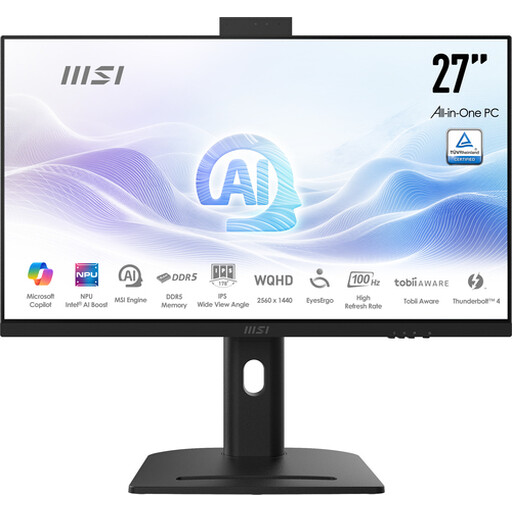 No image available
An option to consider if you want a built-in display as part of your development workspace.
Intel Core Ultra 5 125H, 16 GB DDR5, 1 TB SSD and a 27-inch QHD IPS display with 2560 × 1440 pixels.
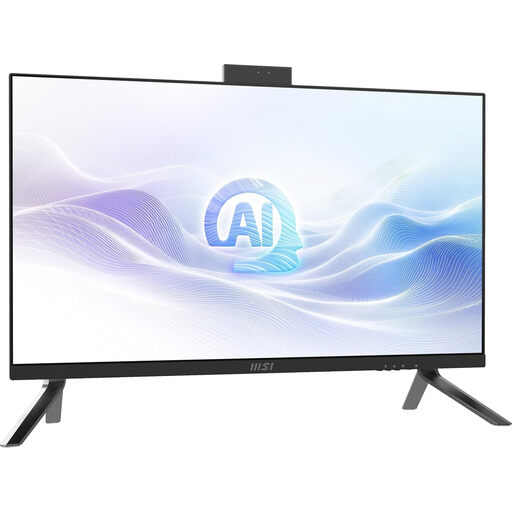 No image available
An alternative to compare if you want a built-in display and Windows 11 Pro in one workspace.
Intel Core Ultra 7 155H, 32 GB DDR5, 1 TB SSD, a 27-inch QHD IPS display with 2560 × 1440 pixels and Windows 11 Pro.
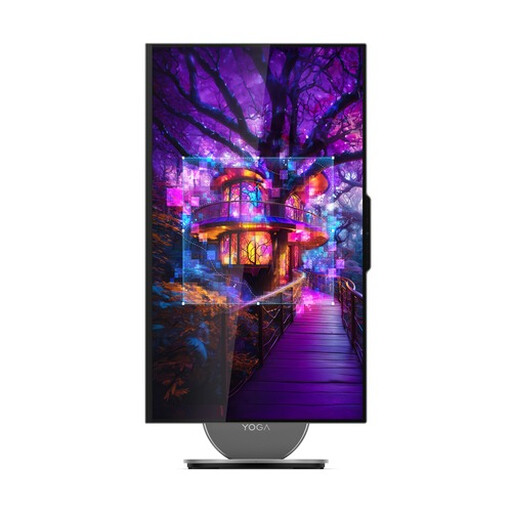 No image available
An option to consider if you want a built-in display and work with windows side by side.
Intel Core Ultra 7 255H, 16 GB LPDDR5X, 1 TB SSD, a 27-inch QHD display with 120 Hz and Windows 11 Home.
Windows and macOS let you enlarge what’s shown on your own screen, but visitors use their own devices and settings. So test the website separately: W3C criterion 1.4.4 covers text enlargement up to 200% without loss of content or functionality; criterion 1.4.10 covers reflow at widths including 320 CSS pixels, subject to specified exceptions.
Compare the video output on the exact desktop with the input on your display, and check which cable you’ll need. Apple lists external display support for the Mac mini M6; the right combination depends on your chosen computer and display setup.
An extended warranty is not the same as your legal rights if a product doesn’t meet the terms of the agreement. According to the Dutch Government, the Netherlands has no set legal warranty period; compare the terms of an extended warranty with the rights you already have. If there’s a fault, contact the seller.
No. The rules that apply depend on the provider and the service. DigiToegankelijk states that the Digital Accessibility of Government Decree applies to Dutch government bodies. The Dutch Government says requirements have applied to certain products and services since 28 June 2025; an online service that lets users hire or reserve something, or enter into an agreement, may be covered. For the portal in question, consider who provides it and how the lending transaction works.
Work out which personal data you need and how to protect it in a way that reflects the risks. The Dutch Data Protection Authority emphasises that organisations need a good reason to process personal data and must decide for themselves which security measures are appropriate. Enlarging the text doesn’t replace this assessment.