Who is this setup for?

Creating a puzzle booklet beside a bright window

You want to be able to check small text and puzzle grids clearly. Ideally, position the screen so your line of sight is parallel to the window; blinds and the screen’s position also matter. Arboportaal recommends this for screen-based workstations.

Putting together a printed booklet

You want to check the pages, solutions and print order. Choose your layout software first, then print a test copy to check the correct orientation and how to feed the paper into your printer. Adobe recommends this for printing booklets in InDesign.

Continuing to use an existing screen

You’re looking for a compact computer to connect to your current monitor. For a mini PC, check its video connections and which components are included in the configuration you choose. Lenovo, for example, states that the monitor and keyboard are sold separately with the ThinkCentre Neo 50q Gen 4 Tiny.

What should you look for when choosing?

All-in-one

A good fit if: you don’t already have a monitor and want a fixed, compact workspace.

Bear in mind: the screen is built in, so you have less freedom to choose a different one later. Lenovo says the A100 F0JN001GNY has an anti-glare screen, but this won’t necessarily prevent direct sunlight from causing glare.

Mini PC with a separate monitor

A good fit if: you want to use a screen you already own or choose one to suit your position by the window.

Bear in mind: you may need to buy a screen, keyboard or cables separately. Check the ports on both the PC and monitor, as well as what’s included in the exact configuration.

Tower with a separate monitor

A good fit if: you expect to need more connections or room for upgrades for other projects too.

Bear in mind: a tower takes up more space than a mini PC. Lenovo describes towers as offering greater upgrade potential, though options vary by configuration.

What to consider What should you check? Who is this important for?
Readability in daylight Check the screen coating, but also make sure you can position the screen at right angles to the window and use blinds. Arboportaal recommends keeping your line of sight parallel to the window. If you want to check small print and grid lines by the window, you’ll want to reduce distracting reflections. Around 33% of consumers put readability in daylight first.
Layout and printing Check that your chosen layout software works with the operating system and that your printer supports the print method you need. Adobe recommends using a test document when printing booklets. If you want to arrange pages and check a folded test booklet, your software and printer workflow need to work together. Around 27% of consumers prioritise layout and print preparation.
Existing workspace and expansion Compare the video connections on the PC and monitor, and check the expansion options for the exact configuration. Lenovo describes towers as offering greater upgrade potential. If you want to connect your existing screen or may need more connections later, you’ll want to know whether the chosen case will suit your needs. Around 20% of consumers prioritise connecting to their existing workspace or expanding later.
Complete setup and aftercare Check which components are included, and distinguish your statutory rights from any additional service plan. Lenovo says the monitor and keyboard are sold separately with the ThinkCentre Neo 50q Gen 4 Tiny. If you want to put together a complete layout setup and know who to contact if something goes wrong, check what’s included and what warranty cover applies. Around 20% of consumers give these points top priority.

Common buying mistakes

  • Focusing only on screen brightness

    Even with an anti-glare screen, the position of the window can make it harder to view small text and puzzle grids.

    First, work out where you can position the screen at right angles to the window, and whether you can use blinds. Then compare the screen specifications.

  • Assuming a mini PC is a complete workstation

    The monitor and keyboard are sold separately with the ThinkCentre Neo 50q Gen 4 Tiny.

    Check which components are included with each configuration and whether its video connection is compatible with your monitor.

    You may still need a compatible monitor, keyboard or connection cable.

  • Buying a new Windows PC to keep using Publisher

    Microsoft says support for the perpetual version of Publisher ended on 13 October 2026. Microsoft 365 subscribers lost access on or shortly after 1 October 2026.

    Before buying, check for a supported alternative and whether you can use your existing files with it.

    You may need to change your layout workflow or convert your files.

Brands to consider

Lenovo

Lenovo offers all-in-ones and standalone desktops for a fixed or modular workspace.

  • According to Lenovo, the A100 F0JN001GNY configuration has an anti-glare screen.
  • The monitor and keyboard are sold separately with the ThinkCentre Neo 50q Gen 4 Tiny. These features apply to the configurations mentioned, not to every Lenovo desktop.

HP

The Pro Mini range offers a compact Windows option if you want to choose your own monitor.

  • HP lists Windows 11 Pro, 16 GB RAM and a 512 GB SSD for the Pro Mini 400 G9 6D494EA#ABH.
  • These specifications apply to that configuration; also check that your chosen layout software will work with it.

Apple

The Mac mini is a compact macOS option for anyone who wants to choose their own monitor.

  • Apple lists support for external displays and a range of memory and storage configurations for the Mac mini with M6.
  • A screen isn’t included with this desktop. Check that your layout software and peripherals work with macOS.

Dell

Dell’s OptiPlex range includes compact desktops and all-in-ones, offering options for a separate or integrated workstation.

  • Both case styles are represented in the OptiPlex range.
  • The case style alone doesn’t tell you about the screen coating or included components. The OptiPlex 7020 Micro we looked at has been discontinued.

Joybuy products for this setup

This selection includes all-in-one desktops with an integrated screen and a mini PC for use with a separate monitor.
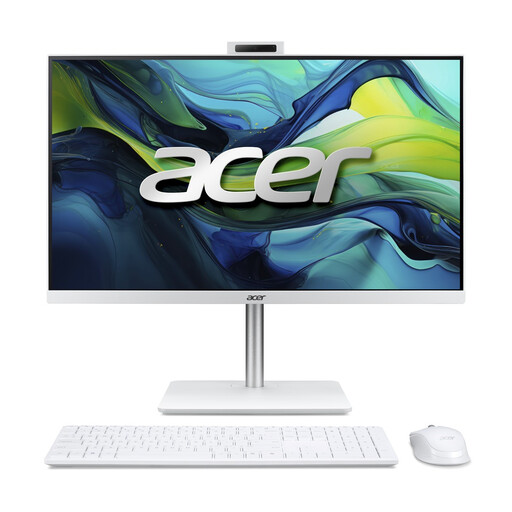
Acer Aspire C24-A WI5418 NL all-in-one desktop

Acer Aspire C24-A WI5418 NL all-in-one

A fixed all-in-one setup for anyone who wants to use the PC and monitor as a single device.

23.8-inch Full HD IPS screen, Intel Core 5 120U, 16 GB DDR5, 1 TB PCIe NVMe SSD and Windows 11 Home.

View at Joybuy

MSI CUBI NUC AI 1UMG-005EU mini PC

MSI CUBI NUC AI 1UMG-005EU

A mini PC for anyone who wants to keep their computer compact and connect their own monitor.

Intel Core Ultra 7 155H, 16 GB DDR5, 1 TB SSD and Windows 11 Pro.

View at Joybuy
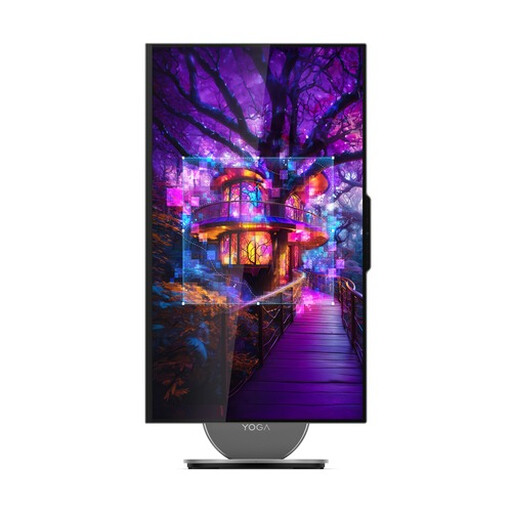
Lenovo Yoga AIO 27IAH10 F0J2001DNY all-in-one desktop

Lenovo Yoga AIO 27IAH10 F0J2001DNY

An integrated computer and screen setup for anyone who doesn’t want to connect a separate monitor.

27-inch QHD 120Hz screen, Intel Core Ultra 7 255H, 16 GB LPDDR5X, 1 TB SSD and Windows 11 Home.

View at Joybuy
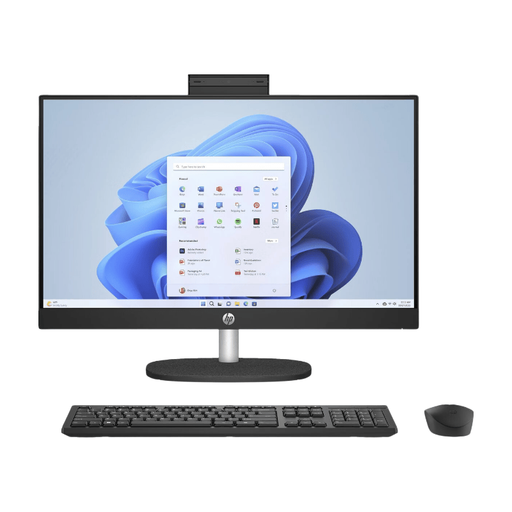
HP 24-cr0050nd 895R0EA#ABH all-in-one desktop

HP 24-cr0050nd 895R0EA#ABH all-in-one

An all-in-one with an integrated matte screen for a fixed workspace.

23.8-inch Full HD IPS screen, matte finish, AMD Ryzen 5 7520U, 8 GB memory, 512 GB SSD and Windows 11 Home. The power adapter must be purchased separately.

View at Joybuy

Frequently asked questions

Beside a bright window, should you mainly look for a PC with the brightest screen possible?

Start with the setup: Arboportaal recommends keeping your line of sight parallel to the window when working at a screen, and using blinds if needed. A stated screen brightness or anti-glare coating doesn’t replace checking your workstation setup.

How can you check that your puzzle booklet will print correctly on both sides?

Check the page size and page order in your layout software, then print a test copy first. Adobe also explains how to print double-sided manually in InDesign when your printer doesn’t have automatic duplex printing. Check the process for your printer.

Can you still rely on Microsoft Publisher for a new puzzle booklet?

Not as a reliable long-term option: according to Microsoft, Microsoft 365 subscribers lost access on or shortly after 1 October 2026, and support for the perpetual version ended on 13 October 2026. Check for an alternative and make sure your existing files will work with it before choosing a PC for that workflow.

Can you simply publish puzzles, text or images you find in your booklet?

Not necessarily. According to the Dutch government, you can only use other people’s copyright-protected work with the creator’s permission. Use your own material, or check the permissions and licence if you plan to distribute the booklet.

What are your rights if you buy a desktop PC online in the Netherlands and it isn’t satisfactory?

For a standard online purchase by a consumer, you generally have 14 days from delivery to change your mind. You also have statutory consumer rights: if a product breaks sooner than you could reasonably expect under normal use, the seller is responsible for providing an appropriate solution free of charge. Check for any exceptions to the cooling-off period, and don’t confuse your statutory rights with an additional service plan.
