
Illustrator working with large files
You edit large panoramas or work with lots of image layers. Focus on having enough memory and space for temporary files.


Start with the requirements of your drawing software and the size of your source files. Memory, available SSD space and a suitable screen are more concrete things to assess than general claims about creative performance. A compact Mac suits a macOS setup with a screen chosen separately; a Windows tower gives you a choice of configurations, but check the memory, storage, graphics specifications and included components for the exact model.
You edit large panoramas or work with lots of image layers. Focus on having enough memory and space for temporary files.
You keep several large source files and versions. As well as checking SSD capacity, consider how you’ll arrange a separate back-up.
You want to assess detail and colour on a suitable screen, and weigh up whether a compact computer or configurable tower will work best with your desk and peripherals.
For Photoshop, Adobe recommends 16 GB RAM or more and specifies 100 GB of available disk space and a screen resolution of 1920 × 1080 or higher. Resolution alone tells you nothing about colour accuracy, so also check that the screen is right for your work.
Choose this option if: your drawing software and peripherals work with macOS, and you want to choose an external screen yourself.
Bear in mind: the screen and input devices are separate parts of your setup. A compact case alone is no proof of speed with large projects.
Choose this option if: you use Windows or want to compare configurations for memory, storage and, potentially, a graphics card.
Bear in mind: a product range’s specifications do not automatically apply to every model. Also check whether the graphics card is discrete or integrated.
Choose this option if: an integrated screen and a dedicated workspace matter more to you than choosing the screen and computer separately.
Bear in mind: the screen comes as part of the complete model, so check the screen specifications and connections for the exact configuration.
| What to consider | What should you check? | Who is this important to? |
|---|---|---|
| Memory | Compare the RAM installed in the exact model with the requirements of your software and files. | If I edit large illustrations and image files at the same time, I want to know how much memory the PC actually has. Around 33% of consumers give memory for large files top priority. |
| SSD space | Compare the space for source files and versions with what will remain after installing the operating system and software. | When I keep lots of source images and project versions, I want enough storage space for them. Around 27% of consumers prioritise storage and versions. |
| Screen and image detail | Check the resolution, relevant colour properties and connections; also see whether the screen is included. | If I want to assess the details and colours in a wide panorama, I need a screen that suits my work. Around 20% of consumers give screen quality top priority. |
| Workspace setup | Check the connections, expansion options and which components are included with the exact model. | When desk space and the option to choose components separately matter to me, I compare the complete setup. Around 20% of consumers prioritise workspace setup and flexibility. |
The space needed for the programme is not the same as the space you’ll need for source folders, working files and project versions.
Compare the free SSD space after installation with the size of your existing source folders and the versions you want to keep.
You may need a larger SSD or separate storage to keep your files.
The HP Z2 Tower G1i configuration reviewed lists Intel Graphics. A product range’s specifications do not automatically tell you which components are in a particular PC.
Read the graphics specifications for the exact model and compare them with your software and screen requirements.
If your software or screen requires a different configuration, you may need another model or a separate graphics card.
A compact desktop may need an external screen. Lenovo states that a screen, keyboard and mouse are sold separately for the ThinkStation P3 Tower Gen 2 range.
Check what’s included and which connections are available before comparing different types of desktop.
You may need to arrange a suitable screen, input devices or connection cables separately.
Mac mini for a compact macOS workspace with a screen chosen separately.
Z2 Tower G1i for anyone comparing a Windows workstation with specified memory and storage.
Pro Max Tower T2 for anyone looking into a configurable Windows tower.
ThinkStation P3 Tower Gen 2 for anyone looking into a Windows workstation with a choice of components.
These Joybuy products are configurable Windows towers for a dedicated workspace. Focus on comparing their memory and storage configurations with your software and source files.
 No image available
A Windows tower worth comparing if you’re looking for 32 GB memory and 1 TB storage for large files.
The title lists 32 GB DDR5 and a 1 TB NVMe SSD; the description mentions a GeForce RTX 5080 with 16 GB graphics memory. The product information lists Windows 11 Trial, labelled as Evaluation Version.
 No image available
Compare the listed memory and storage configuration with your drawing software’s requirements and the size of your source files.
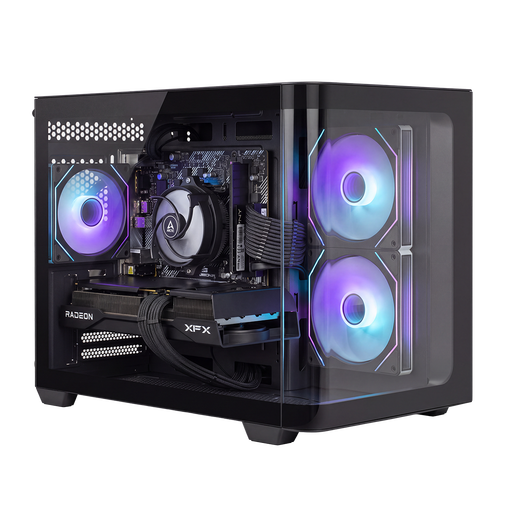
The title lists 16 GB memory and a 1 TB SSD. The product description mentions a Ryzen 7 processor and a Radeon RX 9070 graphics card; the tower is listed with Windows 11 Home.
 No image available
A desktop setup worth comparing if you want to weigh the listed memory and storage against your software requirements.
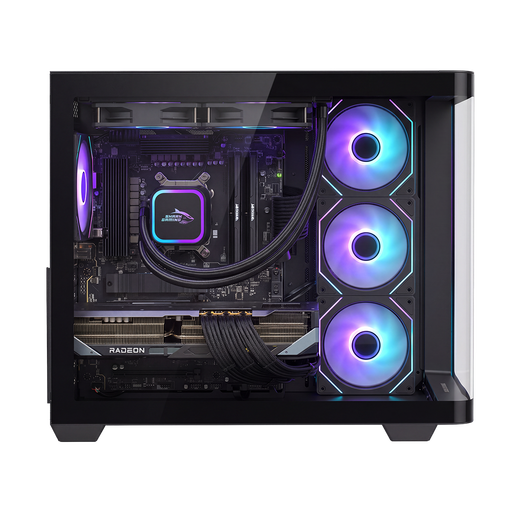
The description lists 16 GB DDR5, a 1 TB NVMe SSD and a Ryzen 7 9800X3D. The Radeon RX 9070 XT is listed with 16 GB graphics memory.
 No image available
Compare this configuration with your requirements for memory, storage and connecting your screens.
The title lists an Intel Core Ultra 7 265F, 32 GB DDR5, a 1 TB SSD and Windows 11 Home. The GeForce RTX 5070 is listed with 12 GB graphics memory.
 No image available
A tower worth comparing if you’re looking for 32 GB memory and connections for multiple screens.
The title lists 32 GB DDR5 and a 1 TB SSD. The product description mentions an Intel Core Ultra 7, a GeForce RTX 5070 with 12 GB graphics memory, Windows 11 Home and support for up to four screens.
Not based on this use case alone. Adobe sets GPU support requirements for Photoshop and specifies a recommended amount of GPU memory for Windows screens of 4K and above. Check your software requirements, screen setup and the graphics specifications of the exact PC before spending extra.
Illustrator offers a large canvas for bigger work areas. Adobe warns that high-resolution raster effects can slow down your workflow and that older versions of Illustrator may display large-canvas artwork differently. Agree the document settings with whoever will receive the final file.
Check whether a screen, input devices and the storage you need are included. Lenovo says the screen, keyboard and mouse for the ThinkStation P3 Tower Gen 2 range are sold separately. For consumer purchases in the Netherlands, the seller remains responsible under the statutory guarantee if a product is faulty, in addition to any manufacturer’s warranty. For business purchases, check the applicable terms separately.
For distance purchases by consumers in the Netherlands, there is generally a statutory cooling-off period of up to 14 days after delivery. ACM ConsuWijzer lists exceptions, including certain made-to-measure or personalised products. Check the terms before ordering a specially configured PC; this does not automatically mean the same return right applies to a business purchase.