
Writer with few sockets
You want a permanent place to write, with as few separately powered devices as possible. So compare an all-in-one with a computer and separate monitor. HP Netherlands and Apple both describe these types of setup.


If you don’t yet have a suitable screen and want to minimise the number of devices that need their own power supply, start by considering an all-in-one. If you already have a monitor, you could look at a mini PC or a separate desktop tower. Before buying, count the connections you’ll need for your entire workspace and check which peripherals and power adapter are included with the model you’re considering.
You want a permanent place to write, with as few separately powered devices as possible. So compare an all-in-one with a computer and separate monitor. HP Netherlands and Apple both describe these types of setup.
You want to view the book, your notes and your review side by side, so consider screen size, adjustability and connections for a possible second screen. Lenovo Netherlands explains that support for a second monitor depends on the model and its available video outputs.
You want to keep using a suitable monitor and need a computer you can connect to it, rather than choosing one with a built-in screen. Apple describes the Mac mini as a standalone computer, with the screen available separately.
| What to consider | What should you check? | Who is this important for? |
|---|---|---|
| Sockets required | Count the power supplies for the computer, screen and other equipment. Also check which items are included with the model. | If I have few spare connections, I want to know how many devices my complete workspace will need; around 36% of consumers prioritise limiting the number of connections required. |
| Space for reading | Compare the screen size, resolution and adjustability of the exact model. Check that it has a video output if you want to connect a second screen. | If you want to view book text, notes and a review side by side, available reading space is a key consideration; around 29% of consumers prioritise this. |
| Reusing an existing screen | Check that the computer’s video output is compatible with your monitor’s input and that you have the right cable. | If I already have a suitable monitor, I want to keep using it rather than buying a computer with a built-in screen; around 21% of consumers make reusing a screen their first selection criterion. |
| Complete setup and service | Check what’s included and who the seller is. Consider any additional warranty separately from your statutory rights. | If you want to understand the cost and service involved in a complete workspace, check in advance which items you still need; around 14% of consumers prioritise the total cost. |
A mini PC is a standalone computer, so you may also need a separate screen and input devices. Apple says these items are sold separately for the Mac mini.
Before comparing options, work out which items you already have and which ones you still need.
A setup with a separate computer may require extra purchases, such as a screen or input devices.
Plugging one extension lead into another isn’t a suitable way to deal with a shortage of sockets. The Fire Service advises against connecting extension leads to each other and recommends using only one extension lead per socket.
Count the power supplies you’ll need and follow the Fire Service’s safety advice on extension leads and multi-socket adaptors.
Any manufacturer’s or seller’s warranty is separate from your statutory rights. ACM ConsuWijzer explains that you’re entitled to a product that meets the expectations you’re entitled to have of it.
Consider paid-for additional services separately and check what rights you have with the seller.
An additional warranty may involve extra costs.
HP offers all-in-ones as well as standalone desktops, including mini PCs and desktop towers.
The Mac mini is a standalone desktop for which you choose your own screen; the iMac is Apple’s all-in-one setup.
The Dell 24 EC24260 is an all-in-one option for a permanent workspace with a built-in screen.
Lenovo offers all-in-ones as well as a Tiny-in-One setup with a separately replaceable PC.
These Joybuy products are all-in-one PCs for a permanent workspace, with the screen integrated into the computer setup. Check the screen specifications for each model, and whether any components or power adapter need to be purchased separately.
 No image available
An integrated screen is a good fit for a permanent workspace where you want to use the computer and monitor as one setup.
The screen is 23.8 inches, FHD and matte IPS. The product description says the power adapter must be purchased separately.
 No image available
The integrated computer and screen form a single setup for a permanent workspace.
The screen is 24 inches, FHD and IPS.
 No image available
This all-in-one combines the computer with a 27-inch screen for a permanent workspace.
The screen has a resolution of 2560 × 1440 and an IPS panel. The listed configuration includes an Intel Core Ultra 5 125H, 16 GB DDR5 memory and a 1 TB SSD.
 No image available
The integrated computer and 27-inch screen are well suited to a permanent setup where you want to view documents on screen.
The screen has a resolution of 2560 × 1440 and an IPS panel. The listed configuration includes an Intel Core Ultra 7 155H, 32 GB DDR5 memory, a 1 TB SSD and Windows 11 Pro.
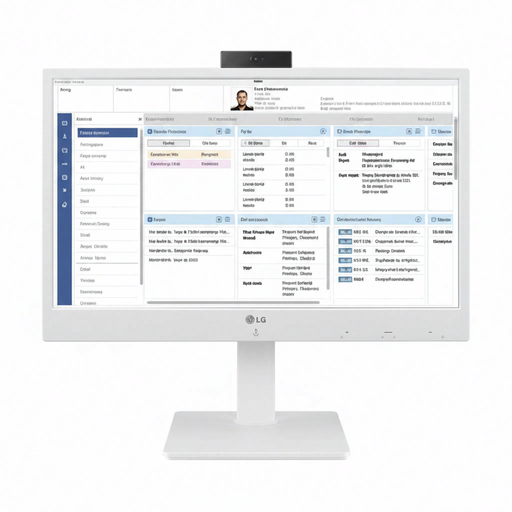 No image available
This model combines a computer and screen for a permanent workspace. Check that a thin-client model suits the way you want to work.
The screen is 24 inches, Full HD and IPS.
No. A mini PC is a standalone computer, so remember to count the connections needed for a separate screen and any other devices too. An all-in-one combines the computer and screen, but still check which components and power supplies are included with the exact model. Apple says the screen and input devices for the Mac mini M6 are sold separately.
First, count the power supplies you need and follow the Fire Service’s advice: don’t connect multi-socket adaptors to each other, and use only one extension lead per socket. Carefully remove dust from your computer; the Consumers’ Association recommends doing this gently.
For a consumer purchase in the Netherlands, you can contact the seller if the product doesn’t meet the expectations you’re entitled to have of it. Your statutory rights apply separately from any seller’s or manufacturer’s warranty, according to ACM ConsuWijzer. Online purchases generally come with a 14-day cancellation period after delivery, subject to applicable exceptions.
The Government of the Netherlands says that electronic devices sold in the EU must carry a CE marking. Check the product and seller information for the exact model; a brand name alone doesn’t confirm that a specific listing has the marking.