Who is this choice relevant to?

Student with CAD or 3D assignments

You create designs or visualisations and want to match your setup to your software’s requirements and the scale of your projects. For AutoCAD 2027 on Windows, Autodesk lists 16 GB of memory as the minimum and 32 GB as recommended.

Student researching cycling routes and maps

You combine map work with reading and writing. The right desktop PC partly depends on the GIS software your course uses: QGIS is available for Windows and macOS, while Esri lists supported Windows operating systems for ArcGIS Pro 3.7.

Student studying at home with limited desk space

You’re looking for a compact computer for a permanent study space and want to check which display connections and components come with your chosen configuration.

What should you look for when choosing?

Compact Windows desktop PC

A good fit if: your course uses Windows software and you mainly work with maps, 2D drawings or general study tasks.

Bear in mind: a small case doesn’t tell you anything by itself about how easy the PC is to upgrade or the graphics capabilities of the chosen configuration.

Windows desktop PC with a dedicated graphics card

A good fit if: you actually work with larger CAD files or 3D visualisations and your required software calls for this type of setup.

Bear in mind: compare the selected card and other components with the full software requirements. Extra graphics power isn’t automatically needed for map research.

Mac mini

A good fit if: your course’s programmes run on macOS, such as QGIS.

Bear in mind: Esri lists supported Windows operating systems for ArcGIS Pro 3.7, so don’t assume that this programme runs directly on macOS.

What to consider What should you check? Who is this important for?
CAD and 3D Make a note of the software version and check the requirements for the operating system, memory and graphics card. For AutoCAD 2027 on Windows, Autodesk lists 16 GB as the minimum and 32 GB as the recommended amount of memory. If I work on CAD or 3D assignments, I want to match the setup to my programme and project scale; around 40% of consumers prioritise CAD and 3D suitability.
GIS and maps Ask which GIS software and version your course uses, and check the required operating system. If I mainly research cycling routes and maps, I want to know whether my course software runs on Windows or macOS; around 30% of consumers prioritise GIS software and map work.
Space and screen Compare the case dimensions with the space you have available and check the display ports on the exact model. If my desk has limited space, I’m looking for a compact permanent setup that connects to my monitor; around 20% of consumers choose with a small study space in mind.
Complete workstation and aftercare Check whether a monitor and input devices are included, and read what an additional warranty offers on top of your statutory rights. If I’m setting up my whole study space, I want to know what else I’ll need and what aftercare is available; around 10% of consumers prioritise a complete setup and aftercare.

Common buying mistakes

  • Assuming a configurable graphics card comes as standard

    The Dell Pro Max Micro is available with both integrated graphics and dedicated GPU options. The option to choose doesn’t tell you which components are included in the configuration you select.

    Check your chosen configuration, then compare it with your design software’s requirements.

  • Choosing a desktop PC before finding out which software your course uses

    Your software may determine which operating system will work for you. QGIS is available for macOS, but Esri lists supported Windows operating systems for ArcGIS Pro 3.7.

    Ask for the exact list of software and versions before choosing between Windows and macOS.

  • Confusing a short manufacturer’s warranty with the end of your statutory rights

    The Government of the Netherlands says there is no fixed statutory warranty period in the Netherlands. An additional warranty is separate from your statutory rights.

    Read the extra terms and conditions offered by a warranty package, and contact the seller if something goes wrong.

Brands to compare

Lenovo

The ThinkCentre M70q Gen 6 Tiny is a compact Windows option for a small study space.

  • According to Lenovo Netherlands, the configuration reviewed, 13A4007KEZ, comes with Windows 11 Pro, 16 GB RAM, a 512 GB SSD and integrated graphics.
  • These specifications apply to that configuration and don’t show that it’s suitable for demanding 3D assignments.

HP

The Pro Mini 400 G9 is a compact Windows option for comparing specifications and connections for general study use.

  • For variant 6D494EA#ABH, HP lists 16 GB RAM, a 512 GB SSD and integrated Intel graphics.
  • HP lists this specific variant as unavailable, so don’t assume that this exact configuration is available to buy.

Apple

The Mac mini is a compact macOS option if the study programmes you need are available for that operating system.

  • Apple lists 16 GB of unified memory and a 256 GB SSD for a Mac mini M6 configuration. QGIS is available for macOS.
  • Esri lists supported Windows operating systems for ArcGIS Pro 3.7, so check your course’s software list.

Dell

The Pro Max Micro is a compact Windows desktop PC with configurable graphics options.

  • The Dell Netherlands configurator shows integrated graphics and dedicated GPU options.
  • The components you choose determine the configuration. Having GPU options doesn’t prove that every variant is suitable for demanding 3D assignments.

Desktop PCs and mini PCs on Joybuy

This selection includes desktop PCs and mini PCs for studying, with compact Windows options and systems that use a different operating system. Before buying, check that the exact configuration and software meet your course requirements.
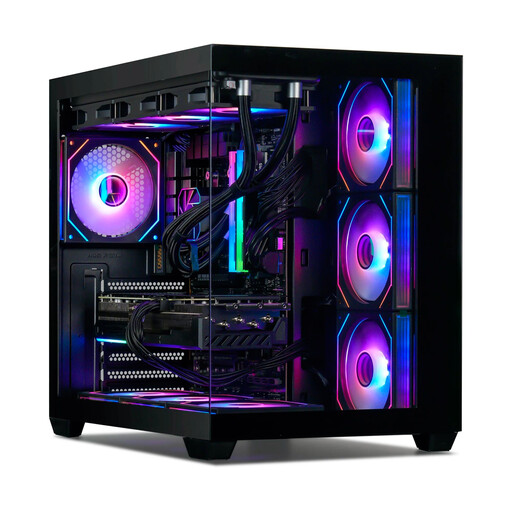
Gaming desktop PC with AMD Ryzen 7 7800X3D and GeForce RTX 5080

Gaming Desktop PC Ryzen 7 7800X3D, GeForce RTX 5080, 32GB DDR5, 1TB NVMe SSD, Windows 11 Trial

A Windows desktop PC to compare if you use design software. Check the requirements of the exact software and bear in mind that the listed version is Windows 11 Trial.

The product name lists a GeForce RTX 5080, 32 GB DDR5 and a 1 TB NVMe SSD. For AutoCAD 2027 on Windows, Autodesk recommends 32 GB of memory; check the rest of the software requirements too.

View on Joybuy
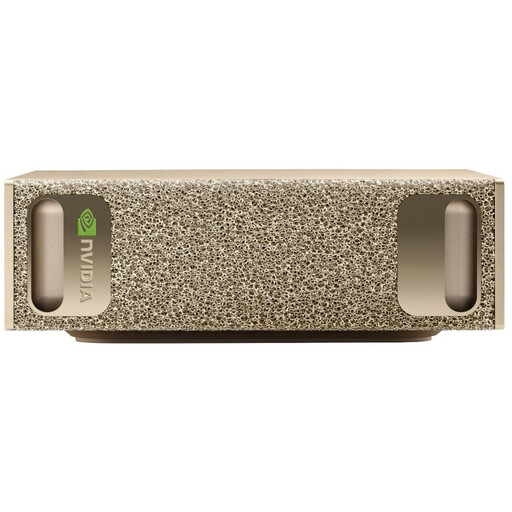
NVIDIA DGX Spark Founders Edition mini PC with 128 GB RAM and 4 TB SSD

NVIDIA DGX Spark Founders Edition, 128GB RAM, 4TB SSD

The mini PC form factor may be useful if you’re looking for a compact permanent workstation. First check that the listed operating system and software are compatible with your course.

The product name lists NVIDIA DGX OS, 128 GB RAM and a 4 TB SSD. The product description gives the dimensions as 15 × 15 × 5,05 cm.

View on Joybuy
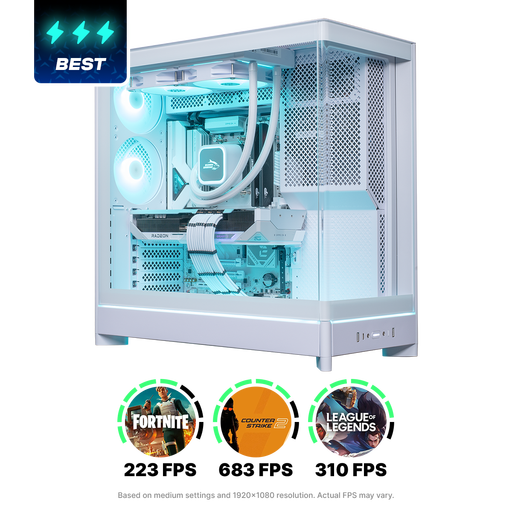
Shark Gaming White Shark R700 desktop PC SGWR700-22-9070XT

Shark Gaming White Shark R700 Desktop PC SGWR700-22-9070XT

This Windows desktop PC is an option to compare if you’re looking for a dedicated graphics card. Make sure the complete configuration meets the needs of the software you use.

The product name lists an AMD Ryzen 7 9800X3D, Radeon RX 9070 XT 16GB, 16GB DDR5, a 1 TB NVMe SSD and Windows 11 Home. For AutoCAD 2027, Autodesk lists 16 GB as the minimum and 32 GB as the recommended amount of memory.

View on Joybuy
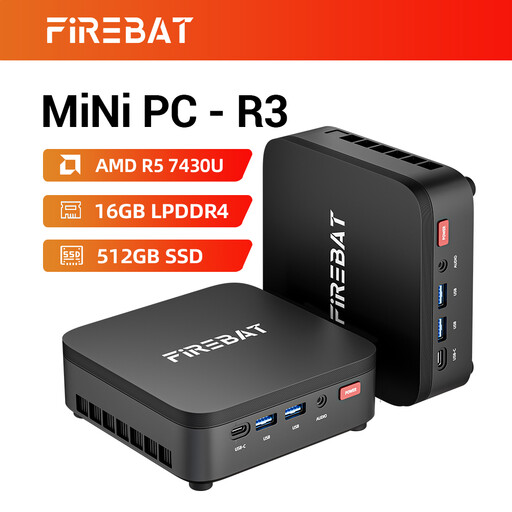
FIREBAT R3 mini PC with AMD Ryzen 5 7430U, 16 GB RAM and 512 GB SSD

FIREBAT R3 Mini PC AMD Ryzen 5 7430U, 16 GB RAM, 512 GB SSD

A mini PC to consider for a compact study space. Check that its memory and graphics configuration meet the requirements of your design software.

The product name lists 16 GB RAM, a 512 GB SSD and Wi-Fi 6. The product description mentions support for three screens. For AutoCAD 2027, Autodesk lists 16 GB as the minimum and 32 GB as the recommended amount of memory.

View on Joybuy

MSI CUBI NUC AI 1UMG-005EU mini PC with Intel Core Ultra 7 155H

MSI CUBI NUC AI 1UMG-005EU PC/Workstation

This mini PC is a compact Windows option for studying and drawing. Check the graphics and memory requirements of the programmes your course uses.

The product name lists an Intel Core Ultra 7 155H, 16 GB DDR5, a 1 TB SSD and Windows 11 Pro. The product description mentions VESA mount compatibility and support for up to four screens. For AutoCAD 2027, Autodesk lists 16 GB as the minimum and 32 GB as the recommended amount of memory.

View on Joybuy

Frequently asked questions

Can I choose a Mac mini if my course uses ArcGIS Pro 3.7?

Check your course requirements first: Esri lists supported Windows operating systems for ArcGIS Pro 3.7. The fact that QGIS is available for macOS doesn’t mean ArcGIS Pro is automatically a macOS programme.

What should I check before installing design software?

Make a note of the exact software version and compare its operating system, memory and graphics card requirements with the full configuration. For AutoCAD 2027, Autodesk distinguishes between minimum and recommended requirements.

Do I need an additional warranty when buying a computer in the Netherlands?

No, you don’t need an additional warranty to have statutory rights. According to the Government of the Netherlands, there is no fixed statutory warranty period in the Netherlands. Compare additional warranties based on the extra terms and conditions they offer.

Can I always return a desktop PC bought online in the Netherlands within 14 days?

Not without checking the terms of your purchase. According to the Government of the Netherlands, online purchases often come with a 14-day cooling-off period. Check the seller’s information to see which cooling-off period applies to your purchase.

Is a desktop PC with Windows 10 still a sensible choice for a new study space?

Bear in mind that Microsoft ended standard support for Windows 10 on 14 October 2025. Check whether the desktop PC can run a supported version of Windows. Microsoft also mentions a temporary consumer programme for extended security updates.
