
Vandaag of morgen in huis

Kwaliteit gegarandeerd

Welkomstaanbiedingen ontgrendelen: GRATIS bezorging | Tot 80% korting | Gratis 30 dagen JoyPlus-proefperiode
Download de app
Buying a desktop PC seems straightforward until you start comparing specifications. A low price may look appealing, but limited storage, little memory or an unsuitable graphics card can quickly lead to extra costs. Terms such as “gaming”, “AI-ready” and “powerful processor” also mean little on their own without concrete figures.
This practical buying guide helps you compare a desktop PC based on performance, size, connectivity and upgradeability. That way, you can find the right PC for working from home, studying, gaming, multimedia or professional use.
A fast processor does not automatically make a computer suitable for every task. A graphics card is also important for gaming. For photo editing, video editing and large spreadsheets, memory and storage matter too.
An Intel Core i5 or AMD Ryzen 5 can be perfectly suitable for everyday use, but always check:
A mini PC saves space, but it is not always fully equipped. A barebone PC may still require memory, an SSD and an operating system, for example. The MSI Cubi NUC 1MG-237BEU is a barebone PC that supports up to 64 GB of DDR5 memory and features several M.2 connections. This offers flexibility, but does require additional configuration.
Before buying, check whether Windows, RAM, an SSD and a power adapter are included.
A PC may be fast enough, but become impractical if it does not have enough USB ports or display connections. For a workstation with two or three monitors, HDMI, DisplayPort or Thunderbolt 4 are relevant. With a gaming PC, the maximum graphics card length and the power supply capacity are also important.
For office work, browsing, video calls and studying, 8 GB RAM is a useful starting point, but 16 GB RAM gives you more room for multitasking. For professional use, virtual machines or creative software, 32 GB or more may be appropriate.
When looking at processors, consider the number of cores and threads, as well as the generation and power profile. A modern mobile processor in a compact PC may be suitable for everyday tasks, while a desktop processor with higher power limits is better suited to sustained heavy workloads.
The integrated graphics in a mini PC or office computer are designed for displaying images, streaming and light graphics applications. For modern games, a dedicated graphics card is usually the more sensible choice.
An RTX gaming PC with a GeForce RTX 5050 or RTX 5060 Ti, for example, has dedicated graphics hardware for higher resolutions, ray tracing and supported upscaling technologies. When assessing one, check:
Claims about image quality or performance depend on the software, settings and monitor used. So, pay particular attention to the listed hardware.
An SSD generally provides fast start-up and loading times. For a PC used for working from home, 512 GB is often practical; for several large games or video files, 1 TB may be more convenient.
A compact PC or all-in-one saves space, but often offers fewer upgrade options. A tower provides more room for additional storage, memory and a larger graphics card. Also check the noise level, ventilation and placement. Ventilation openings must not be covered, especially during intensive use.
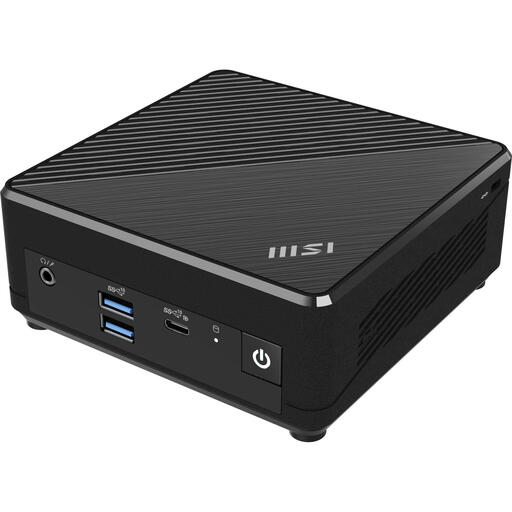
Why it suits this profile: This compact MSI PC is designed for basic office, study and home tasks and comes with Windows 11 Pro.
The product listing clearly states that it has 4 GB RAM, a 128 GB SSD and Windows 11 Pro. This makes it clear in advance that this model is intended for light applications.
124 × 124 × 53.7 mm, 128 GB SSD, VESA support and multiple USB ports.
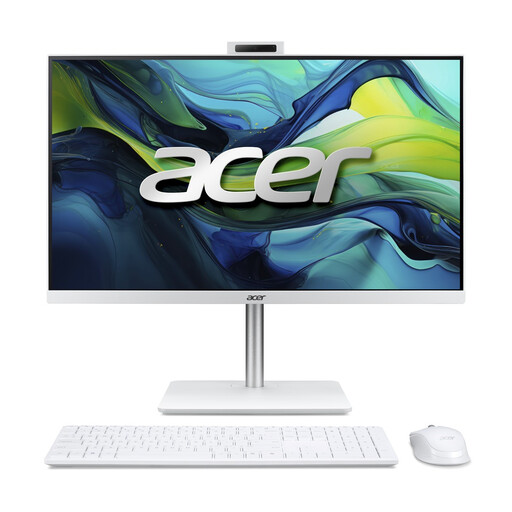
Why it suits this profile: This all-in-one PC combines the computer with a 23.8-inch Full HD IPS display, webcam, speakers and wireless accessories.
The key components are specified in advance: 16 GB DDR5, a 1 TB NVMe SSD and Windows 11 Home. There is no need for a separate monitor.
23.8-inch IPS display, 5MP webcam, 16 GB DDR5, 1 TB SSD and Wi-Fi 6.
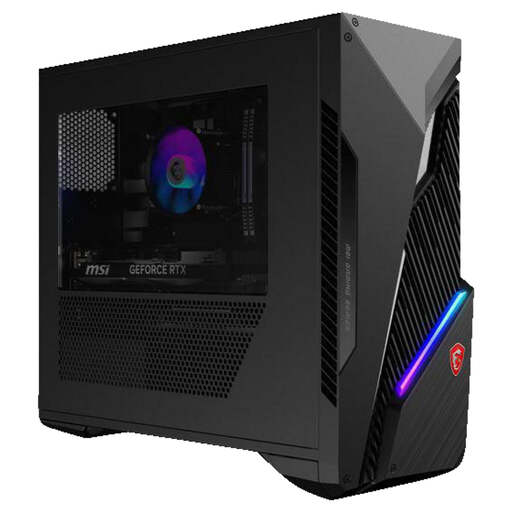
Why it suits this profile: This gaming PC combines an Intel Core i7-14700F with an RTX 5060 Ti 8 GB, 16 GB RAM and a 1 TB SSD.
The configuration lists both the dedicated graphics card and the 500 W power supply with 80 PLUS Bronze certification. This means you cannot assess the graphics hardware separately from the rest of the system.
20 cores, 28 threads, RTX 5060 Ti 8 GB, 1 TB SSD and Wi-Fi 6E.
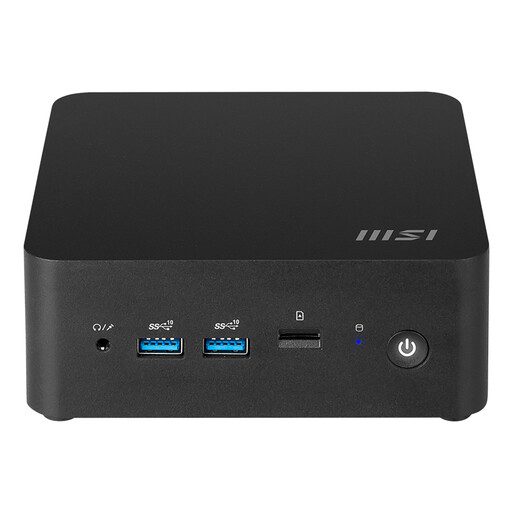
Why it suits this profile: This workstation PC is suitable for anyone who wants to build an extremely compact system with their own storage and memory choices.
It is clearly labelled as a barebone system. This means you know in advance that you need to check the configuration and compatibility of the RAM, M.2 storage and operating system.
0.52-litre volume, support for up to 64 GB DDR5, two M.2 slots and two 2.5G Ethernet ports.
We have put together a complete, up-to-date list of products that fully meet these strict selection criteria and the applicable European safety regulations.
Yes. Look for at least 8 to 16 GB RAM, an SSD, a webcam or a suitable webcam connection, and enough USB ports. An all-in-one PC is practical if you want to keep your desk tidy. A mini PC is more convenient if you already have a monitor and peripherals.
Its lifespan depends on the workload, ventilation, component quality and upgrade options. A PC with replaceable RAM and additional storage space may remain useful for longer than a system with fixed memory. Regularly remove dust from the ventilation openings and do not place the computer in an enclosed cabinet.
Power consumption varies depending on the processor, graphics card and usage scenario. A mini PC with a low-power processor generally uses less electricity than a gaming PC with a dedicated graphics card. Check the stated wattage of the adapter or power supply, but bear in mind that this is the maximum or rated power and does not always reflect actual consumption.
