
Vandaag of morgen in huis

Kwaliteit gegarandeerd

Welkomstaanbiedingen ontgrendelen: GRATIS bezorging | Tot 80% korting | Gratis 30 dagen JoyPlus-proefperiode
Download de app
A desktop PC often offers more connections, upgrade options and processing power than a laptop. However, a purchase is not automatically a success just because the box lists a powerful processor or ample storage. The most important differences are often found in details that only become apparent after purchase.
Pay particular attention to these common pitfalls:
For office work, studying, browsing and video calls, 16 GB RAM is a practical starting point. If you regularly use lots of browser tabs, spreadsheets and creative software at the same time, 32 GB or more may be beneficial. With a barebone PC, always check that the maximum memory and the correct memory type fit your upgrade plans.
An Intel Core PC and an AMD Ryzen PC can both be suitable. Do not just look at the brand name. Check the exact model, number of cores, threads and maximum clock speed. For example, the MSI PRO DP180 has an Intel Core i5-14400 with 10 cores and 16 threads. The MSI CUBI NUC AI uses an Intel Core Ultra 7 155H with 16 cores and DDR5 memory of up to 64 GB. These specifications are taken from the manufacturer's or seller's product information.
An integrated graphics chip is suitable for everyday applications, video and light graphics tasks. For modern games, 3D software or video editing, a dedicated graphics card is usually the more sensible choice. Check the GPU model, amount of video memory and connections for your monitor.
A gaming desktop with RTX may support features such as ray tracing and DLSS when these are offered by the specific card and software. However, make sure you check the exact version. An RTX 5050, RTX 5060 and RTX 5060 Ti are different cards with different performance levels. A brand's product description is not a guarantee of a particular frame rate; settings, resolution, cooling and the game being played also have an impact.
A PC with an SSD will generally start up and open programmes more quickly than a system with only a hard drive. Also check the capacity and connection type. An NVMe SSD uses a PCIe interface, while a SATA SSD uses a different connection.
A PC with Wi-Fi can be useful for a home office, especially when connecting an Ethernet cable is not practical. Wi-Fi 6 and Wi-Fi 6E support more modern wireless networks, but the actual connection also depends on your router, distance and home. With a compact desktop PC, also check whether there is room for additional storage or memory.
A mini PC saves desk space, but often offers less room for upgrades than a larger desktop. An all-in-one PC requires fewer cables because the screen and computer are combined. On the other hand, the screen and computer are less straightforward to replace separately.
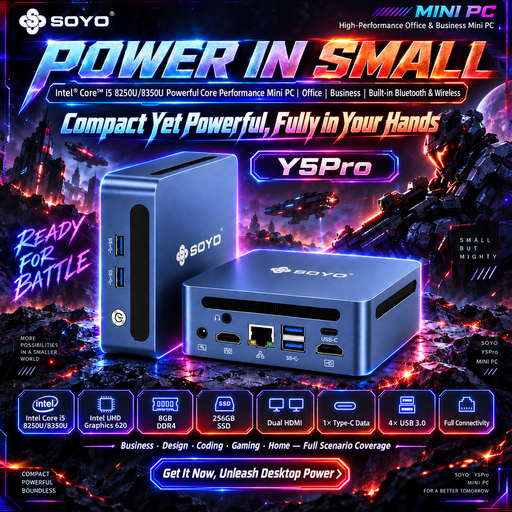
Why it suits this profile: The compact 105 × 113 × 45 mm case is ideal for a simple study or home-office setup. The listed configuration includes 8 GB DDR4, a 256 GB SATA SSD, Windows 11 and Wi-Fi 5.
The product listing clearly specifies the memory, storage, wireless connectivity and ports. This means you do not need to budget separately for these essential components.
Compact size, Windows 11, two HDMI ports and Bluetooth 5.2 according to the product details.
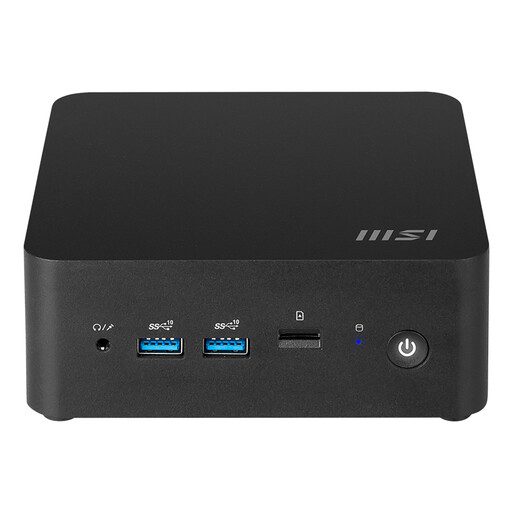
Why it suits this profile: This mini PC combines an Intel Core Ultra 7 155H, support for up to 64 GB of DDR5 memory and Windows 11 Home in a case measuring approximately 0.52 litres.
The specifications list storage options, memory limit, Wi-Fi 6E, Bluetooth 5.3 and several display and network ports.
Two Thunderbolt 4 ports, two HDMI ports, two 2.5Gbps LAN ports and VESA mounting support.
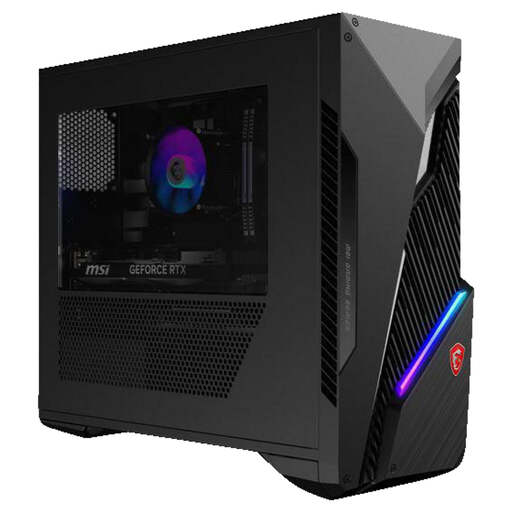
Why it suits this profile: This gaming PC is designed for users looking for a dedicated graphics card, Windows 11 Home, 16 GB RAM and 1 TB of SSD storage.
The configuration lists the Intel Core i7-14700F, RTX 5060 Ti, power supply, storage and upgrade space separately. This makes it easier to compare.
RTX 5060 Ti with 8 GB, 1 TB M.2 SSD, Wi-Fi 6E and space for additional 2.5- and 3.5-inch storage.
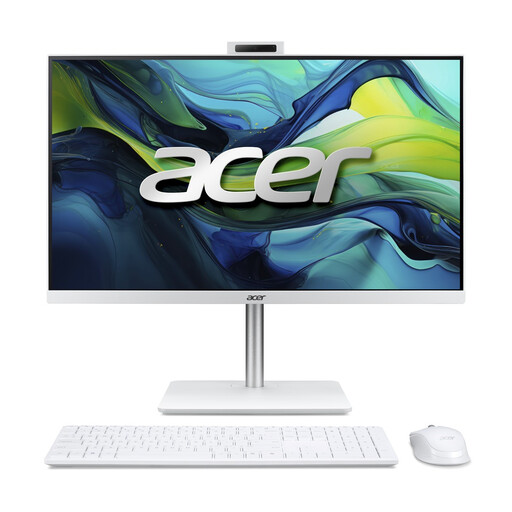
Why it suits this profile: The 23.8-inch Full HD IPS screen, built-in webcam and included wireless keyboard and mouse make this model suitable for studying, admin and video calls.
The screen, computer and accessories are described as one complete configuration. This means you do not need to select a monitor and basic input devices separately.
16 GB DDR5, 1 TB NVMe SSD, Windows 11 Home, Wi-Fi 6 and a 5MP webcam according to the product details.
We have put together a complete, up-to-date list of products that fully meet these strict selection criteria and the applicable European safety regulations.
Yes, provided the configuration meets the requirements of your software and display setup. For word processing, video calls and browsing, 16 GB RAM, an SSD and a stable network connection are practical starting points. Also check the webcam, microphone and included accessories.
Its lifespan depends on workload, maintenance, cooling and upgradability. A model with spare memory slots, additional storage space and a suitable power supply can be upgraded more easily later on. Keep the ventilation openings clear and switch off the PC before opening the case.
Power consumption varies according to the processor, graphics card, power supply and usage time. A mini PC generally uses less power than a gaming desktop with a dedicated GPU, but you can only calculate the exact cost using the stated wattage and your local electricity tariff. With a gaming PC, also pay attention to the capacity and efficiency of the power supply.
