
Vandaag of morgen in huis

Kwaliteit gegarandeerd

Welkomstaanbiedingen ontgrendelen: GRATIS bezorging | Tot 80% korting | Gratis 30 dagen JoyPlus-proefperiode
Download de app
By Joybuy Product Recommendation Officer, July 14, 2026
Choosing a new desktop PC can be a daunting task. The market is flooded with terms like processor cores, gigabytes, and graphics cards, making it difficult to determine what you truly need. Are you looking for a powerful machine for work, a fast gaming pc for the latest titles, or a compact computer for your home?
This article is designed to bring clarity. We cut through the marketing jargon and focus on the specifications that matter to you. This way, we can help you find a desktop computer that fits your needs and budget.
Before we dive into specific models, here are a few practical points to consider that will help you make your choice.
The processor (CPU) and random-access memory (RAM) largely determine how quickly and smoothly your computer performs tasks.
home pc or an office computer, 8 GB RAM is a great starting point for email, web browsing, and word processing. For a smooth multitasking experience or for a gaming pc, 16 GB RAM is the recommended standard. Content creators working with large files will benefit from 32 GB or more.The era of slow, rattling hard disk drives (HDDs) is over. A Solid State Drive (SSD) is essential for a modern computing experience. An SSD ensures that your computer and programs boot up in seconds. Pay attention to the capacity:
Desktop PCs come in various sizes. A traditional tower case offers plenty of room for upgrades and powerful components, which is ideal for a gaming pc. If you have limited space or a minimalist desk, consider a mini pc. These compact systems are surprisingly powerful and perfect for office or home use.
Based on objective specifications and various use cases, we have curated a selection of compelling desktop PCs.
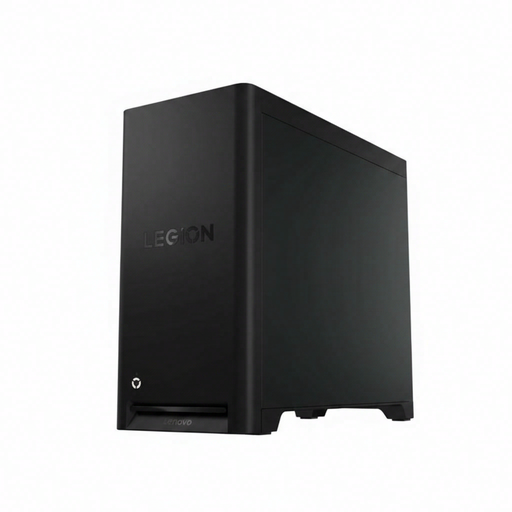
Why It Stands Out This Lenovo desktop is engineered for serious performance. The combination of an 8-core AMD Ryzen 5 7600 processor and an NVIDIA GeForce RTX 5060 graphics card delivers the power needed for modern games at high settings. With 16 GB of DDR5 memory and a fast 1 TB SSD, you're ready for the future.
Key Features
Who Is It For? For the gamer seeking a reliable gaming pc that runs the latest titles smoothly. It's also an excellent choice for content creators who need a powerful workstation for video and photo editing.
View the Lenovo Legion T5 30AGB10
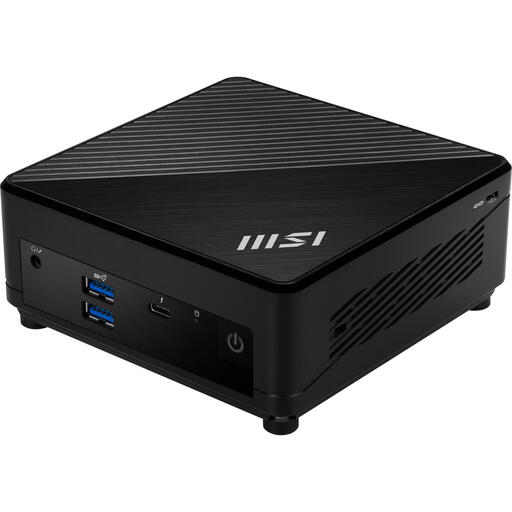
Why It Stands Out The MSI Cubi 5 is a mini pc that proves great performance doesn't have to take up much space. Weighing just 590 grams and featuring a very compact design, it fits on any desk. The 10-core Intel Core i5-1235U processor provides more than enough speed for all daily tasks.
Key Features
Who Is It For? For remote workers, students, or offices needing a space-saving and energy-efficient office computer. Perfect for those who appreciate a minimalist setup without compromising on productivity performance.
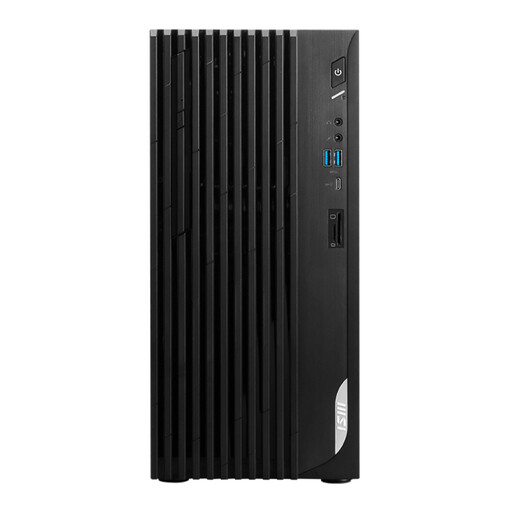
Why It Stands Out This MSI desktop from the PRO series is a reliable all-rounder for the professional workplace. It combines a modern Intel Core i5-14400 processor with a sleek, professional design. Its versatile video outputs (HDMI, DisplayPort, and even VGA) make it compatible with virtually any monitor setup.
Key Features
Who Is It For? For professionals and small businesses seeking a capable and reliable desktop computer. Ideal for daily productivity, administrative tasks, and running business software.
View the MSI PRO DP180 14A-824EU
These three models represent popular choices for different users. However, the world of desktop PCs is vast and diverse. Are you looking for a different model, a different configuration, or do you simply want to explore more options?
Browse our full range and find the perfect match for your needs. Discover more models in our Tower Desktop PC category.
What's the difference between a gaming PC and a regular PC? The main difference lies in the graphics performance. A gaming pc has a powerful, dedicated graphics card (GPU) required to render games smoothly. They also often feature a faster processor, more RAM, and a more advanced cooling system than a standard office computer.
How much storage space do I need? For basic use like browsing, emailing, and editing documents, 512 GB is often sufficient. Gamers and users who store a lot of photos or videos should opt for 1 TB or more. The speed of the storage (an SSD) is more important for the overall user experience than the total capacity.
Can I use a mini PC for demanding tasks? Modern mini PCs are powerful enough for most office and home tasks, including photo editing and 4K video playback. For intensive tasks like high-end gaming or professional video rendering, a traditional desktop pc in a tower form factor typically offers better performance and cooling.
