What should you look for in a desktop for panoramic photos?
Compact mini desktop
Suitable for: a small workspace, as long as the configuration you choose suits your photo projects. Apple lists 16 GB of unified memory and a 256 GB SSD for one Mac mini M6 configuration.
Keep in mind: allow for space for photos and temporary files, and check that you can connect your monitor. The specifications listed do not include a screen.
Configurable Windows desktop
Suitable for: if you use Windows and want to tailor the configuration to your needs. The Dell Pro Slim QCS1255 configuration reviewed lists 16 GB of memory and a 512 GB SSD.
Keep in mind: those components apply to the configuration listed; Dell says that your configuration choices can change the final components and price.
All-in-one
Suitable for: if you also need a monitor and want to choose the computer and screen together. HP lists OmniStudio configurations with a 24- or 27-inch screen.
Keep in mind: consider the screen and memory configuration together. Screen size alone doesn’t tell you whether the setup can handle large panoramic files.
Start by checking the requirements of your software and the size of your projects. Then choose a case and storage setup that suit your workspace and the way you store files.
| What to consider |
What should you check? |
Who should pay particular attention? |
| Stitching and editing |
Check your software’s requirements and the memory in the exact configuration. Don’t treat 16 GB as a universal minimum for panoramic photo editing. |
If you merge lots of shots or edit large files, you’ll want to know whether the configuration suits your software and workflow. Around 33% of consumers prioritise processing when making this choice. |
| Working files and photo archive |
Compare SSD capacity and how much space will be left after installing software and storing your photos. |
If you want to keep source photos, panoramas and temporary files locally, pay attention to the available space. Around 27% of consumers prioritise storage when making this choice. |
| Desk space |
Check the dimensions, whether a screen is included and whether the connections you need are compatible with your existing monitor. |
If space is limited in your home workspace, you’ll want a setup that fits without overlooking a monitor connection you need. Around 20% of consumers prioritise desk space when making this choice. |
| Upgradability and lifespan |
Check the upgrade options for the exact model and compare the computer you need, any monitor and storage. |
If you expect your projects or setup to change, you’ll want to know which components in the configuration you choose can be replaced. Around 20% of consumers prioritise upgradability and lifetime costs when making this choice. |
Joybuy products for editing panoramic photos at home
This selection includes compact mini PCs, a desktop PC and an all-in-one. Compare the stated memory and storage configuration with your software’s requirements and the size of your photo files.
 No image available
Apple Mac mini M6, 12-core CPU and 12-core GPU, 24 GB, 512 GB SSD
A compact mini desktop for anyone looking to save desk space and store photo files locally.
The product name lists 24 GB of unified memory and a 512 GB SSD.
View at Joybuy
 No image available
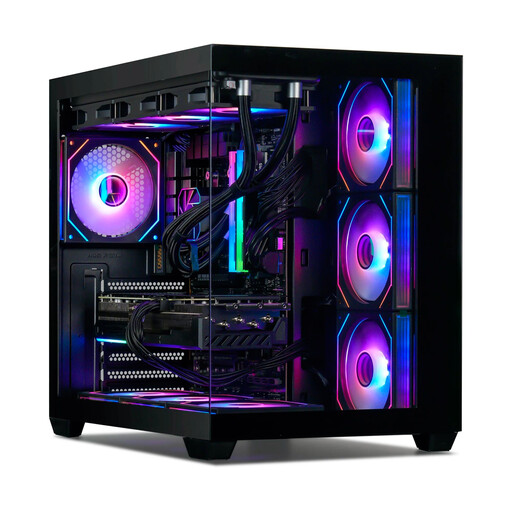
Gaming Desktop PC Ryzen 7 7800X3D, GeForce RTX 5080, 32 GB DDR5, 1 TB NVMe SSD, Windows 11 Trial
A desktop PC for anyone looking for a configuration with a dedicated graphics card; the product description lists a GeForce RTX 5080 with 16 GB of graphics memory.
The product description lists 32 GB of memory and a 1 TB SSD. Windows 11 is described as a trial version.
View at Joybuy
 No image available
Lenovo ThinkCentre M70q Gen 5, Intel Core i7-14700T, 16 GB DDR5, 512 GB SSD
A mini PC for a compact workspace and local storage of photo files.
The product name lists 16 GB of DDR5 memory and a 512 GB SSD. The product description says that the power adapter isn’t included.
View at Joybuy
 No image available
MSI CUBI NUC AI 1UMG-005EU, Intel Core Ultra 7 155H, 16 GB DDR5, 1 TB SSD
A compact mini PC for anyone who wants to keep their computer small and store project files locally.
The product description lists 16 GB of memory and a 1 TB SSD.
View at Joybuy
 No image available
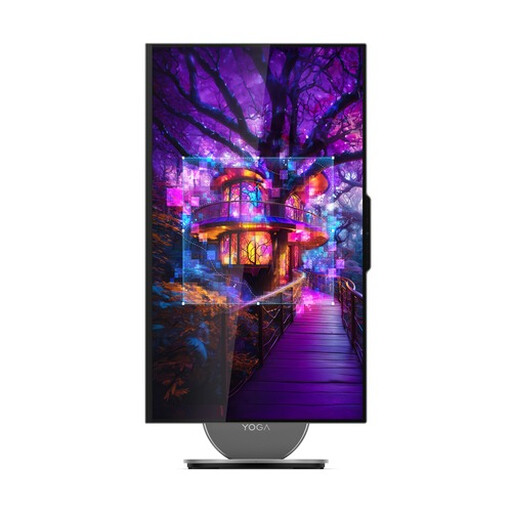
Lenovo Yoga AIO 27IAH10 F0J2001DNY, 27-inch QHD 120 Hz, Intel Core Ultra 7 255H, 16 GB, 1 TB SSD
An all-in-one for anyone who wants a computer with an integrated screen in their workspace.
The product description lists a 27-inch QHD screen, 16 GB of memory and a 1 TB SSD.
View at Joybuy
Frequently asked questions
Do I need a dedicated graphics card to create panoramas?
Not as a general buying rule. Lightroom Classic includes a feature for merging panoramas, but that doesn’t determine how every desktop configuration will handle your files. Check the requirements for your version of the software and the other features you use before choosing a dedicated graphics card.
What can I do if Photoshop says the scratch disk is full?
Adobe recommends freeing up space or setting a different drive for temporary files. The 100 GB of free space Adobe mentions relates to fixing this error message; it isn’t a general minimum SSD capacity for every buyer.
What should I look out for when it comes to the extra costs and warranties of a desktop?
Check whether a monitor and the storage you want are included in your chosen setup, and compare the final configuration. When buying as a consumer in the Netherlands, you have a statutory guarantee in addition to any manufacturer’s or seller’s warranty; consider any paid-for extended warranty separately.
Do I have a cooling-off period when buying a desktop online in the Netherlands?
According to the Dutch Government, online purchases from a business often come with a 14-day cooling-off period. The distance-selling rules don’t apply in the same way when you buy online from a private seller.
Where can I take my old computer?
The Dutch Government lists, among other options, the shop or online service where you buy a new, similar device and your local council recycling centre as places to take old electrical appliances. Erase your personal files before handing over the computer.


