Joybuy products for this workspace
These products show different desktop formats for programming: all-in-one PCs, conventional desktops and mini PCs. For each configuration, check the operating system, included components and specifications to make sure they suit your development environment.
 No image available
HP 24-cr0050nd 895R0EA#ABH all-in-one PC
An all-in-one option if you also need a screen for a dedicated workspace.
Integrated 23.8-inch FHD screen; Windows 11 Home; 8 GB onboard memory; 512 GB SSD. The memory cannot be upgraded, and the power adapter must be purchased separately.
Joybuy
 No image available
Acer Nitro 20 N20-101 gaming desktop
A conventional Windows desktop for anyone looking for a separate tower and ports for their own screen.
Intel Core 5 210H; RTX 5050; 16 GB RAM; 1 TB SSD; Windows 11 Home. A dedicated graphics card is not a proven requirement for a simple savings calculator.
Joybuy
 No image available
Lenovo Yoga Mini 01IPH11 Copilot+ PC
A mini PC option for a compact workspace; remember to allow for a monitor and peripherals.
Intel Core Ultra 5 325; 16 GB LPDDR5X; 512 GB SSD; HDMI and USB ports; Windows 11 Home.
Joybuy
 No image available
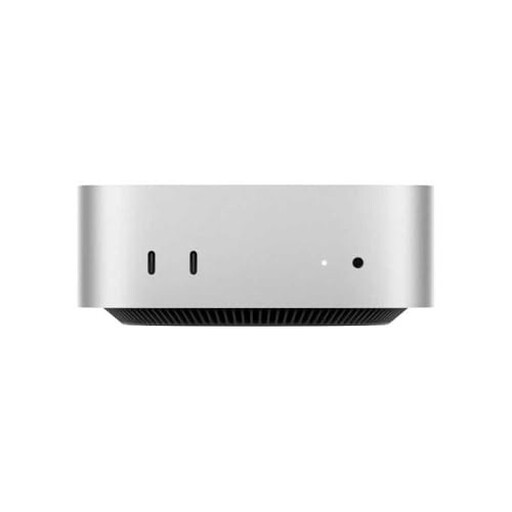
Apple Mac mini M4, 16 GB, 512 GB
A compact macOS desktop for anyone who already has a suitable screen and has checked that their development environment is compatible.
M4 chip; 16 GB unified memory; 512 GB SSD; HDMI and USB-C ports. Check that your chosen software is available for your macOS environment.
Joybuy
 No image available
Dell Pro QCS1250 Slim PC
A Windows desktop for anyone who needs a separate PC tower and ports for their own screen.
Intel Core Ultra 5 235; 16 GB DDR5-SDRAM; 512 GB SSD; Windows 11 Pro; HDMI and DisplayPort outputs. The power adapter must be purchased separately.
Joybuy
Frequently asked questions
Can I use programming documentation offline?
Yes, if you make the documentation available locally. For example, the Python Software Foundation offers an HTML archive to download. Choose the version that matches your Python version and test that it opens without an internet connection.
Can I install Visual Studio on a computer without an internet connection?
Microsoft explains how to download installation files to the computer in advance and then install them without a connection. For installation on another computer, Microsoft describes a separate installation layout; don’t assume the initial download will work for this.
What should I check for offline use and maintenance?
Before buying, check that the operating system supports your development environment. Also keep track of when locally stored installation files, documentation and software need updating: being available offline doesn’t automatically mean they’re up to date.
What cooling-off period and warranty apply to an online consumer purchase in the Netherlands?
For an online consumer purchase in the Netherlands, the statutory cooling-off period generally ends 14 days after delivery, subject to statutory exceptions. If a product is faulty, the seller is responsible for the statutory guarantee; any commercial warranty is separate.
Does using an offline savings calculator automatically mean the GDPR doesn’t apply?
No. Whether the GDPR applies depends on the processing of personal data, not just on the internet connection. The Dutch Data Protection Authority also lists local storage and use as possible forms of processing. If an organisation processes personal data, it needs an applicable legal basis and appropriate security; the GDPR may not apply if only general information is used and no personal data is involved.


