Start with your search workflow: text files can be indexed, but scans need OCR set up for the right languages, followed by checks on the recognised text. Then choose a desktop to suit your archive software, storage needs, backup and peripherals. A more powerful computer won’t make scans searchable by itself.
Who is this relevant to?
Manager of scanned reviews
You want to be able to search paper reviews or scans by word and keyword. OCR, the languages you need and checking the recognised text are more important than simply having a faster computer. Paperless-ngx describes using recognised text for searches, while the National Archives highlights keywords as a way to make scans easier to find.
Importer of multilingual reviews
You enter text in different languages and want accents and other characters to be recorded correctly, so files are easy to find later. Microsoft Support explains how to set up language and keyboard layouts in Windows.
Manager of a growing archive
You store lots of documents and need enough storage, a backup you can restore, and a workstation that accommodates your scanner and screen. Microsoft Support explains backup options using an external drive or network location.
What should you look for when choosing?
First, work out how scans and entered text will become searchable. Then compare the exact desktop configuration with the software, storage and equipment you need.
| What to consider |
What should you check? |
Who is this important for? |
| Making scans searchable |
Test representative scans in the OCR and archive software you plan to use. Check that the languages you need are set up and that the recognised text appears in search results. |
If you mainly want to find paper reviews or image files, the scan needs to produce usable text first. Around 33% of consumers put making scans searchable first. |
| Multilingual input |
Check the keyboard layout and language settings. Try entering your own text with accents and other relevant characters, then see if you can find it again in a search. |
For reviews in several languages, you’ll want to enter names and characters correctly and find them later. Around 27% of consumers give multilingual input top priority. |
| Archive and recovery |
Compare the SSD capacity of the exact configuration with the size of your files, and check how to make and restore a separate backup. |
If your archive is growing or would be difficult to rebuild, it’s not just storage space that matters, but also the ability to restore your files. Around 20% of consumers put archive preservation first. |
| Workstation and connections |
Check the connections for your screen and scanner, and what’s included with the exact configuration. A compact desktop may need a separate screen and keyboard. |
If you’re using an existing workstation or setting up a new one, you’ll want to know whether the computer connects to your screen and peripherals. Around 20% of consumers start with the physical workstation. |
Common pitfalls
-
Assuming more processing power will make scans searchable automatically
An image doesn’t contain searchable text by default. The result also depends on OCR, language settings and your archive or indexing software.
Before choosing a desktop, test the whole process from scan to search result using your own documents.
Allow time to set up OCR languages and check for recognition errors.
-
Relying on the internal SSD to protect your archive
Files stored on the computer itself aren’t a separate, recoverable copy if the computer or its storage fails.
Plan a separate backup and try restoring a file, so you know your archive copy is usable.
An external drive or another backup solution may be part of the setup you need.
-
Comparing a mini PC as if all workstation components are included
A compact desktop may need a separate screen and additional peripherals; connections vary by configuration.
Check the connections and box contents for the exact model, and take into account the equipment you already have.
As well as the computer, you may need a screen, keyboard or suitable adapter.
Brands to consider
Lenovo
The ThinkCentre M70q Gen 5 Tiny is a compact Windows desktop for a workstation with a separate screen.
- For configuration 12TD0017MH, Lenovo lists Windows 11 Pro, 16 GB of memory and a 512 GB SSD.
- These specifications apply to this configuration; check the keyboard layout and exact specification before buying.
Apple
Mac mini is a compact macOS option if your archive software and peripherals work with macOS.
- Apple lists 16 GB of memory and a 256 GB SSD for the M6 base configuration. Spotlight creates a local search index.
- Spotlight alone isn’t a proven OCR solution for every scan. Check your storage needs and how your OCR application processes files.
HP
HP offers a range of desktop formats, including compact desktops, towers and models with a built-in screen.
- For Pro Mini 400 G9 configuration 9H6Z2ET#ABH, HP lists Windows 11 Pro, 16 GB of RAM and a 512 GB SSD.
- Assess a tower or all-in-one based on the specifications of the exact configuration; features of one HP model won’t necessarily apply to others.
Dell
OptiPlex Micro is a compact desktop range for anyone comparing options for a separate monitor and flexible placement.
- Dell describes the OptiPlex 7020 Micro as having a compact case and mounting options.
- Memory and storage depend on the configuration; check the details for the exact model.
Acer
Veriton Mini includes compact business desktops for workstations where space is limited.
- For the Veriton 2000 Mini VN2595GT, part number DT.R4ZEH.001, Acer lists Windows 11 Pro, 8 GB of standard memory, a 256 GB SSD, HDMI and DisplayPort.
- Compare this configuration with your archive needs; it doesn’t tell you the specifications of other Veriton configurations.
Joybuy product picks
This selection includes mini PCs and desktop formats for working with documents, from compact models to options for a larger or integrated workstation. Check separately that your OCR and archive software works with the operating system you choose.
 No image available
ACEMAGIC AK1PLUS Mini PC, Intel Celeron N5095
Suitable for a compact Windows workstation if your archive and OCR software works with Windows 11 Pro; the computer won’t make scans searchable by itself.
16 GB LPDDR4X memory and a 256 GB SSD. The product name lists HDMI 2.0, Wi-Fi 5 and 4K output at 60 Hz.
View at Joybuy
 No image available
FIREBAT R3 Mini PC, AMD Ryzen 5 7430U
A compact option for working with documents if the listed configuration is compatible with your software and peripherals.
16 GB of RAM and a 512 GB SSD. The product name lists Wi-Fi 6, Bluetooth 5.2 and 4K output to up to three screens.
View at Joybuy
 No image available
FIREBAT F1 Mini PC, AMD Ryzen 5 7640HS
This compact model is worth considering if you’re looking for a mini PC; check software compatibility and the connections your own archive workflow requires.
24 GB LPDDR5 memory and a 512 GB SSD. The product name lists USB 4.0, HDMI 2.1, 2.5G Ethernet and 4K output to three screens.
View at Joybuy
 No image available
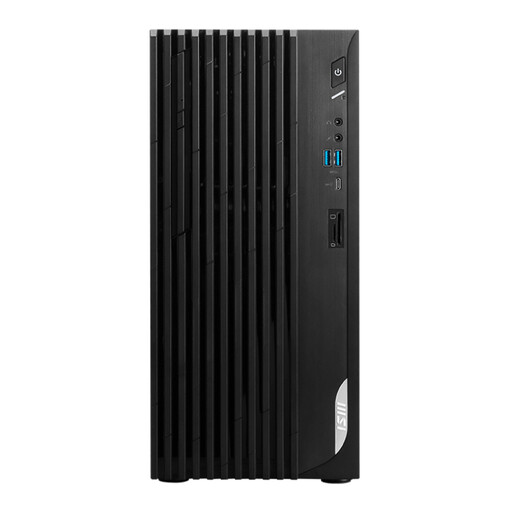
MSI PRO DP180 14A-824EU, Intel Core i5-14400
A tower desktop to consider if it suits your available space and you use a separate screen.
8 GB DDR4 memory, a 512 GB SSD and Windows 11 Home. The product description lists HDMI and DisplayPort.
View at Joybuy
 No image available
MSI Modern AM273QP AI 1UM-061EU all-in-one PC
An all-in-one to consider if you want a workstation with a built-in screen; check that the computer and archive software suit your workflow.
Intel Core Ultra 5 125H, 16 GB DDR5 memory and a 1 TB SSD. The product name lists a built-in 27-inch QHD screen with a resolution of 2560 × 1440 pixels.
View at Joybuy
Frequently asked questions
Can you search a scanned review by word straight away?
No, not from the scanned image alone. Use a suitable OCR workflow to recognise the text, then check with your own documents that it’s added to the search index. Keywords can help you find reviews; the National Archives describes this approach for digitisation.
What should you set up for reviews in different languages?
Check both the input layouts for new text and the OCR languages for scans. Microsoft Support says that the installed OCR language packs determine which languages the documented OCR feature can recognise; test the results with your own documents too.
How can you prevent your archive from being lost?
Make a separate backup and test that you can restore files. Microsoft Support describes File History using an external drive or network location; check that your archive folders are included in the backup.
Should you buy an extended warranty for a desktop?
Consumer purchases in the Netherlands are covered by a statutory guarantee; according to the Dutch Government, the seller must provide a solution if there’s a problem. The Dutch Government says an extended warranty is only worthwhile if its terms give you more rights than you already have. Different contract terms may apply to business purchases.
What privacy rules apply if reviews contain personal data?
An organisation that processes personal data must protect it properly, according to the Dutch Data Protection Authority. The technical and organisational measures required depend on the circumstances; the presence of reviews alone doesn’t mean every buyer is subject to that organisational obligation.


