
Writer beside a bright window
You want to be able to look at your screen comfortably, and can adjust the position of your workstation or the window coverings. The Arboportaal recommends positioning your line of sight parallel to the window.


For writing beside a bright window, a desktop with a separate monitor is a good fit if you want to choose an anti-glare finish and adjust the screen yourself. An all-in-one is a better choice if you want fewer separate devices on your desk. The Arboportaal recommends positioning your line of sight parallel to the window and using blinds or curtains if needed. Compare the complete workstation, and check which screen finish you’re ordering with an all-in-one.
You want to be able to look at your screen comfortably, and can adjust the position of your workstation or the window coverings. The Arboportaal recommends positioning your line of sight parallel to the window.
You spend a long time working with text and want to choose carefully where your screen goes, how much space you have for documents and which input devices you use. The Arboportaal also sets out requirements for employees who work with display screens.
You’re weighing up a compact PC with a separate monitor against an all-in-one that combines the PC and screen.
A good fit if: you want to choose the screen yourself, based on the light from your window, its position and how adjustable it is.
Bear in mind: the screen, and possibly the keyboard and mouse, are separate items; check what comes with the PC.
A good fit if: you want to use the PC and screen as one device and keep fewer separate items on your desk.
Bear in mind: the screen finish and adjustability of the model you choose will determine whether it suits your window position.
For this writing set-up, each consumer has one main purchasing concern.
| Purchasing concern | What to look for | Who is this most important to? |
|---|---|---|
| Window glare | Check the screen finish, available space and options for controlling sunlight. | If I write beside a bright window, I want to be able to control the light and position the screen comfortably. Around 36% of consumers say glare is their top priority. |
| Extended periods of typing | Check screen adjustability, resolution and space for your keyboard and documents. | For long writing sessions, I want to be able to adjust the viewing height and document space to suit my workstation. Around 29% of consumers prioritise extended periods of typing. |
| A tidy desk | Look at the screen set-up of an all-in-one, or allow space for a separate PC, monitor and cables. | If my desk is small, I want to know how many separate items the set-up I choose will need. Around 21% of consumers make a tidy desk their top priority. |
| Total purchase cost | Make a list of the equipment you already own and check what’s included with the model you’re considering. | If I only want to pay for the items I need, I compare complete, ready-to-use set-ups rather than PCs on their own. Around 14% of consumers say total purchase cost is their top priority. |
Daylight can still be distracting, even with a particular screen finish. That’s why the Arboportaal also recommends considering screen placement and window coverings.
First, work out where the screen can go and whether you can control the light. Then compare the available screen finishes.
According to Lenovo, the screen, keyboard and mouse are optional and sold separately with the Lenovo ThinkCentre neo 50q Gen 5. HP states that the keyboard and mouse are not included with the OmniDesk configuration reviewed.
Compare the equipment you already own with what comes with the PC and configuration you’re considering.
You can choose from different screen configurations for the Dell EC24260; the model name alone doesn’t tell you which configuration you’re ordering.
Check the screen coating, whether it has touch functionality and how adjustable it is when choosing your final configuration.
According to the Dutch government, a manufacturer’s warranty or an additional warranty comes on top of consumers’ statutory rights.
Read what extra cover is offered and consider it separately from your statutory rights.
The ThinkCentre neo 50q Gen 5 is a compact desktop for anyone who wants to choose their own screen.
The OmniDesk Slim 9L S03-0606nd is a slim desktop designed to be used with a monitor you choose separately.
Dell offers both the configurable EC24260 all-in-one and separate monitors, including the P2425.
The Aspire C24-A WI5418 NL is an all-in-one option for anyone who wants the PC and screen together.
This selection includes compact PCs for use with a separate screen, as well as all-in-one PCs. Check which screen and peripherals are included with each product configuration.
 No image available
This mini PC is a good option if you want to choose your monitor separately.
The product name lists Intel Core i5-8250U/8350U, 8 GB DDR4, 256 GB SATA SSD, Windows 11, Bluetooth 5.2 and Wi-Fi 5.
 No image available
This all-in-one combines the PC and screen, making it ideal if you want fewer separate devices on your desk.
The product name lists a 23.8-inch Full HD IPS screen, Intel Core 5 120U, 16 GB DDR5, 1 TB PCIe NVMe SSD, Intel Graphics and Windows 11 Home. Check how adjustable the screen is on the configuration you choose.
 No image available
This mini PC is a compact option if you want to position the PC and screen separately.
The product name lists 128 GB RAM, 4 TB SSD and DGX OS. The product information advises against prolonged exposure to direct sunlight.
 No image available
This mini PC is designed for a set-up with a separate screen of your choice.
The product name lists 16 GB RAM, 512 GB SSD, Wi-Fi 6, support for three screens and Bluetooth 5.2.
 No image available
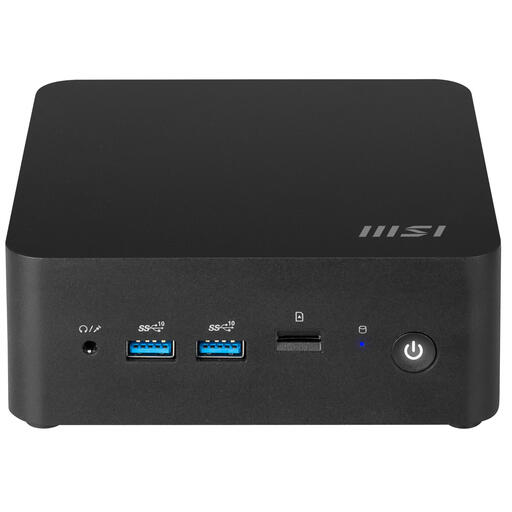
This compact PC is a good option if you want to position your computer separately from the screen.
The product name lists a PC volume of 0.84 litres and an Intel 100U SoC. This model is described as a barebone PC; check which components are included with the configuration you choose.
No. For display screen work, the Arboportaal recommends positioning your line of sight parallel to the window and using blinds or curtains if needed to reduce glare and reflections.
Check that the video output on your chosen PC matches the input on the monitor and that you have the right cable. HP lists HDMI and DisplayPort for the OmniDesk configuration reviewed; Dell lists these connections for the P2425 too. Then position the screen in relation to the window.
The Arboportaal information covers employers’ obligations and includes requirements for employees who work with display screens for more than 2 hours a day. Whether these apply depends on the employment relationship and working situation; they are not general product specifications for every consumer buying a desktop.
No. According to the Dutch government, the Netherlands has no fixed statutory warranty period: consumers are entitled to a product that works as it should, and the seller is the point of contact if it doesn’t. A manufacturer’s warranty or an additional warranty comes on top of your statutory rights. If you’re buying for business use, check the applicable terms separately.