
Collectors who need targeted search
You want to find models using several different criteria, so you’re comparing the search and filter options in a spreadsheet with those in inventory software. The NProject discusses TrainBase in relation to Excel.


Start by choosing between a spreadsheet, an online inventory and local inventory software. This determines which search features and operating system you need. Then choose a desktop with storage, connections and backup options to suit your collection and workspace. Always check the full model code and the components included.
You want to find models using several different criteria, so you’re comparing the search and filter options in a spreadsheet with those in inventory software. The NProject discusses TrainBase in relation to Excel.
You attach images and documents to items and want to be able to save, export and restore your data. Yard Tower describes options for exporting inventory data.
You’re looking for a desktop that fits your available desk space, monitor and the peripherals you already use.
Best for: anyone who wants to choose their own fields and mainly search and filter in a table.
Trade-off: you’ll need to organise photos and their associated details yourself.
Best for: anyone who wants search, filter and sort views, plus photos for each item, and needs to access their collection away from their usual workspace.
Trade-off: check the current terms of use and test your own search queries. You’ll also need a suitable browser and internet access. Yard Tower describes exporting to PDF, Excel and CSV.
Best for: anyone who wants to run their chosen application locally or use other Windows programmes as well.
Trade-off: check the application’s system requirements and make sure they’re compatible with the exact version of Windows.
| Consideration | What should you check? | Who is this most relevant to? |
|---|---|---|
| Targeted search | Choose your application first, then check that the operating system and workspace are suitable. | If I want to find models by several criteria, I first check whether the application supports my search queries. Around 40% of consumers consider targeted search their main priority. |
| Photos and recovery | Check the storage, whether there’s a connection for external storage, and the options for exporting and restoring data. | If I attach photos and documents to items, I also want to be able to save and restore a separate copy. Around 30% of consumers give photo storage and recoverability top priority. |
| Size and connections | Compare the monitor and USB connections, and the components included with each full model code. | If I want to keep using my existing monitor and peripherals, I look at the size and connections. Around 20% of consumers say their workspace is their main consideration. |
| Components and support | Check what’s included with the exact model and whether its operating system works with the software you want to use. | If I want to know what else I’ll need alongside the desktop and which software it can run, I check the model and support details in advance. Around 10% of consumers put these points first. |
Search and filter options also depend on the data structure and software you choose. A faster processor won’t add search fields that aren’t there.
Test your most important search queries using your own sample items before choosing a desktop based on its specifications.
Models within the same product range can differ. Depending on the model, you may need to buy a monitor, operating system or other components separately.
Check the full model code, what’s in the box, the ports and the equipment you already have.
If you lose your working copy, you’ll need a separate backup to restore your files.
Choose a separate backup location and test that you can restore an export and a few photos. Microsoft lists an external drive or network drive among the backup options.
Microsoft ended free software updates, technical support and security patches for Windows 10 on 14 October 2025. Windows 11 has its own hardware requirements.
Check which operating system is installed and confirm that the PC is compatible with Windows 11 if you want to use local Windows software.
The Cubi 5 12M is a compact desktop range worth comparing if you have limited desk space.
The ThinkCentre M70q Gen 5 Tiny is a compact business desktop range. The 12TD0017MH is a specific example of a configuration.
The Pro Mini 400 G9 and Pro Tower 400 G9 offer examples of compact and larger cases to suit different workspaces.
These desktops and all-in-one PCs are options to compare for managing your inventory locally and storing files. Before buying, check that the listed operating system version is suitable for your inventory software.
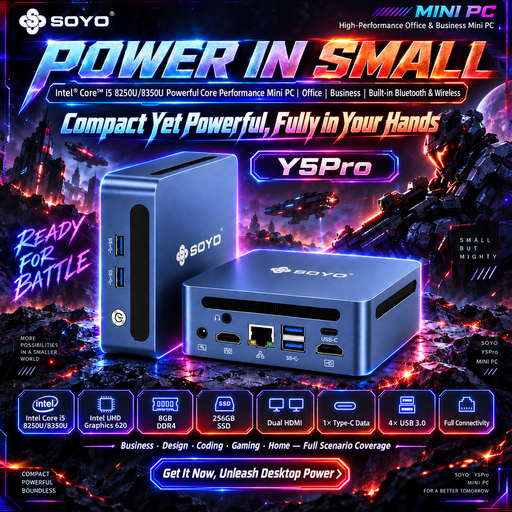 No image available
A compact option to compare if you want to use local Windows inventory software.
The product name lists Windows 11, 8 GB DDR4 and a 256 GB SSD. The processor listing names the i5-8250U/8350U; check which model you’ll receive.
The product description lists two HDMI outputs, USB connections and an RJ45 port.
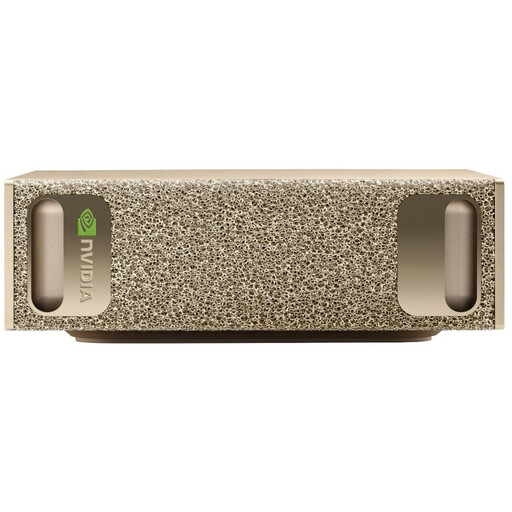 No image available
The listed 4 TB SSD may be useful if you want to store lots of collection data and files locally.
The product name lists 128 GB RAM, a 4 TB SSD and NVIDIA DGX OS. If your inventory software only runs on Windows, check first that this PC is suitable.
The product description lists HDMI and USB-C video outputs and multi-monitor support.
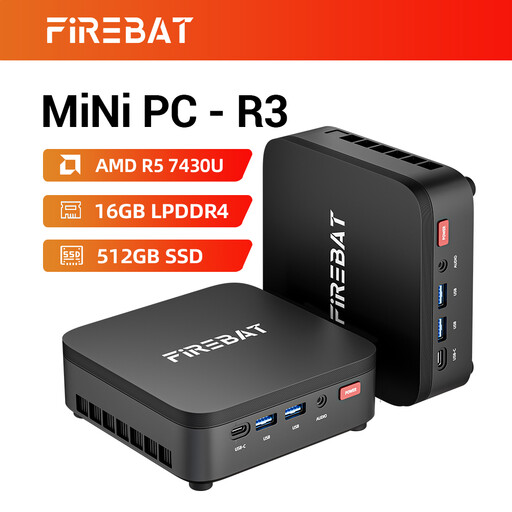 No image available
A compact PC to compare if you want to store collection data and photos locally.
The product name lists 16 GB RAM, a 512 GB SSD, Wi-Fi 6 and Bluetooth 5.2. Also check that the operating system is compatible with your inventory software.
The product name lists support for three 4K screens.
 No image available
A compact Windows desktop to compare if you want to use inventory software and store files locally.
The product description lists 16 GB memory, a 1 TB SSD and Windows 11 Pro.
The product description lists HDMI and Thunderbolt 4 video outputs and support for up to four screens.
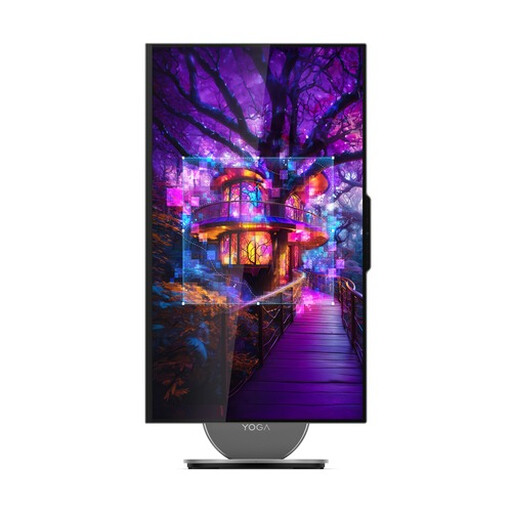 No image available
An all-in-one PC to compare if you want to view your list and item details side by side on the integrated screen.
The product description lists a 27-inch QHD screen, Windows 11 Home, 16 GB memory and a 1 TB SSD.
According to the product description, a wireless keyboard and mouse are included.
Don’t choose based on the graphics card alone. First check whether your chosen application supports your search and filter queries, and what system requirements the manufacturer specifies. This helps you choose a desktop that suits the software you actually plan to use.
First check which columns the inventory system accepts and try a small file. Yard Tower Help describes CSV imports in batches of up to 200 items; Yard Tower lists export options including CSV and Excel.
Keep a backup in a separate location alongside your working copy, and test that you can restore your files. Microsoft lists cloud storage and an external drive or network drive as options. External storage may be a suitable choice for lots of files or large files.
For a consumer purchase in the Netherlands, the product must meet the expectations you’re entitled to have of it; there is no fixed statutory two-year guarantee. Online purchases generally come with a 14-day cooling-off period from delivery, subject to applicable exceptions and conditions. If a product is faulty, contact the seller. The Dutch government and ACM ConsuWijzer explain these rights.