
Power BI analyst
You create local data models or reports at home. Before choosing a desktop, check that it runs the software you need; Microsoft describes Power BI Desktop as a Windows application.


Start by choosing a desktop that runs the analysis software you need. If you use Power BI Desktop locally, a Windows PC is the obvious choice, while a Mac mini is only suitable if your workflow runs on macOS or uses an approved web service. Then compare memory, storage and ports with your files and workspace. If lending data can be linked to individuals, agree access and storage arrangements with your organisation; the PC itself does not replace those arrangements.
You create local data models or reports at home. Before choosing a desktop, check that it runs the software you need; Microsoft describes Power BI Desktop as a Windows application.
You may work with data that could identify borrowers. Agree access arrangements and your home-working setup with your organisation; the Dutch Data Protection Authority describes personal data as information about an identified or identifiable person.
You want to store files locally or upgrade the memory and storage later. Check the options available on the exact desktop configuration, as upgrade capacity can vary by model.
A good fit if: you need Power BI Desktop locally and have limited desk space.
Bear in mind: ports, memory and included accessories vary by configuration.
A good fit if: local storage or the option to upgrade the memory later matters to you, and you have room for a desktop tower.
Bear in mind: check that the input devices and screen connections suit the configuration you choose.
A good fit if: your analysis tools run on macOS or you carry out your analysis through an approved web service.
Bear in mind: using Power BI Desktop locally requires a Windows environment; also check which peripherals you need.
Start with the software and data-handling arrangements. Then compare the hardware with your files and workspace.
| What to consider | What should you check? | Who is this important for? |
|---|---|---|
| Software compatibility | Check that the required locally installed applications run on the operating system. Distinguish between Power BI Desktop and viewing reports through a service. | If you create reports at home using locally installed software, you’ll want to make sure your workflow works. Around 29% of consumers give software compatibility top priority. |
| Data protection | Agree with your organisation how you should sign in and whether files may be stored locally. | If you work with lending data that could identify individuals, you’ll want to know which home-working setup and storage methods are permitted. Around 29% of consumers put this protection first. |
| Memory and storage | Consider the size of your files, the applications you use at the same time and how much local storage you need. | If you store datasets locally or work with several files at once, you’ll want to match the memory and storage to your workload. Around 24% of consumers choose capacity as their first consideration. |
| Size and setup | Check the space available, screen ports and whether a keyboard and mouse are included. | If you have limited desk space or want to put together a complete home-working setup, size and connections matter. Around 18% of consumers start with these practical considerations. |
Power BI Desktop is a Windows application. A Mac mini won’t resolve an operating system mismatch.
Before you buy, ask your organisation to confirm which applications and working methods are required.
If your workflow doesn’t work on the computer you choose, you may need a different computer or a working method approved by your organisation.
For data that can identify individuals, appropriate measures depend on how the data is processed and the risks involved. Where possible, the Dutch Data Protection Authority recommends using your organisation’s secure working environment.
Agree access, local storage and file-sharing arrangements with your organisation; don’t base them solely on a manufacturer’s claims.
Connections and included accessories vary by configuration. According to Acer, the Acer Aspire XC-1860 DT.BMYEH.003 described here does not include a keyboard or mouse.
Check the screen connections and box contents for the exact model before putting together your workspace.
The Pro Mini 400 G9 is a business Windows mini PC for a compact, fixed workspace.
The Aspire XC-1860 is a Windows tower for those considering a larger case and local storage.
The ThinkCentre M70q Gen 6 is a range of Tiny desktops with various business configurations.
The Pro 5 Micro is a compact business desktop range with a choice of configurations.
The Mac mini is a compact macOS desktop for workflows that run on macOS.
These desktops are aimed at compact home-working setups for analysis: a Mac mini for workflows that work with macOS, and mini PCs with different configurations for local files and applications. Check software compatibility and the arrangements for lending data before choosing.
 Image unavailable
A good fit for a compact workspace if your analysis tools run on macOS or are available through an approved web service.
The listed configuration has 24 GB of memory and a 512 GB SSD. Local use of Power BI Desktop requires a Windows environment.
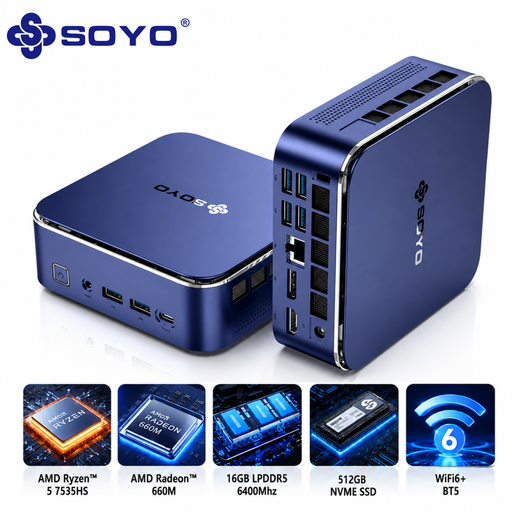 Image unavailable
A compact Windows mini PC to consider if you want to use local software and have limited desk space.
The title lists 16 GB LPDDR5 memory and a 512 GB SSD. The product description mentions HDMI 2.0, DisplayPort 1.4, USB-C and six USB 3.0 ports; check that the connections suit your screen and peripherals.
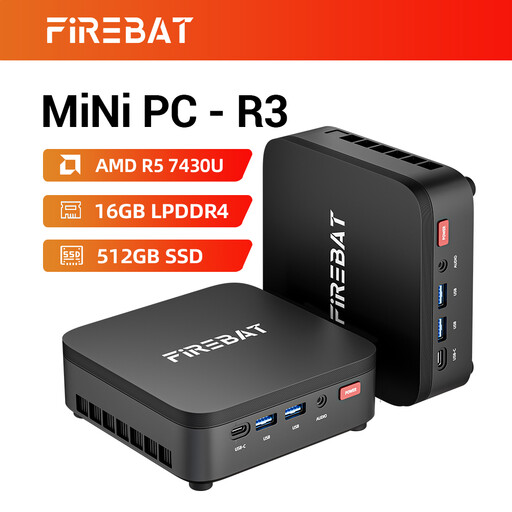 Image unavailable
Its compact design and home-working description make this an option to compare for a small analysis workspace.
The title lists 16 GB RAM and a 512 GB SSD. It also mentions output for three 4K screens; check the connections and software requirements for the product configuration.
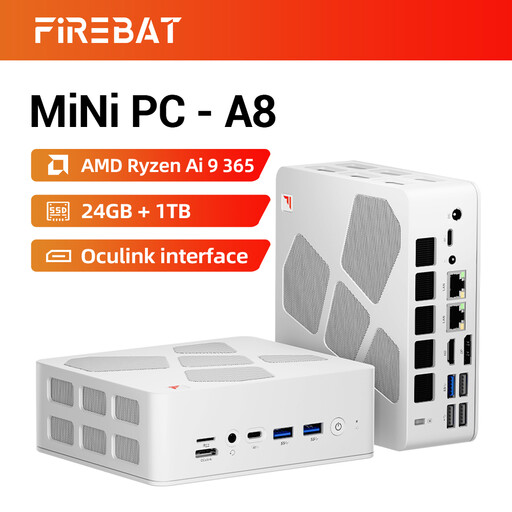 Image unavailable
This mini PC is worth comparing if you’re looking for a compact setup with more listed memory and storage.
The product title lists 24 GB DDR5 and a 1 TB SSD, along with support for four displays. Check that the configuration is compatible with your required software and screens.
 Image unavailable
A compact Windows mini PC to compare if you need local software and storage in a small workspace.
The product title lists Windows 11 Pro, 16 GB DDR5 memory and a 1 TB SSD. The description mentions support for up to four displays and VESA mounting; check that the connections suit your setup.
Yes, if you create reports locally with Power BI Desktop, you need a suitable Windows environment. Microsoft describes the desktop application separately from viewing or sharing reports through a service, so check which method applies to you.
Yes, provided the output on the exact PC matches the input on your screen, possibly using a suitable adapter. Lenovo lists HDMI and DisplayPort for the ThinkCentre M70q Gen 6 range, but connections can vary by model.
Install available security updates and agree access, storage and file-sharing arrangements with your organisation. Where possible, the Dutch Data Protection Authority recommends using your organisation’s secure working environment; this advice is about working practices, not a required PC brand.
No. According to the Dutch Government, the Netherlands has no fixed statutory guarantee period: you are entitled to a product that works properly, and the retailer is your point of contact if there’s a problem. A manufacturer’s guarantee or an additional guarantee is separate.
The GDPR applies if data makes a living person directly or indirectly identifiable. An organisation processing such data must take appropriate security measures based on the risks. So check with your organisation whether your dataset can be linked to individuals and which working methods are permitted.