
Keyboard tester
You check that controls and focus work in the browser and operating system you need to test. The W3C Web Accessibility Initiative points out that a quick check is not a full accessibility audit.


Start by choosing the operating system you actually need to test, then set up separate user sessions and a consistent keyboard and screen arrangement. A compact Windows desktop suits Windows testing and centrally managed shared accounts; a Mac mini is relevant if macOS navigation is also part of the test brief. For either option, check the connections, included peripherals and account settings: the computer itself won’t make a website accessible by keyboard.
You check that controls and focus work in the browser and operating system you need to test. The W3C Web Accessibility Initiative points out that a quick check is not a full accessibility audit.
You want to keep user sessions separate and prevent the next tester from accessing the previous user’s data. Microsoft Learn describes configurable options for shared Windows devices, while the Dutch Data Protection Authority highlights the importance of appropriate access controls.
You need to decide whether Windows testing is enough or whether you also need to assess macOS navigation. Apple Support explains Full Keyboard Access and separate user accounts on Mac.
Choose this option: if you need to test Windows, the Windows browsers in use and a shared or centrally managed workspace. Microsoft Learn describes configurable Shared PC options for sign-in and account management.
Bear in mind: connections and included components vary by configuration, and Windows testing is no substitute for macOS testing.
Choose this option: if the brief also covers keyboard controls and navigation in macOS. Apple Support describes Full Keyboard Access, with a visible focus indicator, as well as separate user accounts and guest access.
Bear in mind: check that your existing screen, keyboard and testing software are suitable; testing on a Mac is no substitute for Windows testing.
| Consideration | What to look for | Who it matters to |
|---|---|---|
| Test environment | List the operating systems, browsers and assistive tools you need to test, then check keyboard controls and visible focus. | If I want to assess the test results in the intended environment, the computer needs to support the platforms and browsers covered by the brief. Around 33% of buyers in this situation prioritise test coverage. |
| Sessions and access | Decide whether testers need their own accounts, what data should be retained after sign-out and who will manage the settings. | If several people use the same computer, I want to prevent the next tester from accessing the previous user’s data or settings. Around 27% of buyers in this situation prioritise session separation. |
| Platform coverage | Choose based on the platforms actually included in the brief; testing one environment does not replace testing the other operating system. | If my brief covers macOS as well as Windows, I need both test environments to assess that coverage. Around 20% of consumers who prioritise platform coverage choose it as their main consideration. |
| Workspace set-up | Compare the connections on the exact configuration with your existing screen and keyboard, and check which components are included. | If I want to use the computer in a permanent shared space, I need to know whether my existing peripherals will connect and what else I need. Around 20% of consumers make workspace set-up their main consideration. |
Keyboard controls and visible focus need to be assessed on the content being tested. A quick check can miss other accessibility issues.
Test the content using a keyboard and also use a suitable, broader testing method, as recommended by the W3C Web Accessibility Initiative.
This could leave a previous user’s data or settings accessible to the next tester.
Set up appropriate separate sessions and access rights, and decide carefully what should be retained after sign-out. Microsoft Learn describes management options for shared Windows devices; Apple Support explains separate user accounts and guest access on Mac.
The screen, keyboard, connections and any mounting components depend on the configuration you choose. Lenovo says the Tiny-In-One screen for the ThinkCentre M70q Gen 5 is sold separately.
Check the product listing and compare the connections with your existing equipment before setting up your workspace.
Microsoft states that regular support for Windows 10 ended on 14 October 2025.
Check which operating system is installed on the computer you choose and what valid option is available for security updates before you start using it.
The Dell Pro Micro QCM1250 is a compact business Windows desktop. According to Dell Netherlands, the base configuration shown comes with Windows 11 Pro.
The ThinkCentre M70q Gen 5 Tiny is a compact business Windows range. According to Lenovo Netherlands, the Dutch configuration listed as 12TD0017MH comes with Windows 11 Pro.
The Mac mini is a desktop option for briefs that require macOS testing. Apple describes configurations with the M6 or M5 Pro chip.
According to HP Netherlands, the HP Pro Mini 400 G9 configuration 6D494EA#ABH is a compact desktop with Windows 11 Pro.
According to Acer Netherlands, the Veriton Vero Mini VVN4735GT, part number DT.R7LEH.004, is a compact business desktop with Windows 11 Pro.
This product selection includes a macOS desktop, compact Windows mini PCs and a Windows all-in-one for keyboard testing at a shared desk.
 No image available
Suitable for a test brief that includes macOS navigation in its required coverage.
Apple M6 chip; 12-core CPU; 12-core GPU; 16 GB memory; 512 GB SSD.
 No image available
A Windows 11 Pro mini PC for a compact shared testing space; check that its connections suit your peripherals.
Windows 11 Pro; AMD Ryzen 5 7535HS, 6 cores and 12 threads, up to 4.55 GHz; 16 GB LPDDR5; 512 GB NVMe SSD; AMD Radeon 660M.
 No image available
A Windows 11 Pro mini PC for a shared desk; note that the product description says the charger must be purchased separately.
Intel Core Ultra 7 155H; 16 GB DDR5; 1 TB SSD; Windows 11 Pro.
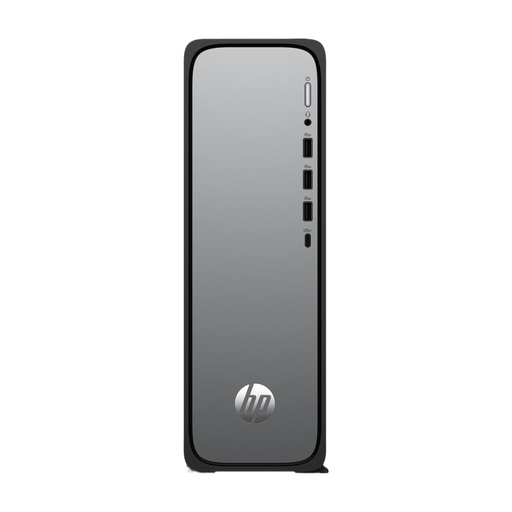 No image available
A slim desktop for a shared desk; check in advance that Windows 11 Home meets your organisation’s management and testing requirements.
Windows 11 Home; HDMI, USB-A and USB-C connections; 10 cm deep design.
 No image available
A compact Windows 11 Pro mini PC for a shared workspace; the product description says the power adapter must be purchased separately.
Intel Core i7-14700T; 16 GB DDR5; 512 GB SSD; Windows 11 Pro.
Navigate the relevant page using a keyboard and check both that its functions can be operated and that focus remains visible. The W3C Web Accessibility Initiative points out that quick checks like these are not enough for a full accessibility assessment.
First decide which settings and test files need to be retained. Windows Shared PC has configurable options for sign-in and account management; macOS supports separate user accounts and guest access. Set up your chosen option, then check what access and data remain after signing out.
Check the exact configuration before assuming they are included. Lenovo says the Tiny-In-One screen for the ThinkCentre M70q Gen 5 is sold separately; compare the connections with your existing equipment too.
No. For a consumer purchase, the statutory guarantee applies alongside any seller’s or manufacturer’s warranty. According to ACM ConsuWijzer, a product should work properly for a reasonable length of time, and the seller is responsible for finding a solution if it develops a fault too soon under normal use. For a business purchase, check the applicable contractual terms.
No, there is no single rule that applies to every website. The Decree on Digital Accessibility for Government applies to government websites and apps. Dutch requirements that came into force on 28 June 2025 apply to products and services within their own scope, including certain digital services. The applicable requirements depend on the organisation and service; buying a PC alone does not prove compliance.