Choose a desktop that runs your development software and browser, and works with your keyboard. The computer itself won’t automatically make your community noticeboard accessible. A mini PC suits a small workspace, while a desktop with upgrade options may be a better fit if you want to change components later. Check the connections and peripherals you need for each configuration.
Who is this choice relevant to?
Developer testing without a mouse
You want to work through forms, menus and posting messages using only a keyboard. The W3C sets out keyboard operability as a requirement for web content, while Microsoft Learn recommends checking form controls with Tab and Enter.
Manager of a shared workspace
You’re looking for a dedicated computer for editing and maintenance. So check the operating system and peripherals included with your chosen configuration. For example, Lenovo Netherlands states that the ThinkCentre configuration reviewed does not include a keyboard.
Developer with limited desk space
You want a compact setup, but you’ll also need to check that the connections and upgrade options suit your plans. HP Netherlands and Apple Netherlands describe compact desktop options; check the details of the exact configuration you’re considering.
What should you look for when choosing?
A desktop lets you test your site, but it doesn’t prove that the website can be operated with a keyboard. The W3C describes keyboard operability as a feature of web content, while Microsoft Learn suggests using Tab and Enter as practical test steps.
| What to consider |
What to look for |
Who is this important for? |
| Keyboard testing |
Check that you have a usable keyboard and a suitable connection; test the website in a browser using Tab and Enter. |
If I want to use the noticeboard entirely without a mouse, my workspace needs to let me test it. Around 36% of consumers put keyboard operation first. |
| Development and editing |
Check that your software works with the operating system on the configuration you’re considering; compare its memory and storage with the requirements of your software. |
If I’m building the site and managing posts, I want a computer that suits my chosen software and everyday tasks. Around 29% of consumers prioritise development and editing. |
| Compact workspace |
Check the connections and which peripherals are included; a small case doesn’t automatically make a complete workspace. |
If I have limited desk space, I want a compact computer and room for the right peripherals. Around 21% of consumers prioritise a compact, complete setup. |
| Upgrading later |
Compare the maintenance and upgrade options for the exact configuration with the space taken up by its case. |
If I want to use the computer for future projects too, access to memory, storage or connections may be a factor. Around 14% of consumers prioritise future upgrades. |
Common pitfalls
-
Assuming a keyboard-friendly PC means a keyboard-friendly website
Visitors can get stuck in a form or dialogue box, whatever desktop you use.
Go through the entire process of posting a message without a mouse. Check that you can reach each control and move away from it again.
Issues found late in the process can mean extra development and repair work.
-
Comparing only the computer’s dimensions
A compact computer doesn’t automatically make a complete workspace. For example, the Lenovo ThinkCentre configuration reviewed does not include a keyboard.
Check what’s included with the exact configuration and make a note of the equipment you already have, such as a keyboard and monitor.
You may still need a keyboard, monitor or suitable connection before you can use your workspace.
Brands to compare
HP
HP describes the ProDesk 4 Mini G1i as a compact Windows option, and the ProDesk 4 SFF G1i as a desktop with modular options.
- HP says the Mini can be mounted behind a monitor.
- Check the connections, upgrade options and included peripherals for each configuration.
Lenovo
The ThinkCentre M70q Gen 5 Tiny is a compact business desktop available with Windows.
- Lenovo describes it as offering access for maintenance and upgrades to memory and storage.
- The configuration reviewed does not include a keyboard; check the configuration and contents you choose.
Apple
The Mac mini is a compact macOS option if the development software you need works on that platform.
- Apple Netherlands’ specifications page lists an M6 configuration with 16 GB of memory and a 256 GB SSD.
- Before buying, check that your software and peripherals work with macOS.
Dell
Dell describes the OptiPlex Micro as a compact desktop with mounting options.
- Its compact design may be useful if you have limited workspace.
- Compare the features and options of the specific configuration you’re considering.
Joybuy desktops for this workspace
These Joybuy products offer a range of desktop designs for a dedicated development and testing workspace. Check software compatibility and test keyboard operation on the website itself.
 No image available
Apple Mac mini M6, 16 GB, 256 GB SSD
A compact desktop option if the development software and tools you need work on macOS.
M6 chip with 12-core CPU and 12-core GPU; 16 GB memory; 256 GB SSD.
Joybuy
 No image available
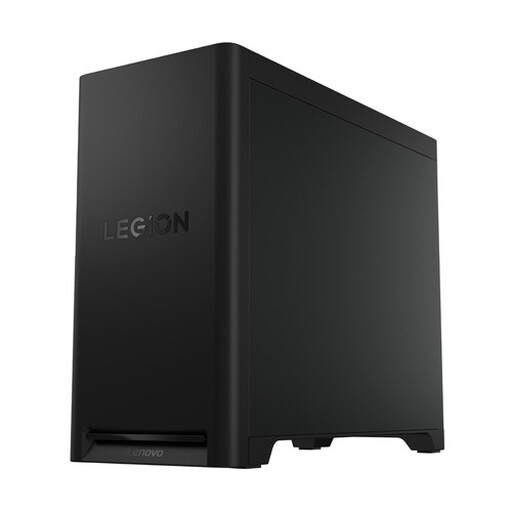
Lenovo Legion T5 30IAX10 Gaming Desktop
A dedicated Windows workspace; check that this configuration suits the software you’ll use for your community noticeboard.
Windows 11 Home; 32 GB DDR5; 1 TB PCIe 4.0 SSD.
Joybuy
 No image available
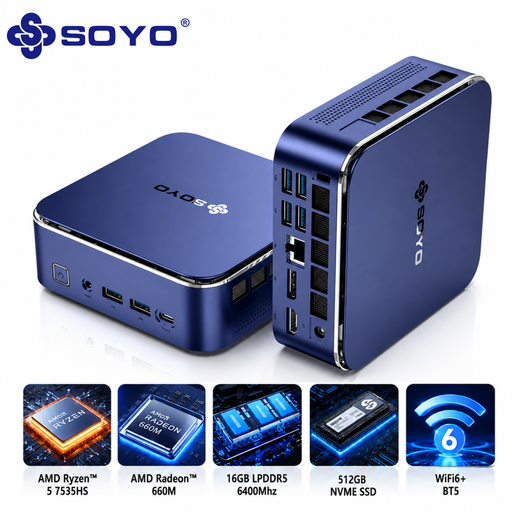
SOYO S5Air Mini PC, Ryzen 5 7535HS
A compact Windows option if your development software and browsers work on Windows 11 Pro.
Windows 11 Pro; Ryzen 5 7535HS; 16 GB LPDDR5; 512 GB NVMe SSD.
Joybuy
 No image available
MSI CUBI NUC AI 1UMG-005EU
A compact option for a dedicated workspace; check which connections you need for your monitor and peripherals.
Intel Core Ultra 7 155H; 16 GB DDR5; 1 TB SSD; Windows 11 Pro.
Joybuy
 No image available
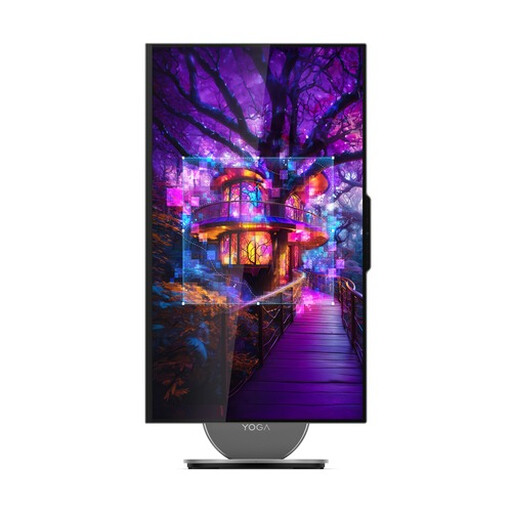
Lenovo Yoga AIO 27IAH10 F0J2001DNY, 27-inch
An all-in-one for anyone looking for a dedicated setup with an integrated screen. The product description also lists a wireless keyboard and mouse set as included.
27-inch QHD screen with 120 Hz; Intel Core Ultra 7 255H; 16 GB LPDDR5X; 1 TB SSD; Windows 11 Home.
Joybuy
Frequently asked questions
Will a suitable desktop automatically make my community noticeboard keyboard-accessible?
No. You need to test the website itself: use Tab to reach forms and buttons, operate them with the keyboard, and check that you can move the focus away from each element again. The W3C sets out requirements for web content; a PC specification alone can’t guarantee accessibility.
What should I test first after setting everything up?
Connect your keyboard and monitor, then go through the noticeboard in your browser without using a mouse. Test the navigation, message form and any dialogue boxes. Check that you can reach every control and move away from it again.
Which accessibility rules apply to a digital community noticeboard?
This depends, among other things, on who manages the noticeboard. DigiToegankelijk describes the obligations for public authorities covered by the Government Digital Accessibility Decree; don’t assume these automatically apply to a private initiative. For this decree, DigiToegankelijk refers to WCAG 2.1 A and AA, while the Dutch Government’s own accessibility page refers to WCAG 2.2 A and AA. If you’re working on a public-sector project, check which standard applies.
Can I publish neighbours’ names or contact details?
Not without considering the rules. The Dutch Data Protection Authority says you need a GDPR legal basis to collect and use personal data, and that you may generally publish other people’s details only with their consent. Decide which details the noticeboard really needs before making publication possible.
Are there accessibility requirements for the desktop itself?
For ordinary consumer computer equipment, the Dutch Authority for Digital Infrastructure lists accessibility rules for products placed on the market from 28 June 2025. This doesn’t prove that a particular model or the website you build meets every applicable requirement; check the rules for the product and project separately.


