
Researchers working with linked recordings
You code transcripts and want to be able to return to the original audio while you work. Check how your analysis software links external media and lets you manage file locations.


First, choose a desktop that supports your analysis software and its version, then check how the software links recordings to projects. Match the memory, storage and ports to your archive: external recordings may sit outside the project file, so include them in your transfer and backup plans. If interviews contain personal data, also assess the security and retention period of your entire workflow.
You code transcripts and want to be able to return to the original audio while you work. Check how your analysis software links external media and lets you manage file locations.
You store lots of media files, or files that take up a lot of space, and want to plan storage, backups and any future expansion in advance. Bear in mind that external files can make transferring projects more complicated.
You may be processing personal data, so you need to consider appropriate security and retention periods alongside the desktop’s specifications.
| What to consider | What should you check? | Who is this important for? |
|---|---|---|
| Linked source files | Check whether media files are included in the project or remain linked externally. Keep file locations stable and include external files when transferring projects. | I want to be able to open transcripts with the correct recordings after moving files. Around 33% of consumers give priority to having source files readily available. |
| Memory and storage | Compare the requirements for your software version and allow storage for the project, recordings and separate backups. MAXQDA 26 for Windows lists 4 GB RAM as the minimum and recommends 8 GB or more; ATLAS.ti 26 for Windows lists 4 GB as the minimum and strongly recommends 8–16 GB. | As my interview archive grows, I want enough space for media and a manageable way to transfer projects. Around 27% of consumers prioritise capacity for a growing archive. |
| Protection and retention | Assess access, storage, backups and retention periods in light of the data and the risks. A desktop security feature alone does not prove that your entire workflow complies with the GDPR. | When interviews contain personal data, I want to protect it appropriately and avoid keeping it for longer than necessary. Around 20% of consumers prioritise the protection and retention of interview data. |
| Software and workspace | Check the operating system on the exact configuration, the requirements of your analysis software, and the available display outputs and ports. | I want to use transcripts and recordings in a workspace that suits my software. Around 20% of consumers give software and workspace compatibility top priority. |
In ATLAS.ti, linked audio and video files may remain in their original location. MAXQDA stores audio and video outside the project file, so references may be missing if you don’t transfer those files too.
Make a note of the project file, the external media folder and the file locations. Test that everything opens after restoring the project before wiping your old computer.
Finding and relinking recordings can take extra time.
The published memory requirements for analysis software don’t measure performance for your specific project. Lots of media files, or large ones, can also affect storage and project transfers.
Check the requirements for your software version and the upgrade options for the exact desktop configuration.
You may need to upgrade the memory or computer later; what’s possible depends on the configuration you choose.
If interviews contain personal data, appropriate security depends on the entire processing operation and the risks involved. A feature on the PC alone doesn’t show that every part of your workflow is suitably set up.
Also assess access, storage, backups and retention periods. The Dutch Data Protection Authority stresses that the level of security should be appropriate to the risks involved in processing the data.
According to HP Store Netherlands, the HP Pro Mini 400 G9 configuration reviewed is a compact desktop with Windows 11 Pro, 16 GB RAM and a 512 GB SSD.
The IdeaCentre Mini 01IRH10R product family is worth considering if you’re comparing compact desktops with potential memory or storage upgrades.
The Mac mini is a compact macOS option if the version of your analysis software you need, along with the rest of your workflow, runs on macOS.
These desktop PCs are options to compare for a Windows workspace with local interview files. For each configuration, check that the operating system, storage and ports suit your analysis software and files.
 No image available
A Windows desktop to consider if you work with interview files stored locally; check that the ports suit your workspace.
Windows 11 Home, 16 GB RAM and a 1 TB SSD.
The description lists HDMI, DisplayPort and several USB ports.
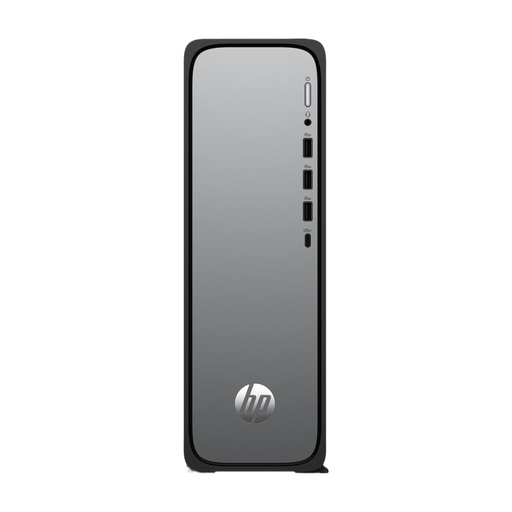 No image available
A slim Windows model to consider if you’re looking for a desktop with a small footprint and the listed capacity suits your software.
Windows 11 Home, 8 GB RAM and a 512 GB SSD. MAXQDA 26 for Windows recommends 8 GB RAM or more.
The description lists HDMI, USB-A and USB-C. The internal memory is limited to 8 GB.
 No image available
A Windows desktop to consider for analysis work with local media files; check the software requirements for the exact configuration.
Windows 11 Home, 16 GB RAM and a 500 GB NVMe SSD.
 No image available
A Windows desktop to consider if you need local storage for media files; choose a capacity that suits your archive.
Windows 11 Home, 16 GB RAM and a 1 TB NVMe SSD.
 No image available
A ready-built desktop to consider for a Windows workspace with local files; check which version of Windows is installed.
16 GB RAM and a 480 GB M.2 PCIe 4.0 SSD.
The description lists a USB Wi-Fi adapter as included.
Not necessarily: ATLAS.ti 26 can link audio and video from their original location. If you move those files, you may need to restore the links. MAXQDA stores audio and video outside the project file, so include these external files in your transfer and backup plans.
It depends on the software and version. MAXQDA 26 for Windows lists 4 GB as the minimum and recommends 8 GB or more; ATLAS.ti 26 for Windows lists 4 GB as the minimum and strongly recommends 8–16 GB. Choose based on the demands of your own project and check the latest requirements.
Not if recordings are stored or linked externally. Include the external media files in your backup too, and check that the links work after restoring it. MAXQDA recommends backing up projects regularly to an external hard drive or flash drive.
No. The Dutch Data Protection Authority points out that the GDPR does not set a specific general retention period for personal data. If interviews contain personal data, don’t keep it for longer than necessary; the appropriate retention period and security measures depend on the processing operation and the risks involved.
No. ACM ConsuWijzer distinguishes between a warranty offered by the seller and your statutory rights: when used normally, a product must meet the expectations you were entitled to have of it. If you’re buying as a business, check separately which rules apply to that purchase.