
Interviewer editing audio
You want to edit a long conversation, listen back to it and deliver it as a playable file. Keep the editable project separate from the final export.


Choose a ready-to-use Windows mini PC if you want to keep using Windows software and peripherals without installing components yourself. A Mac mini suits an existing macOS workflow, while a barebone kit requires preparation. Before buying, check that your editing and transcription software is compatible, that there’s enough storage for your active project, and that the connections work with your presentation screen. Keep an editable project separate from the playable export, and assess separately how to share identifiable recordings safely and lawfully.
You want to edit a long conversation, listen back to it and deliver it as a playable file. Keep the editable project separate from the final export.
You want to find and correct spoken Dutch. Check that your chosen transcription service supports both Dutch and the editing features you need.
You want to check and present the edit on a screen before meeting your client. Make sure the connections on the exact PC configuration match the equipment you already have.
A good fit if: you use Windows software and peripherals and don’t want to install components yourself before a presentation.
Keep in mind: configurations vary in the components and connections included, so check the configuration you’re buying.
A good fit if: your editing software and peripherals work with macOS and you use a separate monitor.
Keep in mind: storage capacity varies by configuration. Choose one to suit your files and keep the active project locally.
A good fit if: you want to choose and install the memory, storage and operating system yourself.
Keep in mind: without this preparation, a kit won’t be ready to use for a presentation with a tight deadline.
| What to consider | What to look for when buying | Who is this important for? |
|---|---|---|
| Editing and project storage | Check compatibility with your editing software and make sure there’s enough available space for the recording, project and export. Audacity recommends fast, uninterrupted access to local storage for an active project. | If you edit conversations and may want to edit the project again later, local project storage should be your priority. Around 33% of consumers prioritise audio and project storage. |
| Dutch transcription | Check that your chosen service supports Dutch for both transcription and the text editing features you need; these can vary by language. | If you want to find and correct Dutch passages, support for your entire transcription workflow matters. Around 27% of consumers prioritise a Dutch transcript they can check. |
| Presentation setup | Compare the connections on the exact PC configuration with your screen or presentation setup, and check whether a keyboard and mouse are included. | If you want to check the edit on your own screen before meeting a client, it’s important to have a suitable setup that’s ready to use. Around 20% of consumers prioritise their presentation setup. |
| Storing and sharing recordings | Allow for project copies and appropriate security measures. If people are identifiable, check separately which rules apply to processing and sharing the recordings. | If you care about being able to recover files and carefully sharing potentially identifiable recordings, check your storage and sharing practices too. Around 20% of consumers prioritise careful storage and sharing. |
An Audacity project saves your edits, but it isn’t designed to play in other applications. An export is designed for playback and doesn’t replace the project.
Keep the original recording and editable project separate from the presentation export, and test the exported file in advance.
If you only have the export left, you may need to recover or edit the recording again later.
The ASUS NUC 15 Pro kits NUC15CRK-B and NUC15CRH-B are supplied without a pre-installed operating system, memory or storage. This means extra preparation is needed before you can start editing.
Check the full model number and included components before comparing a kit with a ready-to-use computer.
You’ll need to source and install the memory, storage and operating system for these kits yourself.
Descript lists Dutch as a transcription language, but some editing features only support English transcripts.
Before choosing a workflow, check that both transcription and correction features are available for Dutch.
If a feature you need isn’t available, you may need to correct the text manually or use a different workflow.
The Dell Pro Micro QCM1250 is a compact, ready-to-use Windows 11 Pro configuration.
The ThinkCentre M70q Gen 6 Tiny is a compact Windows desktop range with components that vary by configuration.
The HP Pro Mini 400 G9, version 6D494EA#ABH, is a compact business desktop with Windows 11 Pro.
The Mac mini offers a compact macOS workflow with a separate monitor.
The NUC 15 Pro kits NUC15CRK-B and NUC15CRH-B are designed for people who want to build their own compact work computer.
This selection includes compact mini PCs for interview editing and presentations, with ready-to-use Windows configurations and a barebone kit for those who want to build their own system.
 Image unavailable
Could suit anyone looking for a compact Windows PC for a permanent editing setup; check that your software works with Windows 11.
The title lists 8 GB DDR4, a 256 GB SATA SSD and Windows 11.
 Image unavailable
Could suit anyone looking for a compact Windows PC; check that the transcription and editing software you need will work with this configuration.
The title lists 16 GB LPDDR4X, a 256 GB M.2 2280 SATA SSD and Windows 11 Pro.
 Image unavailable
Could suit anyone looking for a compact PC for editing and presentations; check that the connections work with your own screen and peripherals.
The title lists 16 GB LPDDR5X, a 512 GB PCIe 4.0 SSD and Windows 11 Home.
 Image unavailable
Could suit anyone looking for a compact desktop for editing; before buying, check software compatibility and that the screen connections will work for your presentation.
The title lists 16 GB RAM and a 512 GB SSD.
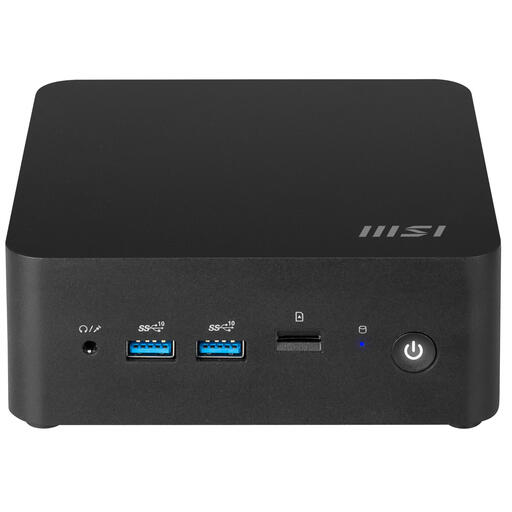 Image unavailable
Suited to anyone who wants to build their own compact workstation and has time to get the system ready for editing.
The product information states that no operating system is pre-installed; you’ll need to install one before use.
No. According to the Audacity manual, a saved Audacity project is designed for further editing in Audacity, not for playback in other applications. For your presentation, export a separate audio file, such as a WAV or MP3, and check it in advance.
No. Audacity advises against using an external USB or network drive for active projects because they need uninterrupted access. Edit the project locally and keep a separate copy as well.
Not necessarily. Descript lists Dutch as a supported transcription language, but says that features including filler-word detection and some other text features only work with English transcripts. Check that the features you need are available for Dutch.
Check the subscription terms and transcription limits for the services you plan to use. Microsoft Support says that the transcription feature described for Microsoft 365 subscribers allows up to 300 minutes of uploaded audio per month. Consumer purchases in the Netherlands are covered by a statutory guarantee; according to the Dutch government, there’s no fixed statutory guarantee period, and you should contact the retailer if something is faulty.
You can’t decide that based on your choice of computer alone. According to the Dutch Data Protection Authority, identifiable audio recordings may be personal data; an organisation must have a legal basis under the GDPR for processing them and put appropriate security measures in place. Whether a particular recording can be shared with a client or a service depends on the people involved, the purpose and the applicable legal basis. Assess publishing it online separately.