Joybuy products
These PCs are designed for a permanent workstation with either a separately chosen screen or a built-in screen. Compare the screen set-up, storage and included components with what you need for indexing.
 No image available
Gaming Desktop PC Ryzen 7 7800X3D, GeForce RTX 5080
A desktop PC for a permanent workstation; check whether the listed Windows Evaluation Version is suitable for how you plan to use it.
The title lists 32 GB DDR5, a 1 TB NVMe SSD and GeForce RTX 5080. The description mentions Windows 11 Evaluation Version.
Joybuy
 No image available
Acer Aspire C24-A WI5418 NL
An all-in-one PC combines the computer and screen. Try your preferred text magnification on the built-in screen.
This configuration lists a 23.8-inch Full HD IPS screen, an Intel Core 5 120U, 16 GB DDR5, a 1 TB PCIe NVMe SSD and Windows 11 Home. A keyboard and mouse are listed as accessories.
Joybuy
 No image available
FIREBAT F1 Mini PC, AMD Ryzen 5 7640HS
A mini PC to compare if you want to choose your screen separately. Check which components and cables are included with this configuration.
The title lists 24 GB LPDDR5, a 512 GB PCIe 4.0 SSD, HDMI 2.1 and support for output to three 4K screens.
Joybuy
 No image available
FIREBAT A8 Mini PC, AMD Ryzen AI 9 365
A mini PC for a set-up with a separately chosen screen; check in advance that the listed connections are suitable for your screen.
The title lists 24 GB DDR5, a 1 TB PCIe 4.0 SSD, HDMI 2.1 and USB4. Support for output to four screens is also mentioned.
Joybuy
 No image available
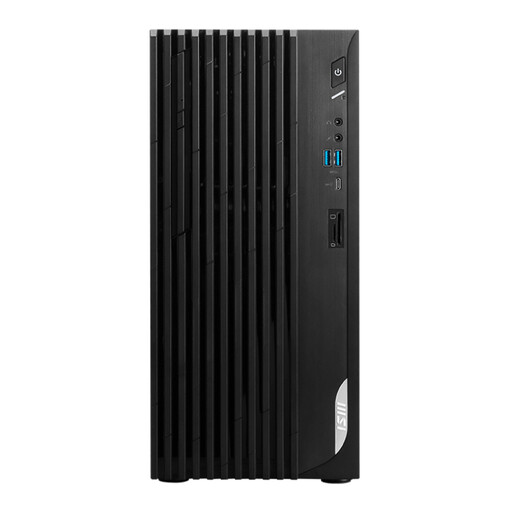
MSI PRO DP180 14A-824EU
A traditional desktop PC to compare if you want to use a separate screen. Check that the outputs are compatible with the monitor you choose.
The description lists an Intel Core i5-14400, 8 GB DDR4, a 512 GB SSD, HDMI, DisplayPort and Windows 11 Home.
Joybuy
Frequently asked questions
How can you enlarge text without buying another PC?
In Windows, you can adjust the text size, change the display scale or use Magnifier. Try the settings with your own documents. Microsoft Support warns that using a screen resolution below the recommended setting can make text look blurry.
How do you back up your index?
Windows File History lets you back up files and folders to a designated external drive or network location. Check which folders are included and try restoring a file.
Which components should you include when comparing desktops?
Compare the complete set-up, not just the computer. SeniorWeb notes that with a desktop, you’ll often need to buy the monitor, keyboard, mouse and speakers separately. Check what’s included with each configuration and what you already own.
What warranty and cancellation period apply to online purchases in the Netherlands?
According to the Dutch government, when you buy a product you’re entitled to a product that works properly, but there’s no fixed statutory warranty period in the Netherlands. For applicable distance purchases, you’ll usually have 14 days to change your mind; exceptions and the buyer’s status may be relevant.
Can you store minutes containing personal data on this PC without taking any further steps?
Choosing a PC won’t answer that question on its own. According to the Dutch Data Protection Authority, an organisation that processes personal data must assess the risks, decide on appropriate security measures and be able to demonstrate that the data is properly protected. Determine what’s needed for the specific documents and your organisation.


