Start with the programmes you plan to use for writing, image editing and page layout. For organising chapters, a compact desktop with a suitable separate monitor may be enough. If you work with lots of images, pay closer attention to software requirements, storage and your choice of screen. An all-in-one combines the computer and screen, while a mini PC or tower lets you choose the screen separately.
Who is this buying guide for?
Writer working with a chapter overview
You write longer chapters and want to use heading styles to move quickly between sections and adjust the structure. Microsoft Support explains how heading styles in Word can help you navigate and organise a document.
Creator of image-rich pages
You regularly work with illustrations or photos and want to match the requirements of your image-editing and layout software to your memory, storage and screen.
Setting up a permanent workspace
Your choice also depends on whether you want a separate or built-in screen, the available ports and the equipment you need alongside the computer.
What should you look for when choosing?
Mini desktop with a separate monitor
A good fit if: you already have a suitable monitor or want to choose the computer and screen separately.
Bear in mind: you’ll need a separate monitor and input devices, and you’ll need to check the connections on both devices. Apple lists support for external displays for the Mac mini M6; Lenovo lists HDMI and DisplayPort, among other ports, for the ThinkCentre M70q Gen 5, depending on the configuration.
All-in-one desktop
A good fit if: you want the computer and screen combined in one chosen configuration.
Bear in mind: the screen specifications and configuration depend on the version you choose. HP lists several OmniStudio configurations, so check the details of the exact model.
Tower desktop with a separate monitor
A good fit if: expandability matters to you and you have room for a tower.
Bear in mind: check the available ports, room for expansion and required peripherals for each configuration.
| What to consider |
What should you check? |
Who is this important for? |
| Organising chapters |
Check that your writing programme offers the heading styles and outline feature you want on your chosen operating system. Microsoft Support explains that Word heading styles can be used to show headings in the Navigation pane. |
If you often switch between chapters while writing, you’ll want to find your structure quickly. Around 31% of consumers say chapter structure is their top priority when choosing. |
| Illustrations and layout |
Check the current requirements for your image-editing and layout programmes against the full configuration, and estimate how much space you’ll need for your image library. Adobe lists 8 GB of RAM as the minimum and recommends 16 GB for InDesign 2025 version 20.4; check the requirements for the version you use. |
If you regularly work with illustrations, photos or page layouts, the requirements of your own programmes and available storage both matter. Around 31% of consumers give image work top priority. |
| Screen and connections |
Compare the screen with your preferred setup and check that the connections on the computer and screen are compatible. Lenovo lists HDMI and DisplayPort for the ThinkCentre M70q Gen 5, although features may vary by configuration. |
If you want to view text and an overview side by side, or connect an existing screen, check your chosen screen setup and ports. Around 23% of consumers give their workspace top priority. |
| Complete workspace and backup |
Check what’s included with the exact configuration and plan a separate backup for your manuscript and illustrations. Microsoft explains that File History can save file versions to an external drive or network location. |
If a complete setup and keeping your work safe are your priorities, look beyond the computer itself. Around 15% of consumers say total cost and protecting their work are their top priorities. |
Common pitfalls
-
Choosing based on the processor name alone
The requirements for image editing and page layout depend on the programmes and versions you use. A processor name alone won’t tell you whether the complete configuration is right for your work.
Compare the current software requirements with the configuration, and allow for your image library and screen setup.
-
Assuming a compact desktop is a complete workspace
A mini desktop uses an external screen, while the screen is part of the chosen configuration with an all-in-one. The input devices included can also vary by model.
Check what’s included with the exact configuration and whether its connections work with the screen you want to use.
-
Mistaking internal SSD storage for a backup
A copy stored on the same computer won’t protect your work if you lose that computer. Microsoft explains that File History can save versions to an external drive or network location.
Include both your manuscript and illustration folders in a separate backup plan, and check that you can restore your files.
Brands to compare
Apple
Mac mini: a compact desktop that lets you choose your external screen separately.
- According to Apple’s Dutch-language specifications, the Mac mini M6 range includes configurations starting with 16 GB of memory and support for external displays.
- Apple lists a 256 GB SSD for the base configuration mentioned. Compare this capacity with your software and image library.
Lenovo
ThinkCentre M70q Gen 5: a compact Windows desktop designed for use with a separate screen.
- Lenovo lists HDMI and DisplayPort among the connections available across this range, along with configurations featuring replaceable memory modules and SSD options.
- Lenovo notes that some configurations are only available for selected models or regions. Check the full model number.
HP
OmniStudio all-in-ones for those who want to choose the computer and screen together in one configuration.
- HP’s Dutch product listings show configurations with different screen resolutions, RAM and SSD capacities.
- Specifications for the 27-cw0674nd, for example, don’t automatically apply to the 27-cu0665nd. Check the exact model.
Dell
OptiPlex Tower: an option to explore if you’re looking for a tower with room to expand.
- Dell describes expansion card options and provides support resources, including guides and diagnostics, for OptiPlex Tower.
- Check the available expansion space for the exact configuration. Dell’s relative performance claims are manufacturer claims, not independent comparisons.
Joybuy product picks
These desktop options suit writing and image work at a permanent workstation, from compact mini PCs to towers.
 No image available
SOYO Y5Pro Mini PC, Intel Core i5-8250U/8350U
A compact mini PC for a permanent writing setup with a separate screen. Check that the configuration suits your programmes and work files.
Windows 11, 8 GB DDR4 memory and 256 GB SATA SSD. The description lists HDMI and Type-C video outputs and four USB ports.
Joybuy
 No image available
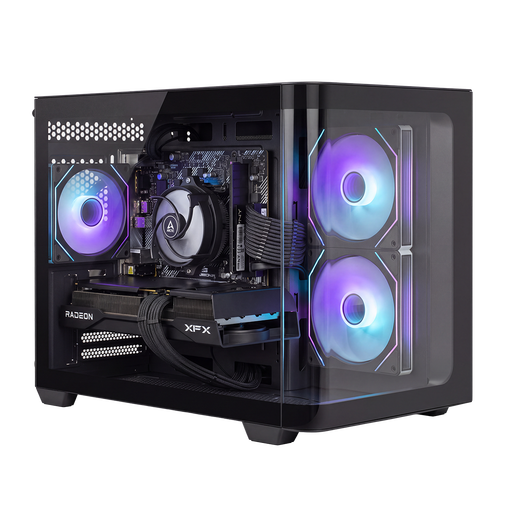
Panoramic Gaming PC, AMD Ryzen 7 5700X
A desktop PC with a dedicated graphics card. Compare the full configuration with the requirements of your image-editing and layout software.
GeForce RTX 5060 Ti 8 GB, 16 GB DDR4 memory and 480 GB NVMe SSD. The product description lists Windows 11 as “Evaluation Version”; check that this configuration suits your needs.
Joybuy
 No image available
SHARK Max Bite R502 Gaming PC, Ryzen 5 5500
A desktop for a permanent workspace. Choose a configuration that suits your software, image files and screen.
AMD Ryzen 5 5500, Radeon RX 9060 8 GB, 16 GB DDR4 memory, 500 GB NVMe SSD and Windows 11 Home.
Joybuy
 No image available
Shark Bloodlust R700 Gaming PC RX9070/R7/16G/1TB
A tower desktop for a permanent workspace with a separate screen. Check the connections and the equipment you’ll need.
Windows 11 Home, 16 GB memory and 1 TB NVMe SSD. The product description lists connections for displays.
Joybuy
 No image available
AlmightyShark R700 Gaming PC RTX5090/R7/32GB/2TB
A desktop PC with the stated memory and storage capacity. Compare these with your programmes and the size of your projects.
Windows 11 Home, 32 GB DDR5 memory and 2 TB NVMe SSD.
Joybuy
Frequently asked questions
Do I need a powerful graphics card for a field guide with section overviews?
Not just to navigate Word headings: Microsoft describes this as a feature of the document and the heading styles you use. Choose any extra graphics capacity based on the requirements of the image-editing or layout software you actually use.
How do I create a useful section overview?
Use heading styles in Word for chapters and subheadings; these can appear in the Navigation pane. Microsoft Support notes that the way this pane works differs between Word for Windows, Mac and the web.
How can I protect my drafts and illustrations from being lost?
On Windows, you can set up File History using an external drive or network location. Check that both your manuscript and illustration folders are included, and that you can restore an earlier version.
What are my rights when I buy a desktop online in the Netherlands?
According to ACM ConsuWijzer, online purchases generally come with a statutory 14-day cooling-off period from the day after delivery, with some exceptions. You’re also entitled to a product that meets your reasonable expectations: the statutory guarantee for a computer isn’t limited to a fixed two-year period in every case. The seller is responsible if the product doesn’t meet what you could reasonably expect during normal use.


