
Reviewer of 3D home models
You open detailed models and want to know whether a web viewer will do the job, or whether you need local BIM software and more graphics power.


If you mainly view drawings and models in a viewer, start by checking file compatibility, display connections and a suitable microphone setup. You won’t automatically need a powerful CAD workstation for this. If you edit large models locally in Revit or other demanding software, check the requirements for the programme, memory and graphics configuration of the exact model. Tackle background noise with suitable audio equipment or meeting settings, rather than simply opting for a more powerful PC.
You open detailed models and want to know whether a web viewer will do the job, or whether you need local BIM software and more graphics power.
You share designs during online meetings and want to stop background noise from making you difficult to hear.
You compare drawings with supporting documents and need to consider software compatibility, display connections and a practical workspace.
Choose this option: if you mainly view designs in a supported web viewer and have limited desk space.
Bear in mind: performance also depends on the size of the project; Autodesk recommends a dedicated graphics card for Viewer. Check the connections for your display and audio equipment, too.
Choose this option: if you use Revit 2026 or other demanding software to open and edit large or complex models locally.
Bear in mind: Autodesk recommends 32 GB of RAM or more for a typical Revit 2026 editing session with a single model up to around 600 MB on disk. This isn’t a guarantee for every project or a general requirement for viewing alone.
Choose this option: if the viewers, meeting apps and any design software you need work on macOS.
Bear in mind: don’t assume it’s a direct substitute for a Windows desktop running Revit 2026; check software compatibility, storage and display connections for the exact model.
The key checks depend on how you’ll use it: editing locally, meeting online, comparing drawings across multiple screens or setting up a compact workspace.
| What to consider | What to look for | Who is this important for? |
|---|---|---|
| Large 3D and BIM models | Decide whether you’ll only view models or edit them locally. Autodesk recommends 32 GB of RAM or more for a typical Revit 2026 editing session with a single model up to around 600 MB on disk; that guideline doesn’t automatically apply to every task. | If I need to open or edit large models locally, I want to compare the software requirements with the configuration. Around 36% of consumers say model performance is their top buying priority. |
| Clear audio in online meetings | Check the meeting app, microphone connection and noise suppression settings. In Teams, Microsoft recommends the Low setting for persistent background noise, such as a fan. | During a design meeting, I want to remain clear even when people are talking around me. For around 29% of consumers, clear conversations come first. |
| Comparing drawings and documents | Check that the viewer supports the file formats you use, such as IFC or DWG, and make sure the number of screens you need matches the outputs on the exact model. | If I want to compare drawings with documents, I need a suitable viewer and connections for my screens. Around 21% of consumers say this is their top buying priority. |
| Size and complete workspace | Measure the space available and check which displays, input devices and audio equipment are included with the desktop. Lenovo states that the display, keyboard and mouse are optional extras and sold separately with the ThinkStation P3 Tower Gen 2. | In a small workspace, I want to leave enough room and know in advance what other equipment I’ll need. Around 14% of consumers prioritise size and a complete workspace. |
Autodesk’s memory requirements apply to specific local Revit editing sessions; viewing designs in a viewer is a different task.
First decide whether you’ll be viewing or editing files. Then check the software requirements and the size of the models you actually use.
Noise suppression is a meeting setting for sounds picked up by the microphone; a more powerful processor or graphics card won’t replace it.
Consider your microphone or headset placement and connection separately from your meeting app settings.
A display, keyboard or mouse may be sold separately with a workstation configuration.
Check what’s included with the exact model and whether its connections will work with all the displays and audio equipment you plan to use.
The Z desktop range includes compact Z2 Mini workstations and larger Z2 Tower models for different design tasks.
The ThinkStation P3 Tower Gen 2 is a configurable Windows workstation for running design software locally.
The Precision 3680 Tower is a workstation range with various processor and memory configurations.
The Mac mini is a compact macOS option if the viewer and meeting apps you use work on macOS.
These Joybuy products include compact desktops and mini PCs for Windows use, multiple displays and a range of workspace setups. Check that the design software and peripherals you need are compatible with the exact model.
 No image available
A Windows desktop option; check your design software requirements before choosing a configuration.
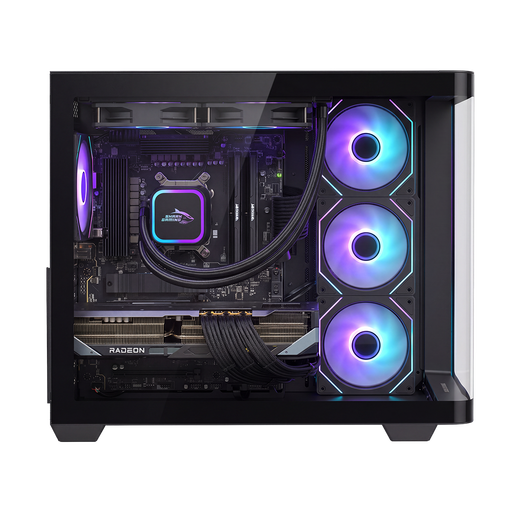
AMD Ryzen 7 9800X3D, 16 GB DDR5 and 1 TB NVMe SSD. The description lists Windows 11 Home and an AMD Radeon RX 9070 XT with 16 GB of graphics memory.
 No image available
The compact case could suit a small workspace; check the software you need and the display outputs in advance.
16 GB LPDDR4 memory and a 512 GB SSD. The description lists Windows 11 Pro, dimensions of 128 × 128 × 47,6 mm and output for three 4K displays via HDMI 2.0, DisplayPort 1.4 and Type-C.
 No image available
A compact option for a multi-screen workspace; check that the connections suit your monitors and viewer.
16 GB RAM, a 512 GB SSD and Wi-Fi 6. The product title lists 4K output to three displays.
 No image available
A compact model for connecting multiple displays; check the software requirements against the configuration you choose.
24 GB LPDDR5 memory, a 512 GB PCIe 4.0 SSD and Radeon 760M graphics. The product title lists support for three displays and HDMI 2.1 and USB 4.0.
Not necessarily. Autodesk Viewer supports formats including IFC and DWG; for RVT, check whether the relevant version requirement applies. Editing locally in Revit 2026 has different requirements, so choose according to your application and model size.
First check your microphone setup, then adjust noise suppression in Teams if needed. Microsoft recommends the Low setting for persistent noise, such as a fan, and High for background noise that isn’t speech.
Check the connections for your displays and microphone, open a representative design file in the viewer you plan to use, and test your audio equipment. SketchUp states that you need an internet connection to authorise a subscription.
According to ACM ConsuWijzer, if a product is faulty despite being used normally, the seller must offer an appropriate solution free of charge, such as a repair, replacement or refund. Check separately whether you’re buying as a consumer or a business, and distinguish your statutory rights from any seller or manufacturer’s warranty.
If you work from home as an employee, the Rijksoverheid describes the employer’s duty of care to provide a proper and safe workspace; it doesn’t specify a particular desktop model. If a document contains personal data, check it before sharing: the Autoriteit Persoonsgegevens warns that this information isn’t always immediately visible.