
VM user in a quiet study
You want to work and run VMs at the same time, while also knowing how loud your PC gets when it’s actually under load. An idle test won’t give you the full picture.


Start with your VMs’ architecture and your hypervisor’s requirements, then add up the memory needed for the host and all the VMs running at the same time. A compact x86 mini PC, an expandable desktop and a Mac mini each suit different needs, but size alone won’t tell you how quietly a system runs under sustained VM workloads.
You want to work and run VMs at the same time, while also knowing how loud your PC gets when it’s actually under load. An idle test won’t give you the full picture.
You want to allocate memory between the host and active VMs, and may want to upgrade the RAM or storage later. Proxmox recommends at least 2 GB of memory for its own services, in addition to the memory allocated to guests.
Your choice may depend on whether your guests use x86 or Arm, and on your hypervisor. Microsoft Learn specifies Windows 11 Pro or Enterprise for Hyper-V; Oracle VirtualBox doesn’t support x86 guests on an Arm host.
Choose this option if: you need x86 VMs and have limited desk space.
The trade-off: check the memory in the exact configuration and assess noise levels under a workload similar to yours.
Choose this option if: you have the space and expect to add memory or VM storage later.
The trade-off: the complete combination of components determines cooling and noise; a quiet case alone doesn’t tell you how quiet the whole PC will be.
Choose this option if: you want to use macOS as your host and your VM software and guest operating systems are compatible with Apple silicon.
The trade-off: Oracle VirtualBox doesn’t support x86 guests on an Arm host; noise under heavy load may also differ from what you hear during everyday use.
| What to consider | What to look for | Who is this important for? |
|---|---|---|
| Noise under VM load | Compare tests of the same configuration under a similar sustained workload, and check the measurement conditions. | If you work in a quiet study, you’ll want to know how your PC sounds while VMs are running. Around 29% of consumers prioritise noise under load. |
| Memory for VMs running at the same time | Allow for the memory used by the host and all VMs running at once; check the RAM installed in the exact configuration. | If you run several VMs at once, you’ll need enough memory for both the host and the guests. Around 29% of consumers prioritise this concurrent capacity. |
| Host and guest compatibility | Check your VMs’ architecture and your hypervisor’s requirements, such as the Windows edition and hardware virtualisation. | If you want to keep using existing guest operating systems, your chosen host and hypervisor must be compatible with them. Around 24% of consumers prioritise this compatibility. |
| Room to upgrade | Check the storage included, available slots and upgrade options for the exact configuration. | If you want to add more VM storage or memory later, room to upgrade is important. Around 18% of consumers prioritise future expandability. |
A product description or an idle measurement won’t necessarily tell you how loud your PC will be under a sustained VM workload.
Compare tests of the same configuration under a suitable workload, and check the background noise and measurement conditions.
A product range may support more memory than is installed in the configuration you choose. Lenovo lists up to 64 GB for the ThinkCentre M90q Gen 5 series, while the Dutch configurations reviewed had 16 GB.
Check both the memory supplied and the upgrade options for the exact model.
Oracle VirtualBox doesn’t support an x86 guest operating system on an Arm host.
Before you buy, check your VMs’ architecture and support for your specific hypervisor.
With a DIY system, its suitability, cooling and noise all depend on the components you choose. More VMs also require additional storage.
Set out the full list of components and your expected storage needs, then assess the cooling and noise of the finished build.
The ThinkCentre M90q Gen 5 is a compact business x86 series where the specific RAM and Windows configuration matters.
The Elite Mini 800 G9 is a compact business x86 mini PC; check the exact configuration and the conditions of any noise tests.
The DeskMini X600 series is a compact barebones system for anyone who wants to build their own x86 system.
The Mac mini with Apple silicon is a compact macOS host for VMs supported by your chosen software and architecture.
The ExpertCenter PN64 is a compact x86 option where the available memory and storage configuration can vary by model.
This selection includes compact mini PCs and Mac mini configurations. Check that each model’s memory, storage and VM architecture suit your needs.
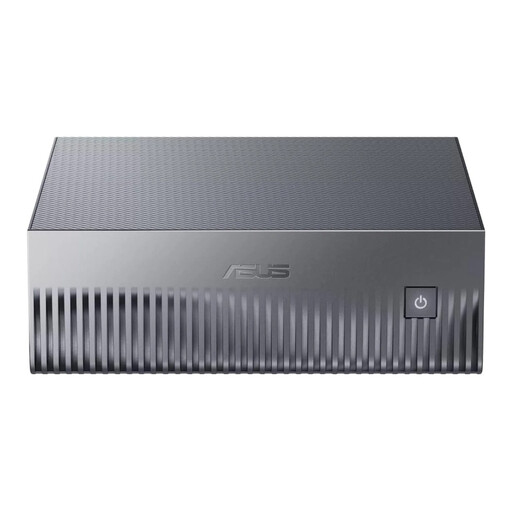 No image available
The listed memory capacity and SSD storage are worth considering if you want to run several VMs and store their files on a single compact PC.
128 GB LPDDR5x memory; 1 TB SSD.
Before buying, check that the architecture and virtualisation software are compatible with the guest operating systems you need.
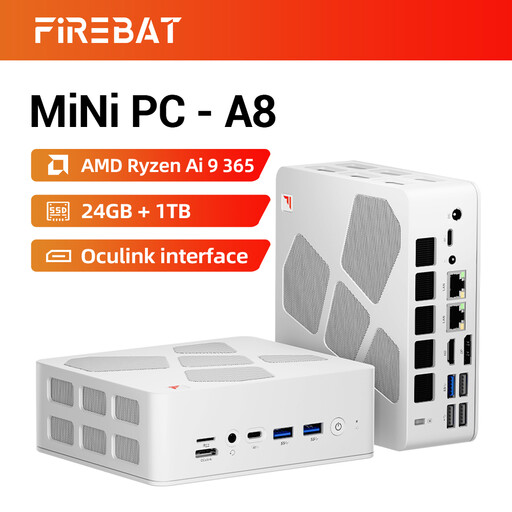 No image available
The listed RAM and SSD capacity give you specific configuration details to compare with your host tasks and the VMs you’ll be running at the same time.
24 GB DDR5 memory; 1 TB SSD.
Check that the capacity suits the VMs you want to run simultaneously and the storage their files require.
 No image available
Windows 11 Pro makes this configuration worth considering if you specifically have Hyper-V in mind. Also check the hardware requirements and memory available for your VMs.
Intel Core Ultra 7 155H; 16 GB DDR5 memory; 1 TB SSD; Windows 11 Pro.
Microsoft lists Windows 11 Pro or Enterprise and SLAT among the requirements for Hyper-V. Check compatibility with other hypervisors separately.
 No image available
This compact macOS host suits VM use where your chosen software and guest architecture support Apple silicon.
M6 chip with 12-core CPU and 12-core GPU; 16 GB memory; 256 GB SSD.
Oracle VirtualBox doesn’t support x86 guests on an Arm host. Check your VMs’ compatibility before choosing this option.
No image available
This compact macOS host suits VM use where your chosen software and guest architecture support Apple silicon.
M6 chip with 12-core CPU and 12-core GPU; 16 GB memory; 512 GB SSD.
Oracle VirtualBox doesn’t support x86 guests on an Arm host. Check your VMs’ compatibility before choosing this option.
No. Microsoft specifies Windows 11 Pro or Enterprise for Hyper-V. Microsoft also lists SLAT and enabled hardware virtualisation among the requirements; these don’t automatically apply to every other hypervisor.
Add together the memory needed by the host and all the VMs you want to run at the same time, and allow for other host tasks. Proxmox recommends at least 2 GB for its own services, in addition to the memory allocated to guests; this isn’t a universal memory recommendation for every PC or hypervisor.
Oracle VirtualBox doesn’t support x86 guests on an Arm host. For other virtualisation software, check separately which guest architectures it supports.
Look for a measurement of the exact configuration under a workload similar to your VM use, and check the measurement conditions, including background noise. An idle measurement or a test of a different configuration won’t necessarily predict how your system sounds under sustained load.