What should you look for?
First decide which software and output you need. Then compare the complete setup: computer, screen, input devices and connections for your graphics tablet.
| What to consider |
What to look for |
Who is this most relevant to? |
| Memory and drawing space |
Compare the installed RAM with your software’s requirements and check the specific configuration. Krita lists 4 GB as the minimum and 16 GB as the recommended amount for Krita. |
If I work with multiple layers or reference images, I want to match the memory to my software. Around 30% of consumers give memory and drawing space top priority. |
| Screen and print requirements |
First ask how the work will be presented, what size it should be and which file format is required. Then check the screen on the exact configuration and the export options in your software. |
If my illustration is going to be shown as a print, I want to know the submission requirements in advance. Around 30% of consumers put screen choice and presentation at the top of their list. |
| Complete workspace |
Check what’s included with the exact configuration, and allow for a separate screen, keyboard, mouse, graphics tablet and any software costs. |
If I want to keep the cost of my complete drawing setup affordable, I compare all the components I need rather than just the computer. Around 20% of consumers prioritise the total purchase cost. |
| Space and connections |
Compare a mini PC with an all-in-one, and check the display and USB connections on the configuration you’re considering. Also check that your graphics tablet works with the operating system. |
For a small, dedicated workspace, I want to know whether I can connect my screen and graphics tablet. Around 20% of consumers give space and connections top priority. |
Joybuy desktops for this workspace
This selection includes all-in-ones and standalone desktops for a dedicated illustration workspace. Check that each configuration has the components and connections you need.
 No image available
Acer Aspire C24-A WI5418 NL All-in-One, White
An all-in-one for anyone who wants a screen included with their dedicated workspace; check that the connections suit your graphics tablet.
23.8-inch FHD IPS screen, Intel Core 5 120U, 16 GB DDR5, 1 TB PCIe NVMe SSD, Intel Graphics and Windows 11 Home.
View at Joybuy
 No image available
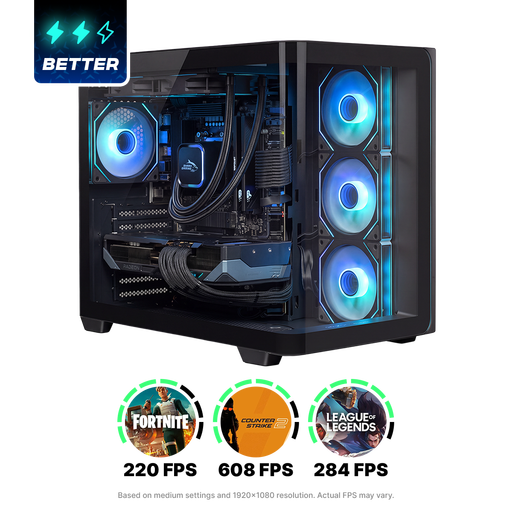
Shak RGBeast R700 Gaming PC RX9070XT/R7/16G/1TB
A standalone desktop for anyone who wants to choose their own screen for a drawing workspace; check the connections you need in advance.
The product name lists RX9070XT, R7, 16G and 1TB.
View at Joybuy
 No image available
ASUS ROG G700TF-07265F666W Gaming Desktop PC
A standalone desktop for a dedicated workspace; choose a screen that suits your illustration’s submission requirements.
Intel Core Ultra 7 265F, 32 GB DDR5, 1 TB SSD, NVIDIA GeForce RTX 5070 12 GB and Windows 11 Home.
View at Joybuy
No image available
ASUS ROG G700TF-05225F170W Gaming Desktop PC
A standalone desktop for anyone who wants to choose a separate screen; check that the configuration suits the software you use.
Intel Core Ultra 5 225F, 32 GB DDR5, 1 TB PCIe 4.0 SSD, NVIDIA GeForce RTX 5070 12 GB and Windows 11 Home.
View at Joybuy
 No image available
Lenovo IdeaCentre Mini PC
A compact mini PC for a dedicated drawing workspace. Check in advance that the connections suit your screen and graphics tablet.
View at Joybuy
Frequently asked questions
Do I need a desktop with a dedicated gaming graphics card for this illustration?
Not necessarily. Start with your drawing software’s requirements and the tasks you’ll be doing. Krita, for example, specifies graphics compatibility but doesn’t generally require you to buy a gaming graphics card. Check the requirements for any additional software separately.
How should I prepare the tram street illustration for printing?
First ask the organiser or printer about the size, file format and colour requirements. Adobe outlines PDF export settings, including bleed and colour output; the settings you need will depend on the submission requirements.
Can I connect my graphics tablet to any desktop?
Check the connections, operating system support and compatibility with your tablet model. Krita refers to using a graphics tablet that’s compatible with the operating system; this doesn’t automatically mean every tablet works with every desktop.
What return and warranty rights apply to a desktop bought online in the Netherlands?
As a consumer, you’ll generally have up to 14 days after delivery to change your mind about an online purchase, subject to legal exceptions. ACM ConsuWijzer also explains that you’re entitled to a legal guarantee if a product doesn’t meet what you could reasonably expect under normal use. This isn’t the same as a fixed two-year warranty period for every desktop.


