Start with the development software you actually use: a lightweight code editor doesn’t necessarily have the same requirements as a full local development environment. Then compare memory and storage, the connections for your monitor, and what else you need for a complete workspace. A compact PC takes up little room, while a tower may be worth considering if expandability is your priority.
Who should consider this desktop choice?
Developer with specific tools
Your choice starts with the programmes that need to run on a particular operating system. Microsoft lists the supported operating systems for Visual Studio, while Apple sets out the macOS requirements for each version of Xcode.
Developer with a lot of local work
Alongside your editor, you use other development programmes, so you compare the complete configuration. Microsoft sets out separate requirements for Visual Studio, and Docker Docs lists specific installation requirements for Docker Desktop on Windows.
Coder with a small desk
You’re looking for a compact computer and want to know in advance whether it will fit in your workspace and what peripherals you’ll still need. Lenovo states that a monitor, keyboard and mouse are optional for the ThinkCentre Neo 50q Gen 5 configuration.
What should you look for when choosing?
Start with the requirements of the programmes you use; an editor’s requirements don’t automatically apply to your entire development environment.
| What to consider |
What should you check? |
Who is this important for? |
| Compatibility with development tools |
Check the operating system requirements for the versions you use, such as Visual Studio or Xcode. |
If I rely on existing development tools, I first check that they run on the system I’ve chosen. Around 36% of consumers give tool compatibility top priority. |
| Memory and storage |
Compare the exact model’s configuration with the requirements of your programmes and projects. For Docker Desktop, also check the Windows and backend requirements. |
When I use other local tools alongside my editor, I want to take my full workload into account. Around 29% of consumers prioritise local development tools and projects. |
| Space and a complete workspace |
Compare the video outputs with your monitor’s inputs and check which peripherals are included. |
If my desk has limited space, I want to know in advance how the computer, monitor and input devices will fit together. Around 21% of consumers start by considering their workspace layout. |
| Complete setup and service |
Check what’s included with the model you’ve chosen and read the terms of any additional service. |
If I still need peripherals or want to compare service terms, I look at the complete setup. Around 14% of consumers give the total purchase and service top priority. |
Buying pitfalls to avoid
-
Assuming your editor’s minimum requirements apply to your entire development environment
Microsoft describes VS Code as lightweight, but publishes separate requirements for Visual Studio. Docker Desktop also has its own installation requirements.
Make a list in advance of the programmes you want to use at the same time, then check the requirements for each programme and version.
-
Assuming a mini PC is a complete home-working setup
With the Lenovo ThinkCentre Neo 50q Gen 5 configuration reviewed, the monitor, keyboard and mouse are optional and sold separately.
Check what’s included and the connections on the exact model before combining it with your existing workspace.
-
Confusing an additional service plan with your statutory rights
The Dutch government distinguishes between statutory consumer rights, the manufacturer’s warranty and an optional extended warranty.
Read exactly what an additional plan covers and compare it with your statutory consumer rights.
Brands worth considering
Lenovo
The ThinkCentre Neo 50q Gen 5 Tiny is a compact Windows option for a workspace with a separate monitor.
- For model 13B9CTO1WWNL2, Lenovo Netherlands lists Windows 11 Pro, 16 GB DDR5 memory and a 512 GB SSD.
- A monitor, keyboard and mouse are optional and sold separately for this model.
Dell
The Dell Pro Micro QCM1250 is a compact Windows desktop range, with configurations and service options that can vary by model.
- For the configuration reviewed, Dell Netherlands lists Windows 11 Pro, 16 GB DDR5 memory and a 512 GB SSD.
- Check your chosen configuration and any service options. The options shown don’t mean the same cover is included with every model.
HP
The Pro range reviewed includes a Pro Mini for limited space and a Pro Tower for those considering a larger case.
- HP describes the Pro Tower 400 G9 as scalable and the Pro Mini 400 G9 as compact.
- Check the components and specific expansion options for your chosen model; these features don’t necessarily apply to every model.
Apple
The Mac mini is a compact macOS option if your development programmes require or support this platform.
- Apple lists 16 GB of unified memory and a 256 GB SSD for a base Mac mini M6 configuration.
- Check that your tools support macOS and that the storage capacity suits your projects; macOS doesn’t make Windows software compatible.
Joybuy desktops for a compact workspace
This selection includes a Mac mini and compact Windows desktops for a permanent home-working setup where space is at a premium. Check that the development programmes you use work with the operating system listed for each model.
 No image available
Apple Mac mini M6, 12-core CPU and 12-core GPU, 24 GB, 512 GB SSD
A compact option if your development tools run on macOS.
The Joybuy product listing specifies an M6 chip with a 12-core CPU and 12-core GPU, 24 GB of memory and a 512 GB SSD.
Check the macOS requirements for the programmes you use.
View product at Joybuy
 No image available
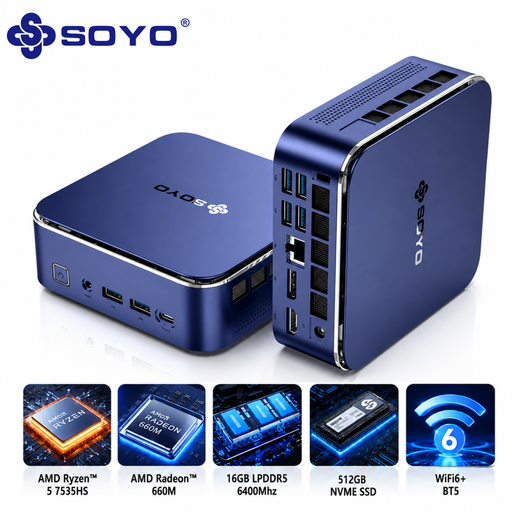
SOYO S5Air Mini PC, AMD Ryzen 5 7535HS, 16 GB, 512 GB NVMe SSD
A compact Windows option for a permanent workspace. Check that your development tools support the version of Windows included.
The Joybuy product listing specifies Windows 11 Pro, 16 GB LPDDR5 memory and a 512 GB NVMe SSD.
View product at Joybuy
 No image available
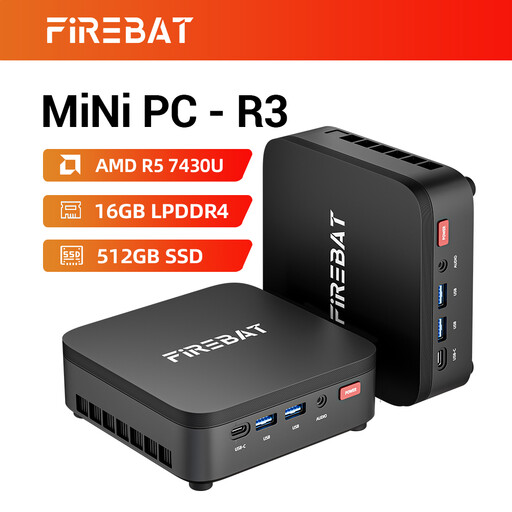
FIREBAT R3 Mini PC, AMD Ryzen 5 7430U, 16 GB, 512 GB SSD
A compact desktop for a home-working setup. Compare the connections with your monitor and peripherals.
The Joybuy product listing specifies an AMD Ryzen 5 7430U, 16 GB of memory and a 512 GB SSD.
View product at Joybuy
 No image available
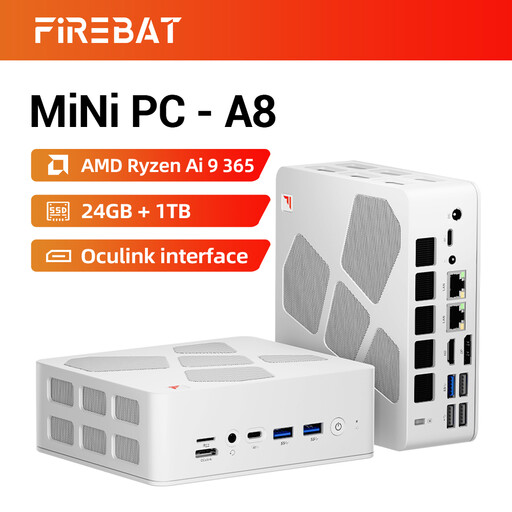
FIREBAT A8 Mini PC, AMD Ryzen AI 9 365, 24 GB, 1 TB SSD
A compact option for a permanent home-working setup. Check that the connections suit your monitor arrangement.
The Joybuy product listing specifies 24 GB DDR5 memory and a 1 TB SSD.
View product at Joybuy
 No image available
MSI CUBI NUC AI 1UMG-005EU, Core Ultra 7 155H, 16 GB, 1 TB SSD, Windows 11 Pro
A compact Windows desktop for a permanent workspace. Check the system requirements for your development tools.
The Joybuy product listing specifies an Intel Core Ultra 7 155H, 16 GB DDR5 memory and a 1 TB SSD.
View product at Joybuy
Frequently asked questions
Do I need a powerful desktop if I mainly edit code in VS Code?
Not based on VS Code alone: Microsoft describes the editor as lightweight and recommends a 1.6 GHz processor or faster and 1 GB of RAM. Also check the requirements of the other programmes you use.
What should I check before installing a development environment on Windows?
Check the requirements for the specific programme and version you want to install. Docker Desktop documents its own Windows and backend requirements, while Microsoft lists separate supported operating systems for Visual Studio 2026.
How can I keep my computer and workspace fit for purpose?
Check that your operating system and development software are still within their supported versions and that your monitor and input devices connect to your computer. Microsoft states that mainstream support for Windows 10 version 22H2 ended on 14 October 2025; check separately for any exceptional support arrangements.
What warranty and cancellation rights apply to an online purchase as a consumer?
According to the Dutch government, online purchases from a business often come with a 14-day cooling-off period. You’re also entitled to a product that is fit for purpose; the Netherlands has no fixed statutory warranty period. A manufacturer’s warranty or additional service plan is on top of your statutory rights. Check the applicable terms if you’re buying for business or from a private seller.
Are there any rules for screen-based work in a home workspace?
Arboportaal sets out employers’ obligations around safe screen-based work. According to its guidance, the monitor and keyboard must not be attached to each other for employees who spend more than two hours a day working with a screen. This isn’t a general minimum computer specification; whether it applies depends on your employment relationship and working situation.


