All-in-one desktops at Joybuy
These Joybuy products are all-in-one desktops for a fixed writing workspace with a built-in screen. Check which accessories are included with the exact model and whether it meets the applicable EU requirements, including the CE requirements.
 No image available
HP 24-cr0050nd All-in-One
An option to compare with a separate desktop and monitor set-up.
Windows 11 Home; 23.8-inch FHD IPS screen; keyboard included.
According to the product description, the power adapter must be purchased separately.
View at Joybuy
 No image available
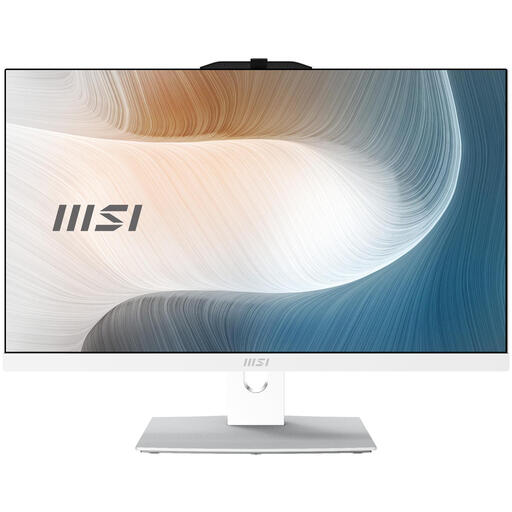
MSI Modern AM242TP 1M-1229EU
An all-in-one with a touchscreen to compare if you’re looking for a built-in screen for your fixed workspace.
23.8-inch FHD touchscreen; Intel Core 3 100U; 8 GB DDR5; 256 GB SSD; Windows 11 Pro.
According to the product description, the charger must be purchased separately.
View at Joybuy
 No image available
MSI Modern AM242P 1M-1223EU
An option to compare if you want to put together a fixed workspace with a built-in screen.
23.8-inch FHD screen; Intel Core 5 120U; 8 GB DDR5; 512 GB SSD; Windows 11 Pro.
According to the product description, the charger must be purchased separately.
View at Joybuy
 No image available
Lenovo Yoga AIO 27IAH10 F0J2001DNY
An all-in-one with a 27-inch screen to consider when comparing options for a fixed workspace.
27-inch QHD 120Hz screen; Intel Core Ultra 7 255H; 16 GB LPDDR5X; 1 TB SSD; Windows 11 Home.
The product name also mentions a wireless keyboard and mouse.
View at Joybuy
 No image available
Apple iMac 24-inch M3 16GB 512GB
An option to compare if you want to assess the computer and screen as one unit.
24-inch iMac; 16 GB memory; 512 GB storage; Silver (2023).
View at Joybuy
Frequently asked questions
Do I need a powerful desktop for a section outline?
Start with the features of your writing programme. Word for Windows can show headings in the navigation pane when you use heading styles; LibreOffice Writer has a Navigator. Check which app version you need, and choose hardware based on the other tasks you want to use it for.
How can I avoid losing text when rearranging it?
Use heading styles for section titles and check how your programme saves changes. For files in OneDrive or SharePoint, Microsoft describes version history, which lets you view and restore earlier versions; this feature may be disabled for work or school accounts.
What safety information should I check for a desktop?
For the exact model you want to buy, check that it meets the applicable EU requirements and carries the required CE marking. The Dutch government states that electronic devices in the EU must have a CE marking; the model range name alone doesn’t confirm this for the version on offer.
Is a manufacturer’s warranty the same as a statutory guarantee?
No. When you buy as a consumer in the Netherlands, your statutory guarantee applies alongside any guarantee offered by the retailer or manufacturer. If a product doesn’t perform as you could reasonably expect under normal use, the retailer is responsible for providing an appropriate solution; different terms may apply to business purchases.
Can I return a desktop bought online in the Netherlands?
For online consumer purchases, you generally have a statutory cooling-off period of up to 14 days after delivery, according to ACM ConsuWijzer. Check the applicable exceptions and terms before ordering; the cooling-off period doesn’t give you the right to use the product without restriction.


