
Designer creating image-heavy posters
You work with photos, layers and typography. Compare the configuration with the requirements of your own design software. Adobe, for example, publishes separate system requirements for Photoshop.


Choose a desktop that meets the requirements of your design software, and set aside part of your budget for a suitable monitor and input devices. If you work with image-heavy files and several open references, check the exact memory and storage configuration, as well as your monitor setup. A compact PC saves space, while expansion options vary by model. Remember to check the printer’s requirements separately.
You work with photos, layers and typography. Compare the configuration with the requirements of your own design software. Adobe, for example, publishes separate system requirements for Photoshop.
You want to view your poster and reference images at the same time. So consider more than just the computer: think about your available screen space and the ports on the exact model.
You’re also comparing a monitor, keyboard, mouse and storage. Manufacturer configurations can vary in SSD capacity and the peripherals included.
A good fit if: you use Windows software and have limited desk space.
Check: the ports, exact configuration and which peripherals are included.
A good fit if: you’re looking for a standalone Windows desktop with potential expansion options.
Check: expansion options vary by model, so also check the storage and any included input devices.
A good fit if: you’ve chosen macOS and want to select a suitable monitor and input devices yourself.
Check: software compatibility and whether the storage suits the files you keep locally.
Start with the system requirements for your own software, then compare the complete workstation, not just the computer.
| What to consider | What to look for | Who is this important for? |
|---|---|---|
| Memory and performance | Check your software requirements and the memory configuration. For Photoshop 27.x on Windows, Adobe lists 8 GB as the minimum and 16 GB or more as recommended; these requirements don’t automatically apply to other programmes. | If you work with large images and several design tasks at once, compare your software’s requirements with the configuration. Around 33% of consumers say memory and performance are their main consideration. |
| Screen space | Check the inputs on your monitor and the outputs on the desktop. Ask your printer about colour and file submission requirements, too. | If you want to view your poster and detailed references at the same time, your monitor setup should factor into your choice. Around 27% of consumers give screen space top priority. |
| Complete workstation | Check whether a monitor, keyboard and mouse are included, and how much local storage the model has. | If you want to put together a usable workstation on a student budget, remember to factor in anything else you still need. Around 20% of consumers make the complete workstation their top priority. |
| Space and connections | Compare the dimensions, ports and any expansion slots of the exact model. | If you have limited desk space or want to connect equipment you already own, the size and connections are key things to check. Around 20% of consumers start by considering space and compatibility with existing equipment. |
A configuration doesn’t tell you whether a monitor, keyboard or mouse is included. For example, the Lenovo ThinkCentre configuration reviewed here is listed without a keyboard and mouse.
For each exact model, make a list of what you already own and what you still need.
If you still need a monitor or input devices, you may have to build your workstation from several separate components.
A general product description doesn’t replace the system requirements of your design software.
Start with the requirements of the software you actually use, then compare specific configurations.
Your printer will also have file submission requirements. For example, 24-drukwerk requires files to be submitted as PDFs and specifies a 3 mm bleed. These are requirements set by that printer, not automatically by every print shop.
Ask your chosen printer for its current specifications before exporting your poster file.
If your file doesn’t meet your printer’s requirements, you may need to spend extra time making corrections.
Looking at a photo for inspiration doesn’t automatically give you permission to use it on a poster that will be distributed.
Check the usage licence or ask for permission before including protected images in your poster.
The Pro Mini 400 G9 is a compact range of Windows desktops designed to be used with a separate monitor.
The ThinkCentre Neo 50s Gen 5 is a range of SFF Windows desktops that you can compare for configurations and expansion options.
The Mac mini is a compact macOS desktop, with the other components of your workstation chosen separately.
Dell directs buyers looking at its older OptiPlex desktop range to the Dell Pro desktop range.
These product picks include compact desktops, mini PCs, a tower and an all-in-one for a poster design workstation. Check that the software, monitor setup and storage of each model suit your needs.
 No image available
A compact macOS desktop to consider if it’s compatible with the software you use and you’re choosing a suitable monitor and input devices yourself.
Apple M6 chip with 12-core CPU and 12-core GPU; 24 GB memory; 512 GB SSD.
 No image available
Compare this desktop with your design software’s system requirements and the other components you need for your workstation.
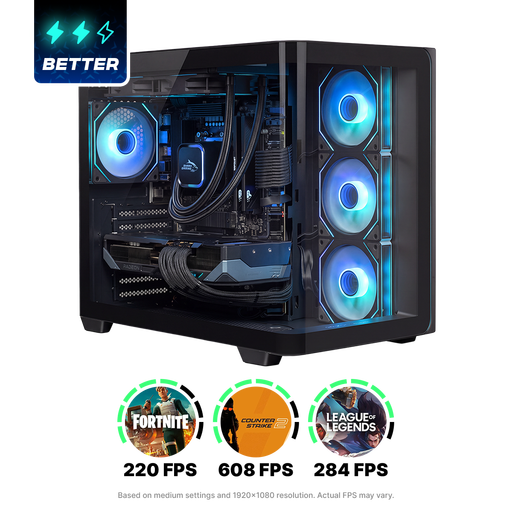
Ryzen 7 9800X3D; Radeon RX 9070 XT with 16 GB graphics memory; 1 TB NVMe SSD; Windows 11 Home.
 No image available
Check whether this tower’s dimensions, connections and configuration suit your desk and preferred monitor setup.
Intel Core Ultra 7; 32 GB DDR5 memory; 1 TB PCIe 4.0 SSD; NVIDIA GeForce RTX 5070; supports up to four monitors.
 No image available
A compact option to compare if you have limited desk space. Check the connections for your monitors and peripherals.
Ryzen 5 7640HS; 24 GB LPDDR5 memory; 512 GB PCIe 4.0 SSD; supports output to three monitors.
 No image available
The integrated monitor may be useful if you want to view your poster and references on one screen. Check in advance that the setup suits your work.
27-inch QHD monitor; Intel Core Ultra 7 255H; 16 GB memory; 1 TB SSD; wireless keyboard and mouse included.
It depends on your software and files. For Photoshop 27.x on Windows, Adobe lists 8 GB as the minimum and 16 GB or more as recommended. Check the requirements for any other programmes you use, too.
Compare your monitor’s inputs with the outputs on the exact desktop model, and check which peripherals are included. The Lenovo ThinkCentre configuration reviewed here is listed without a keyboard and mouse.
Follow the specifications of the printer you choose. 24-drukwerk requires files to be submitted as PDFs and specifies a 3 mm bleed. That’s the instruction from that printer, not automatically a general requirement for every print shop.
According to the Authority for Consumers and Markets, the seller is responsible for the statutory guarantee on a faulty product. Online consumer purchases generally come with a cooling-off period of up to 14 days after delivery. Check whether a legal exception applies to your order.
Not without permission. The Dutch Government says you may only use other people’s copyright-protected photos with the creator’s permission. The private-copying exception doesn’t give you permission to distribute or publish that copy. Check you have permission or a usage licence before including the image in your poster.