Start with your course software, monitor and the size of your files. Then check the memory, SSD capacity and connections on the exact configuration. Adobe recommends 16 GB RAM or more for Photoshop, but that won’t guarantee a smooth experience for every workflow. For 3D work, check the requirements of the application you use separately.
Who is this guide for?
Portfolio editor with lots of references
You edit designs with several images and documents open at once. So pay attention to memory, your screen setup and available storage. Adobe recommends 16 GB RAM or more for Photoshop, and 16 GB RAM for InDesign.
Image and print designer
You work with image layers or layouts for different output formats. Consider colour management and the monitor alongside the computer: Adobe describes colour management as a way to achieve predictable colour output across different devices.
Student with 3D work in their portfolio
You also create 3D work. Check the system requirements for the application and the tasks you actually use; 3D requirements aren’t necessarily the same as those for standard 2D layout work.
What should you look for in a desktop for your design portfolio?
Windows desktop with a separate monitor
Choose this option if: you want to choose your own monitor and check the memory and storage configuration.
Bear in mind: you’ll need to buy a monitor separately if you don’t already have one.
Compact Mac mini
Choose this option if: you want to use macOS and already have a suitable monitor, input devices and connections.
Bear in mind: you’ll need to arrange a monitor and input devices separately; choose an SSD capacity that suits the project files you store locally.
All-in-one computer
Choose this option if: you want to compare a computer with a built-in screen as a complete setup.
Bear in mind: a stated screen resolution alone doesn’t prove that colours will be displayed accurately enough for print work.
| What to consider |
What should you check? |
Who is this important for? |
| Memory and storage |
Check the RAM and SSD capacity of the exact configuration, including space for work files. Adobe recommends 16 GB RAM or more for Photoshop. |
If I often switch between editing and open references, I want to know how much working space my files need. Around 40% of consumers rank editing and references at the same time as their top priority. |
| Screen and colour |
Check the resolution, suitable video connections and your colour-profile workflow; resolution alone says nothing about colour accuracy. |
If I compare designs with references or prepare work for print, I want to consider the screen and colour management together. Around 30% of consumers rank screen space and colour as their top priority. |
| 3D hardware |
Find out which 3D software and tasks your course uses, then compare the exact configuration with its requirements. The Blender Foundation recommends 32 GB RAM and 8 GB video memory for Windows. |
If 3D tasks are a regular part of my portfolio, I want to choose a configuration to suit them rather than focusing only on 2D work. Around 20% of consumers give 3D requirements top priority. |
| Complete workstation |
Make a list of the monitor, input devices, connections and backup storage you already have or still need. |
If I still need parts for a complete workstation, I want to compare the whole setup, not just the computer. Around 10% of consumers make the complete workstation their top priority. |
Common pitfalls when choosing
-
Focusing only on the computer and forgetting the monitor
A Mac mini or tower doesn’t provide the same complete workstation as an all-in-one computer. The monitor connections also need to work with the equipment you already use.
Compare the whole setup and check which monitors and connections you need.
If you don’t already have a suitable monitor, you may need to arrange one separately. A compact computer may also need suitable adapters or cables.
-
Assuming QHD or a large screen guarantees accurate print colours
Resolution and colour management are different things. The image on another device may look different from what you see on your screen.
Check the colour profiles and intended output, and assess the screen separately from its resolution.
-
Choosing an SSD based only on the software installation
Work files take up storage space as well as the software installation. A backup doesn’t replace the working space on your SSD.
Estimate the size of your local project archive and allow space for a separate backup.
You may need additional storage for work files, free working space and backups.
Brands to consider
Apple
The Mac mini is for anyone looking for a compact macOS desktop with a separately chosen monitor.
- Apple Netherlands lists, among other options, a Mac mini with M6 featuring 16 GB unified memory and support for multiple external displays.
- The stated base SSD capacity of 256 GB means you’ll need to consider the space required for projects stored locally; compare memory and SSD configurations separately.
Dell
The Tower ECT1250 is a tower range for anyone choosing a monitor separately and wanting to check each part of the configuration.
- The Dutch product page lets you select the memory, storage and graphics card.
- The integrated graphics in the standard configuration described don’t prove that it’s suitable for a demanding 3D workflow.
HP
The OmniStudio 27-cy0670nd is an all-in-one computer to compare with a separate desktop setup.
- HP Store Netherlands lists a 27-inch QHD screen, 16 GB RAM and a 512 GB SSD for this configuration.
- These specifications alone don’t show how colour-accurate the screen is; don’t assume they apply to other configurations either.
Joybuy product picks
This selection includes compact Mac mini computers and separate desktop towers. Choose a monitor separately for the towers; compare the software, configuration and peripherals you need with the tasks in your portfolio.
 No image available
Shark Ultimator R700 Gaming PC RTX5070/R7/16GB/1TB
A Windows tower to compare with a separately chosen monitor for portfolio and image editing.
The configuration described has Windows 11 Home, 16 GB DDR5 memory, a 1 TB NVMe SSD and an RTX 5070 with 12 GB of video memory.
Joybuy
 No image available
Mac mini with Apple M6 chip, 12-core CPU and 12-core GPU, 24 GB, 512 GB SSD
A compact desktop for anyone looking for a macOS setup with a separately chosen monitor and input devices.
The product title lists 24 GB memory and a 512 GB SSD. The product description states that it supports up to three external displays; check that the connections work with your monitors.
Joybuy
 No image available
Gaming Desktop PC Ryzen 7 7800X3D, GeForce RTX 5080, 32 GB DDR5, 1 TB NVMe SSD, Windows 11 Trial
A Windows desktop tower to consider if your tasks require graphics hardware as well as portfolio and image editing.
The configuration described has 32 GB DDR5 memory, a 1 TB NVMe SSD and a GeForce RTX 5080 with 16 GB of video memory. The product title lists Windows 11 Trial.
Joybuy
 No image available
Shark Bloodlust R700 Gaming PC RX9070/R7/16G/1TB
A desktop tower to compare if you want to choose a monitor separately for your portfolio setup.
The product description lists 16 GB memory, a 1 TB NVMe SSD and a Radeon RX 9070. You can match the stated HDMI and DisplayPort outputs to your monitor.
Joybuy
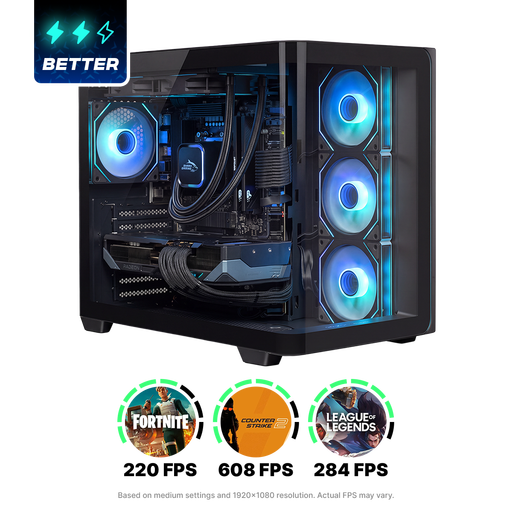 No image available
Shak RGBeast R700 Gaming PC RX9070XT/R7/16G/1TB
A tower for anyone choosing a monitor separately; compare the configuration with your course software and tasks.
The configuration described has 16 GB DDR5 memory, a 1 TB NVMe SSD and a Radeon RX 9070 XT with 16 GB of video memory.
Joybuy
Frequently asked questions
Is 16 GB RAM enough for my portfolio?
Adobe recommends 16 GB RAM for InDesign and 16 GB or more for Photoshop, but that doesn’t guarantee that every combination of files and applications will run smoothly. If you use Blender for 3D tasks, also compare the exact configuration with the separate recommendations from the Blender Foundation.
How can I make sure I don’t lose my portfolio?
Keep a separate backup as well as your work files. Apple Support explains how Time Machine can automatically back up files to an external storage device; also check that you can restore your files.
Who can help if a product is faulty, and can I change my mind after buying online?
If there’s a problem with a product, the seller is your point of contact for a solution under the legal guarantee, according to the Dutch government. For a consumer purchase made at a distance, you generally have a 14-day cooling-off period; check whether it applies to your purchase. This is separate from your rights if a product is faulty.
What should I look for in a desktop’s product safety?
Electrical appliances placed on the Dutch market must meet the applicable EU product safety requirements and carry the required CE marking. The Dutch government’s Ondernemersplein and the European Union’s Your Europe explain these obligations; a product listing alone doesn’t prove that the item supplied meets them.


