What should you look for when choosing?
First assess the light and the screen, then choose your computer set-up and check that the configuration suits your software.
All-in-one
A good fit if: you want a compact workspace with a built-in screen; the Lenovo IdeaCentre configuration reviewed has an anti-glare screen.
Bear in mind: you’re choosing the screen configuration too. An anti-glare finish doesn’t mean direct sunlight will never be distracting.
Mini PC with a separate screen
A good fit if: you want to use a suitable screen you already own or choose a screen for your workspace yourself.
Bear in mind: check the screen, connections and input devices separately; if you’re considering a Mac mini, also make sure macOS is compatible with your software.
Desktop with a separate screen
A good fit if: you want to pair a separate screen with a Windows desktop and tailor the configuration of the exact model to your work.
Bear in mind: check the space available and whether the specific model offers any upgrade options.
| What to consider |
What should you check? |
Who is it for? |
| Screen visibility beside a window |
Check the possible screen positions, whether you can use blinds or curtains, and the screen finish on the exact model. |
If I want to assess text and colours in daylight, I focus on reflections and where the screen will go. Around 36% of consumers prioritise visibility beside a window. |
| Software and performance |
Check your programmes, operating system, browser and project size; Adobe recommends 16 GB RAM or more for Photoshop 27.x on Windows. |
If you use image-editing or multiple programmes as well as web design, you’ll want a configuration suited to that software. Around 29% of consumers prioritise their choice of software. |
| Choosing or keeping a screen |
Check what’s included and whether the connections are compatible with the screen you want to use. |
If I want to keep my current screen or choose another one myself, I compare a computer with a separate screen against an all-in-one. Around 21% of consumers prioritise having a choice of screen. |
| Complete workspace and service |
Check which items are included in the configuration and exactly what any additional service covers. |
If you want to know in advance what you’ll need for a complete workspace and what terms apply after purchase, look beyond the computer itself. Around 14% of consumers prioritise these points. |
Joybuy product picks
These product picks are mini PCs for a workspace with a separately chosen screen. Before choosing, check that the connections are compatible with the screen and software you want to use.
 No image available
Mac mini with Apple M6 chip
Suited to a set-up where you choose the screen separately; check that the screen connection works with your preferred set-up.
12-core CPU, 12-core GPU, 16 GB memory and 256 GB SSD.
View at Joybuy
 No image available
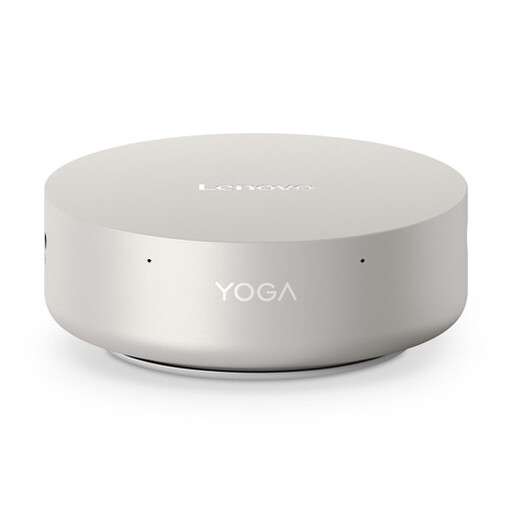
Lenovo Yoga Mini 01IPH11 Copilot+ PC
A mini PC for a workspace with a separately chosen screen; check the connection and make sure Windows 11 Home suits your software.
Intel Core Ultra 5 325, 16 GB LPDDR5X and 512 GB PCIe 4.0 SSD.
View at Joybuy
 No image available
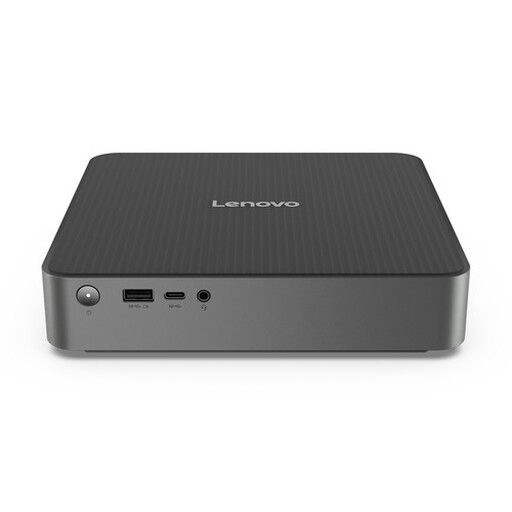
Lenovo IdeaCentre mini PC
The mini PC form factor suits a set-up with a separately chosen screen. Check which items are included and whether the connections work with your screen.
View at Joybuy
 No image available
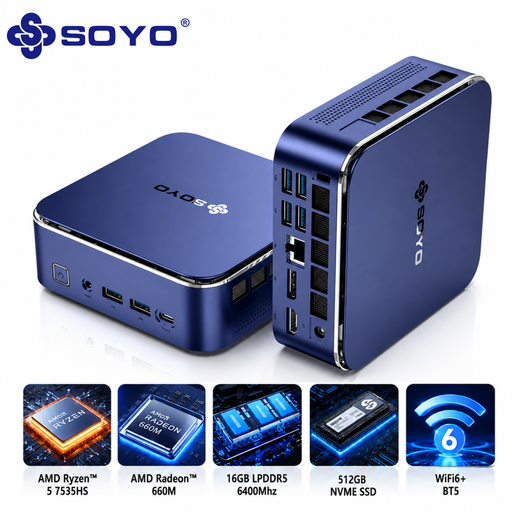
SOYO S5Air Mini PC
Suited to a set-up with a separate screen; check that the connections work with the screen you want to use.
AMD Ryzen 5 7535HS, 16 GB LPDDR5, 512 GB NVMe SSD and Windows 11 Pro.
View at Joybuy
 No image available
MSI CUBI NUC AI 1UMG-005EU
This mini PC is designed for use with a separate screen; check that the screen connection you need is compatible with your equipment.
Intel Core Ultra 7 155H, 16 GB DDR5-SDRAM, 1 TB SSD and Windows 11 Pro.
View at Joybuy
Frequently asked questions
Should the screen face the window?
No. For screen-based work, Arboportaal recommends positioning your line of sight parallel to the window and using blinds or curtains if needed to reduce reflections and glare.
Do I need a dedicated graphics card for a portfolio homepage?
Not just because you’re designing a homepage. Figma describes its workflow as mostly browser-based, with relatively low graphics requirements; check the requirements of any other programmes you use separately.
What does the statutory guarantee mean for a computer in the Netherlands?
When you buy as a consumer, you’re entitled to a product that works as it should. According to the Dutch Government, the Netherlands has no fixed statutory guarantee period; a manufacturer’s or seller’s warranty is in addition to your statutory guarantee, and the seller is your point of contact if there’s a problem.
Can I return a desktop bought online?
When you buy from a business at a distance, you generally have 14 days to change your mind. Check the applicable terms and exceptions in advance; according to the Dutch Government, an online purchase from a private individual doesn’t count as a distance sale in this sense.
Do the rules on screen-based work also apply if I design at home for myself?
The employer obligations described by Arboportaal are aimed at employers and employees, and don’t automatically apply as a legal requirement to self-employed people working for themselves. However, the advice on window positioning and blinds or curtains can still help you set up your workspace.


