
Student working with large datasets
You analyse data locally and want to avoid notebooks and other programmes running into memory limits at the same time. pandas explains that some operations create intermediate copies of data in memory.


For data science on a small desk, a compact desktop is a sensible place to start, provided its configuration has enough memory for your datasets and the programmes you run at the same time. An all-in-one may suit you if you also need a screen; choose a compact workstation with an NVIDIA GPU only when your assignments require one locally. pandas warns that some operations create intermediate copies in memory, so check the exact configuration, your screen requirements and the software requirements for your course too.
You analyse data locally and want to avoid notebooks and other programmes running into memory limits at the same time. pandas explains that some operations create intermediate copies of data in memory.
You want a dedicated study space while keeping room for a screen, keyboard and notes. Apple describes the Mac mini as smaller than 13 × 13 cm; that’s just the computer, not the complete workspace.
Your course requires calculations on your own computer using a specific GPU software environment. NVIDIA describes CUDA as its GPU platform; the software environment you need will determine whether a particular configuration is suitable.
Suitable if: you mainly programme and run notebooks, and already have a suitable screen.
Bear in mind: integrated graphics don’t confirm that local CUDA assignments will work; a kit may also be missing components.
Suitable if: you don’t yet have a screen and want to combine the computer and display in one workspace.
Bear in mind: measure the space needed for the screen, stand and keyboard; the HP model reviewed has Intel Graphics, not a specified NVIDIA GPU.
Suitable if: specific assignments require CUDA or GPU memory locally.
Bear in mind: check that the specific GPU and software versions meet the assignment requirements before choosing this configuration.
Suitable if: your course supports macOS and the Python packages you need, and doesn’t require a local CUDA environment.
Bear in mind: PyTorch documents MPS for macOS; it isn’t the same as CUDA. Remember to allow for a separate screen too, if needed.
| Consideration | What to look for | Who is this more relevant to? |
|---|---|---|
| Memory for local analysis | Compare your datasets and workflow with the RAM in the exact model; some pandas operations create intermediate copies in memory. | If you analyse large datasets locally, you’ll want enough memory for your notebooks and other programmes; around 36% of consumers prioritise memory for local analysis. |
| Space for your complete workspace | Measure the available desk space and check there’s room for the computer, screen, stand, cables and input devices. | If you want a dedicated study space on a small desk, with room for your screen and notes too, the complete setup is key; around 29% of consumers prioritise desk space. |
| Required local GPU software | Ask exactly which frameworks, GPU backend and local execution environment your course requires; then check the GPU in the configuration. | If assignments specify local GPU processing or CUDA, make sure you can tick off the software requirement before buying; around 21% of consumers prioritise a local GPU requirement. |
| Complete purchase | Check whether RAM, storage, operating system, screen and the input devices you need are included in the model. | If you need a complete study setup, you’ll want to know which components you still need to arrange; around 14% of consumers focus mainly on the total cost of a usable computer. |
A compact computer may fit, while the complete study setup with screen, stand and keyboard takes up too much room.
Measure the whole workspace and note which components you already have. Compare a standalone mini PC with an all-in-one if you also need a screen.
With a standalone mini PC, you may still need a suitable screen or other peripherals.
ASUS distinguishes between complete NUC 14 Pro models and kits; what’s included varies by model.
Check the full model number and what’s included in the configuration on offer before comparing it with a complete computer.
With some kits, you’ll need to arrange memory, storage or an operating system separately.
NVIDIA describes CUDA as its GPU platform, while PyTorch documents a separate MPS backend for macOS. A mention of integrated graphics doesn’t confirm that local CUDA assignments will work.
Ask your course for the exact software and hardware requirements before spending extra on GPU capacity.
If an assignment specifically requires local CUDA, you may need a different computer or a suitable computing environment.
The ThinkCentre M75q Gen 5 is a compact, configurable Windows desktop. The 12RQ0040IX model reviewed lists 16 GB RAM and a 512 GB SSD.
The Mac mini is a compact macOS desktop for a study setup where your course and the software you need support macOS.
The NUC 14 Pro range includes complete mini PC models and kits for buyers who want to choose their own components.
The HP ranges reviewed offer different setups: a compact desktop, an all-in-one and a compact workstation.
These Joybuy options are compact desktops for study and local data work. Compare the memory configuration and check that your course software works on the model you choose.
 No image available
A compact desktop option if your course and the software you need support macOS; PyTorch documents MPS for macOS, not as a CUDA equivalent.
Apple M6 chip with 12-core CPU and 12-core GPU; 24 GB unified memory; 512 GB SSD.
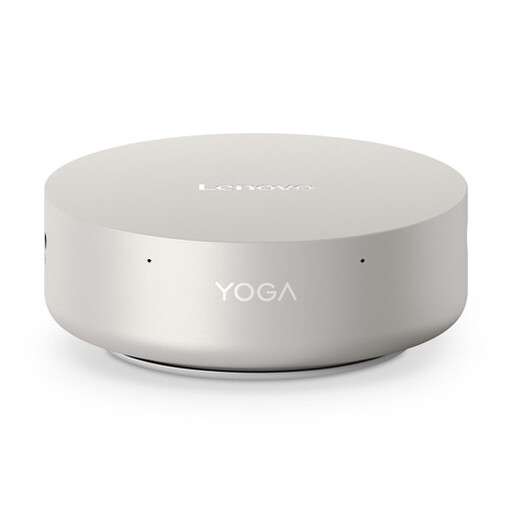 No image available
A mini desktop for a compact study setup; check your course’s GPU requirements, as the listed Intel Graphics doesn’t confirm support for local NVIDIA CUDA assignments.
16 GB LPDDR5X; 512 GB PCIe 4.0 SSD; Intel Graphics; Windows 11 Home.
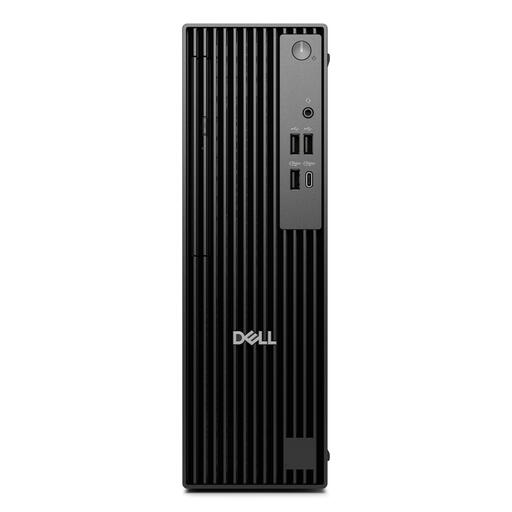 No image available
A slim desktop for a space-saving study setup; check which components you’ll need for your complete setup.
16 GB DDR5; 512 GB SSD; Windows 11 Pro. The power adapter must be purchased separately.
 No image available
A mini PC option for local analysis; the listed integrated graphics don’t confirm suitability for assignments that require local NVIDIA CUDA.
16 GB DDR5; 512 GB SSD; Windows 11 Pro. The description lists two memory slots and support for up to 64 GB. The power adapter must be purchased separately.
 No image available
A compact mini PC for a small workspace; check separately that its graphics capabilities meet your course’s software requirements.
16 GB DDR5; 1 TB SSD; integrated Intel Arc graphics; Windows 11 Pro. The case has a volume of 0.52 litres and the description lists VESA mounting.
No, that doesn’t follow from your subject alone. Check whether assignments specify local CUDA or another GPU backend; PyTorch documents CPU, CUDA and macOS options. Google warns that Colab resources aren’t guaranteed.
Not without checking the exact model. ASUS distinguishes complete NUC 14 Pro mini PCs from kits, which may be supplied without a pre-installed operating system or included memory. Also check which storage and peripherals are included with your model.
For a consumer purchase in the Netherlands, you’re entitled to a product that works properly and can contact the seller to seek a solution. According to the Dutch government, Dutch statutory guarantees don’t have a fixed term; a manufacturer’s warranty doesn’t replace these rights.
For an applicable distance purchase from a business, the Dutch government says you’ll generally have a 14-day cooling-off period. Check the terms of your order; according to the same guidance, an online purchase from a private individual doesn’t count as a distance purchase.