
Developer who uses lots of browser windows
You keep registration forms, documentation and test windows open alongside your editor. So look beyond the minimum requirements for a single programme and assess the applications you use at the same time.


Start with the applications you use at the same time: compare the memory in specific configurations and check that your development software works with the operating system. A compact PC may suit a small workspace, while local services, storage and display ports may influence your choice. Visual Studio Code’s recommendations apply to the editor itself; they are not a performance guarantee for your entire workload.
You keep registration forms, documentation and test windows open alongside your editor. So look beyond the minimum requirements for a single programme and assess the applications you use at the same time.
You use local development software or containers as well as your browser. Check which operating systems and system settings your software requires.
You want to view designs, admin tools and test pages side by side. Compare the ports on the exact desktop configuration with the connections on your screens.
Choose this option: if you use development software on Windows and have limited desk space.
Bear in mind: check the display ports, storage and included accessories for each configuration.
Choose this option: if your development tools work on macOS and the display connections suit your workspace.
Bear in mind: check software compatibility and choose a storage configuration that suits how you use it.
Choose this option: if a larger case will fit in your workspace and you want to compare different configurations.
Bear in mind: configurations in the same range can vary in memory and storage.
| What to consider | What should you check? | Who should pay particular attention? |
|---|---|---|
| Browser and editor running together | Compare the memory in the exact configuration with the applications you keep open at the same time. | If I switch between registration forms, documentation and my editor, I want to know whether my chosen configuration can handle the whole workload. Around 33% of consumers prioritise smooth performance with multiple browser windows. |
| Local development software | Check the requirements for your software, operating system and any container environment. | If I use local services as well as my browser, I want to check first that my development tools work on the desktop. Around 27% of consumers prioritise suitability for local development. |
| Space and screens | Measure the available space and compare the video outputs with the connections on your screens. | In a small workspace, I want to use my screens side by side without overlooking the computer’s dimensions. Around 20% of consumers prioritise space and screen setup. |
| Components and after-sales support | Check which accessories are included and what service terms apply in addition to your statutory rights. | If I still need to add things to my workspace, I want to know in advance what I already have and where to get help if something goes wrong. Around 20% of consumers prioritise a complete purchase and after-sales support. |
Visual Studio Code’s recommendations apply to the editor. Your browser and any local services are also part of the applications you use at the same time.
Make a list of the applications you use simultaneously, then compare configurations that suit them.
The Lenovo configuration reviewed does not include a keyboard or mouse. Check what’s in the box for each product number.
You may need to buy missing accessories separately. Check what you already have before choosing a desktop.
Chrome may unload unused background tabs. This is different from saving the progress you’ve made in a form.
During development, test the enrolment process after reloading or reopening a background tab, too.
According to the Government of the Netherlands, there is no fixed time limit for statutory guarantees in the Netherlands. If a product is faulty, the seller is your point of contact.
Before taking out additional cover, compare what it offers beyond your statutory rights.
The ThinkCentre Neo 50q Gen 5 is a compact Windows configuration for a workspace with limited room.
The Mac mini is a compact macOS option if your development software works with that operating system.
The Pro Mini 400 G9 is a compact Windows range where the full product number matters when checking the configuration.
The Aspire XC-1860 is a tower range worth comparing if a larger case will fit in your workspace.
These product picks focus on compact desktops for workspaces with limited room. Check that the connections and software compatibility of each configuration suit your setup.
 No image available
A compact desktop for a workspace where desk space is limited. Check first that your development software works on macOS.
This configuration lists a 12-core CPU, a 12-core GPU, 16 GB of memory and a 256 GB SSD.
No image available
A compact desktop for a workspace where desk space is limited. Check first that your development software works on macOS.
This configuration lists a 12-core CPU, a 12-core GPU, 16 GB of memory and a 512 GB SSD.
No image available
A compact desktop for a workspace where desk space is limited. Check first that your development software works on macOS.
This configuration lists a 12-core CPU, a 12-core GPU, 24 GB of memory and a 512 GB SSD.
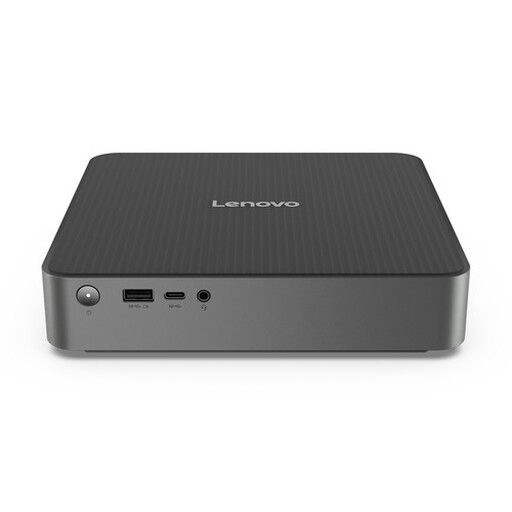 No image available
This mini desktop is worth considering if you’re looking for a compact setup. Check the exact configuration and that your development software works with it.
 No image available
This mini PC is a compact option if you’re looking for a Windows 11 Pro desktop. Check that your software and accessories work with the configuration you choose.
The product name lists an Intel Core Ultra 7 155H, 16 GB of DDR5 memory, a 1 TB SSD and Windows 11 Pro.
No. Visual Studio Code’s recommendations apply to the editor itself; they are not minimum requirements for a browser, editor and any local services running together. Assess the applications you use at the same time. 16 GB in a desktop configuration is not, in itself, a proven minimum for this workload.
If you use Docker Desktop on Windows, compare Docker’s current system, Windows and WSL requirements with the exact PC configuration. Docker is not essential for everyday browser and editor use.
Chrome may unload an unused background tab, which then reloads when you return to it. Check whether your form progress is retained; extra PC memory doesn’t replace this test.
For a qualifying consumer purchase made at a distance, you generally have a 14-day cooling-off period; check the terms and exceptions that apply to your order. The Netherlands also has statutory guarantees with no fixed time limit. If a product is faulty, the seller is your point of contact. Business purchases should be assessed separately.
No. If your organisation processes personal data through enrolments, you must protect it appropriately in line with the risks of that processing, according to the Dutch Data Protection Authority. A manufacturer’s security claim does not prove that your website and data processing meet this obligation.