Choose a desktop to suit your development workflow. For coding, browsers and responsive previews, you’ll need suitable display outputs and a configuration that works with your software. If you use local development environments or plan future upgrades, memory, storage and ease of maintenance also matter. A more powerful model won’t make a website responsive by itself: check the exact specification and test enrolment forms on the relevant devices and browsers too.
Who should consider this choice?
Frontend developer
Designs enrolment forms and checks how they work across different screen sizes. MDN Web Docs describes responsive design as an approach to creating usable pages for a range of screen sizes; Chrome for Developers calls Device Mode an initial approximation of the mobile experience. Your screen setup and browser testing deserve attention too.
Full-stack developer
May also build the enrolment processing system and use local development software. Check the specific memory, storage and software configuration you need. For example, Docker Docs describes different installation requirements for Docker Desktop on Windows.
Developer with limited workspace
Looking for a compact desktop, but also needs to check which monitors, cables and other accessories are required. Apple, Lenovo and ASUS offer different compact computer and kit configurations; check what’s included and which connections are available for each model.
What should you look for?
Start with the software and tasks you actually use at the same time. Then check the display connections, upgrade options and which components you already have.
| What to consider |
What should you check? |
Who is this most relevant to? |
| Switching between development tools |
Compare memory, processor, SSD and the requirements of the software you actually use. |
If I have a code editor, browsers and possibly local services open at the same time, I want a configuration that suits my workflow. Around 36% of consumers mainly work with several development tools at once. |
| Testing responsive layouts and browsers |
Check that the display outputs work with your monitors, and plan to test on relevant devices and in other browsers too. |
If I want to check whether the enrolment flow works across different screen sizes, I need to do more than view it on a desktop. Around 29% of consumers make responsive testing their top priority. |
| Local development environment and upgrades |
Check compatibility with your development stack, memory and storage upgrade options, and what’s included with the specific model. |
If my development software needs to run locally or I want to change components later, I want to know in advance which software and upgrades will work with my configuration. Around 21% of consumers prioritise local software and upgradeability. |
| A complete workspace in a small space |
Check the size, ports and compatibility with your monitor and accessories; also check what’s actually included. |
If I have limited desk space or am setting up a workspace from scratch, I want to know which extra components I’ll need. Around 14% of consumers make a compact, complete workspace their top priority. |
Things to consider when buying
-
Mistaking a desktop preview for a complete mobile test
Chrome for Developers describes Device Mode as an initial approximation of how a page behaves on a mobile device. A preview doesn’t replace testing the full enrolment process on relevant devices and in different browsers.
Use the preview to check your changes, then test the complete enrolment flow on relevant real devices and browsers as well.
Issues that only come to light during further testing can mean extra testing time and remedial work.
-
Mistaking a mini PC kit for a ready-to-use computer
ASUS distinguishes between the NUC 14 Pro Mini PC and the NUC 14 Pro Kit. The Kit is supplied without memory and storage.
Check what’s included with the exact model, and allow for any components and installation work you’ll need to arrange yourself.
A kit may require you to buy memory and storage separately and install them yourself.
-
Assuming every version of a model name is the same
The Lenovo ThinkCentre M70q Gen 5 12TD0017MH model reviewed has a Core i5-14400T, while the Joybuy product information describes an M70q Gen 5 with a Core i7-14700T. So the model range alone doesn’t tell you the full configuration.
Compare the full model code, processor, memory capacity, SSD and operating system on the product page for the specific model you’re considering.
-
Only factoring in the computer when setting up your workspace
Lenovo states that a monitor and certain input devices are sold separately for the Tiny desktop model reviewed.
Check which monitors and accessories you already have, and whether the connections will work with your setup.
You may still need to buy a monitor or input devices.
Brands to consider
HP
The HP Pro Mini 400 G9 is a compact Windows desktop range; the specifications listed apply to model 6D494EA#ABH.
- For 6D494EA#ABH, HP Store Netherlands lists Windows 11 Pro, an Intel Core i5-12500T, 16 GB RAM and a 512 GB SSD.
- HP’s descriptions of business performance and security are manufacturer claims, not independent assessments of its suitability for web development.
Apple
The Mac mini is a compact option if you want to use macOS; compare the specific configuration and connections.
- For the M6 base configuration reviewed, Apple Netherlands lists 16 GB of unified memory and a 256 GB SSD.
- Check that the storage and display connections suit your projects and setup; these specifications don’t show that it will develop websites faster than a Windows desktop.
Lenovo
The ThinkCentre M70q Gen 5 Tiny is a compact business Windows desktop; specifications and upgrade options vary by model.
- For model 12TD0017MH, Lenovo Netherlands lists a Core i5-14400T, 16 GB DDR5 memory and a 512 GB SSD. Lenovo describes access to the memory and storage.
- Check the full model and included components; the specifications for 12TD0017MH don’t automatically apply to other M70q models.
ASUS
The ASUS NUC 14 Pro is available as a Mini PC and as a Kit; check the configuration and contents of each version separately.
- ASUS Netherlands distinguishes in its specifications between the Mini PC, which includes memory and storage, and the Kit, which doesn’t.
- Check the processor and operating system for each version, and whether you’ll need to install components yourself.
Dell
The Dell Pro Micro Plus QBM1250 is a compact business desktop option; check the configuration you choose.
- The Dutch Dell product page identifies the model range and offers configuration options.
- Before buying, check the model, memory, storage and connections. A Core Ultra or NPU listing doesn’t in itself prove an advantage for responsive web design.
Joybuy products for this workflow
Joybuy products to compare for building and testing a course enrolment website.
 No image available
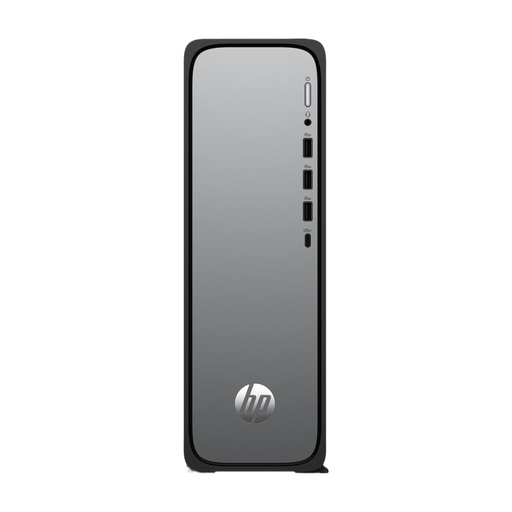
HP OmniDesk Slim S03-0006nd D49HREA#ABH
A Windows desktop to compare if you’re looking for a configuration to run your development software.
The product information lists Windows 11 Home, an Intel 300 processor, 8 GB RAM and a 512 GB SSD. The description lists HDMI; the maximum internal memory is 8 GB.
View at Joybuy
 No image available
SOYO Y5Pro Mini PC
A compact desktop to compare if you have limited desk space or want to connect several displays.
The title lists an Intel Core i5-8250U/8350U, Windows 11, 8 GB DDR4 and a 256 GB SATA SSD. The description lists dimensions of 105 × 113 × 45 mm, two HDMI outputs and one Type-C video output.
View at Joybuy
 No image available
Panoramic Gaming PC Ryzen 7 5700X
A desktop configuration to compare if you want to assess an all-round desktop workflow; the gaming components don’t in themselves prove an advantage for responsive web design.
The product title lists an AMD Ryzen 7 5700X, GeForce RTX 5060 Ti with 8 GB, 16 GB DDR4 and a 480 GB NVMe SSD.
View at Joybuy
 No image available
Gaming Desktop PC Ryzen 7 7800X3D
A desktop to compare if your development workflow requires the listed memory and storage configuration.
The product title lists a Ryzen 7 7800X3D, 32 GB DDR5, a 1 TB NVMe SSD and GeForce RTX 5080. Windows 11 is listed as an Evaluation Version.
View at Joybuy
 No image available
ASUS ROG G700TF-07265F666W
A desktop configuration to compare if you need the specified memory and storage capacity; the listed graphics card doesn’t prove that you need it for responsive layouts.
The product title lists an Intel Core Ultra 7 265F, 32 GB DDR5, a 1 TB SSD and NVIDIA GeForce RTX 5070 with 12 GB. The description lists multiple display outputs and Windows 11 Home.
View at Joybuy
Frequently asked questions
Do I need a separate graphics card to build responsive layouts?
The guidance on responsive design cited here doesn’t specify a separate graphics card as a requirement. Choose a configuration to suit your complete software workflow, not just this design task.
Is the mobile preview in my desktop browser enough before publishing?
No. Treat Chrome Device Mode as an initial approximation of the mobile experience. Also test the complete enrolment flow on relevant real devices and in other browsers.
What should I check if I want to use Docker Desktop on Windows?
Check Docker’s installation requirements for your chosen Windows configuration, and decide in advance whether the WSL 2 route is part of your workflow. This only matters if Docker is part of your development environment.
Do I need to allow for components other than the computer?
Yes. Check which monitors, cables and input devices you already have. Lenovo states that certain accessories for the Tiny desktop reviewed are sold separately; the ASUS NUC 14 Pro Kit is supplied without memory and storage.
What warranty applies when buying as a consumer in the Netherlands?
According to ACM ConsuWijzer, you have a statutory guarantee in addition to any seller or manufacturer’s warranty. If a product breaks sooner than you could reasonably expect with normal use, the seller must offer an appropriate solution. This guidance doesn’t necessarily mean the same purchasing rights apply to every business order.


