
Volunteer website administrator
You mainly work in a website builder, post news and keep club information up to date. An up-to-date browser and a comfortable workspace matter more than unverified requirements for graphics performance.


For managing a club website using an online editor, a desktop with a supported, up-to-date browser and the right connections for your existing screen and input devices is a sensible starting point. You don’t need a powerful graphics card for this kind of use. If you also work with photo or video files stored locally, consider storage, suitable software and a separate backup. A compact PC saves desk space, but check what’s included with the configuration you choose and which connections you need.
You mainly work in a website builder, post news and keep club information up to date. An up-to-date browser and a comfortable workspace matter more than unverified requirements for graphics performance.
You want a permanent workspace in a limited amount of space, so you need to match a compact computer to your existing screen and peripherals.
As well as working on web pages, you make or edit local copies of photos and videos. Storage, the software you use and file recovery all deserve extra attention.
Start with the programmes and browser you use. Then work out how much space and local storage you need, and finally compare what’s included in the complete setup.
| What to consider | What should you check? | Who should prioritise this? |
|---|---|---|
| Browser and software | Check that your website builder, up-to-date browser and any other software you need work with the desktop’s operating system. | If I mainly use a website builder, I want to be able to use my editor and everyday programmes without any workarounds. Around 36% of consumers put this workflow first. |
| Space and connections | Compare the connections and included items in the exact configuration with your existing screen and input devices. | With a small desk, I want a computer that suits both the space I have and the equipment I use. Around 29% of consumers give a suitable workspace top priority. |
| Local club media | Work out how much material you store locally, whether your editing software runs on the system and how you can restore your files. | If I store club photos or videos locally, I want to consider storage and recovery, not just creating web pages. Around 21% of consumers start with this need for media storage. |
| Complete workspace | Check what’s included in the configuration and which peripherals or suitable support you still need. | If I don’t yet have a screen or input devices, I want to assess the complete workspace rather than just the computer itself. Around 14% of consumers make the complete workspace their top priority. |
The screen, keyboard and mouse are optional with the Lenovo ThinkCentre Neo 50q Gen 5 configuration mentioned here. So a compact computer doesn’t automatically come as a complete set.
Check what’s included in the exact configuration and compare its connections with the equipment you already use.
If you don’t have a suitable screen or input devices yet, you may need to buy them separately.
Microsoft ended regular support for Windows 10 on 14 October 2025. A separate ESU option is not the same as regular support.
Before buying, check which supported operating system or security update option applies to the exact PC.
A file on your computer can be lost or damaged, and the local copy alone won’t give you a separate recovery copy.
Decide which club files you’ll keep, where a separate copy will be stored and how you’ll restore it. Microsoft describes backups as useful in cases such as accidental deletion and hardware failure.
The ThinkCentre Neo 50q Gen 5 is a compact Windows option for a small desk.
The Mac mini is a compact macOS option if you want to use that platform or Safari on macOS.
The Pro Mini and Pro Tower show two different form factors for a Windows desktop.
The ExpertCenter PN54-S1 is a mini PC range worth considering if you need several screens or a wide choice of connections.
Below you’ll find compact Windows mini PCs, a Mac mini and an all-in-one desktop. Compare each configuration with your preferred operating system, available desk space and existing peripherals.
 No image available
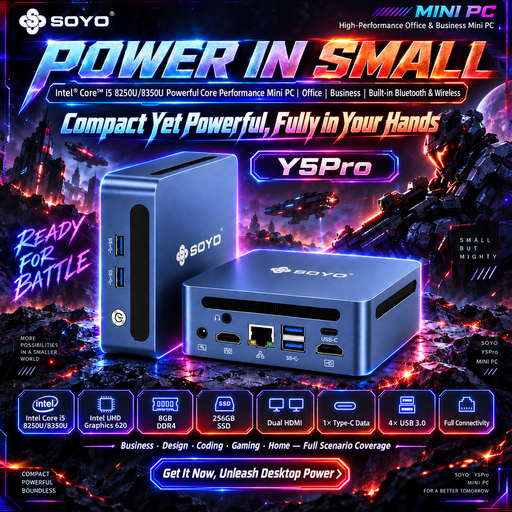
A mini PC may suit a workspace where room is limited. Check that the processor version and connections you choose meet your needs.
The product name lists Windows 11, 8 GB DDR4 memory and a 256 GB SSD.
 No image available
This configuration is worth comparing if you want to use macOS. Check that it’s compatible with your software, screen and input devices.
The product name lists an Apple M6 chip, 16 GB memory and a 512 GB SSD.
 No image available
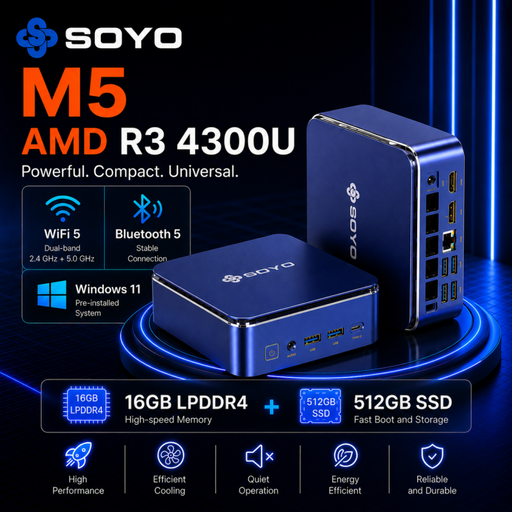
This compact Windows mini PC may suit browser-based website administration. Check that the programmes you need work with the configuration you choose.
The product name lists Windows 11 Pro, 16 GB LPDDR4 memory and a 512 GB SSD.
 No image available
Its compact form may suit you if you want a small Windows workspace. Check that the connections listed match your screens and other equipment.
The product name lists Windows 11 Pro, 16 GB DDR5 memory and a 1 TB SSD.
 No image available
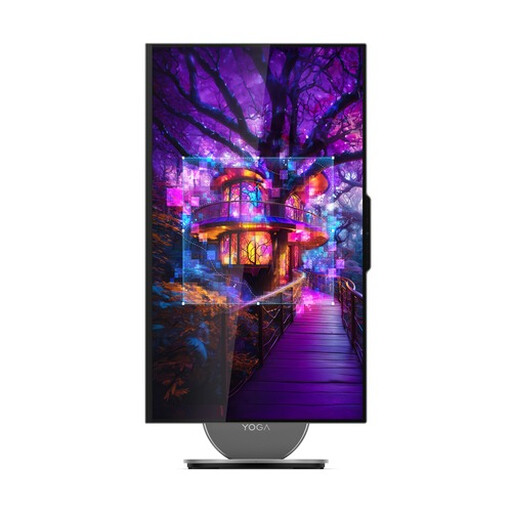
An all-in-one may suit you if you want a desktop with a built-in screen. Check that the screen size and included peripherals work for your workspace.
The product name lists a 27-inch QHD screen, Windows 11 Home, 16 GB LPDDR5X memory and a 1 TB SSD.
Not if you manage a WordPress site hosted elsewhere through a browser. WordPress.org lists PHP, a database and HTTPS as requirements for the hosting environment; these aren’t general desktop specifications. Hosting the site locally is a different approach.
Regularly make a separate backup of club files stored locally, and check that you can restore them. Microsoft describes backups as useful in cases such as accidental deletion and hardware failure.
Don’t assume that the rules for consumer purchases automatically apply in the same way when a club is named as the buyer. The Dutch government describes a 14-day cooling-off period in many cases for consumers buying at a distance, as well as statutory rights if a product is faulty. Before ordering, check who is legally making the purchase and which terms apply.
Publishing on behalf of an organisation requires a legal basis under the GDPR. The Dutch Data Protection Authority lists consent as a common legal basis for identifiable images. Consider each intended publication separately: having a suitable computer doesn’t, in itself, give you the right to publish photos.