Start by considering which browsers and devices you need for your checkout tests, then look at the space available and the components you already have. A Mac mini suits workflows that need Safari on macOS or Web Inspector with a connected iPhone; a Windows mini PC offers a different browser-testing setup. Emulation is no substitute for testing on a real mobile device, and you should factor the screen, input devices and any barebone components into the cost of your complete setup.
Who is this desktop guide for?
Checkout tester with specific browser requirements
You check a checkout page in multiple browsers and decide whether your workflow needs Safari on macOS or testing on real phones. Playwright documents support for Chromium, WebKit and Firefox; WebKit explains how to inspect a connected iOS device using Safari on macOS.
Student with limited desk space
You work in one place and want a computer that fits your desk, screen and input devices. Compare the dimensions and ports of the exact model; Lenovo, Apple and ASUS offer different compact desktop configurations.
Buyer budgeting for a complete setup
You’re considering more than just the computer, including any screen, keyboard, memory, storage or operating system you may still need. Lenovo and ASUS list components that may need to be bought separately for specific configurations reviewed here. Milieu Centraal recommends using a computer for as long as possible and replacing or repairing components where practical.
What should you look for when buying?
| What to consider |
What should you check? |
Who should bear this in mind? |
| Browsers and real devices |
Make a note of the browsers you need and whether you’ll be using Safari inspection or testing on real phones. |
If you want to check how a checkout behaves in different browsers or on a real phone, prioritise those testing requirements. Around 36% of consumers say browser and device testing is their main buying concern. |
| Space and ports |
Measure the space on your desk and check the ports you’ll need for your screen and input devices. |
If desk space is limited, check in advance that the computer will fit and connect to your existing screen. Around 29% of consumers prioritise desk space and connectivity. |
| Complete setup |
Check what’s included and make a note of any screen, keyboard, mouse, adapters or barebone components you still need. |
If you need a complete setup, find out which components you still need to arrange before making your choice. Around 21% of consumers prioritise the total cost of a working setup. |
| Upgradability and longevity |
Check which components can be replaced in each model and whether the operating system suits your plans. |
If you expect your projects or storage needs to change, it’s important to know what you can upgrade later. Around 14% of consumers say upgradability and long-term use are their main buying concern. |
Common buying mistakes
-
Assessing a mobile checkout using desktop emulation alone
Chrome describes device mode as an initial approximation of how a page works on a mobile device. It doesn’t let you check how the page works on a real phone.
Use emulation for an initial check, then test on a real device if that’s part of your testing requirements.
-
Budgeting for a barebone as if it were a complete PC
According to ASUS, the ASUS NUC 15 Pro kit reviewed here is supplied without memory, storage or a pre-installed operating system.
Check what’s included in the exact kit and compare the setup work required with that of a complete configuration.
You’ll need to source the missing components yourself and configure the PC before you can use it.
-
Assuming a compact computer is a complete workstation
The monitor and keyboard are sold separately with the Lenovo ThinkCentre neo 50q Gen 4 reviewed here.
Check what you already have, what comes with your chosen model and which ports your screen and input devices need.
Without a suitable screen and input devices, the computer isn’t a complete desktop setup.
Brands to consider
The examples below refer to specific product lines and models reviewed here; they don’t mean that every product from a particular brand will suit every testing setup.
Lenovo
The ThinkCentre neo 50q Gen 4 is a compact Windows option; the Dutch model reviewed here is 12LM006LEZ.
- Lenovo lists Windows 11 Pro, 16 GB RAM and a 512 GB SSD for this model.
- The monitor and keyboard are sold separately with this model; check what’s included in the configuration you choose.
Apple
The Mac mini is a macOS option to consider if Safari on macOS or inspection of a connected iPhone is part of your workflow.
- Apple lists HDMI and Thunderbolt for connecting external screens. WebKit explains how to use Web Inspector with a connected iOS device via Safari on macOS.
- Browser simulation is no substitute for checking on a real mobile device; remember to factor the screen and peripherals into your setup too.
ASUS
The NUC 15 Pro kit is a compact option for anyone who wants to configure their own system.
- You can assess the exact kit and model variant based on the components you want to choose yourself.
- For the NUC15CRK-B kit reviewed here, ASUS lists no included memory, storage or pre-installed operating system; check the specifications of the variant you choose.
HP
The Pro Mini 400 G9 is an example of a compact business mini desktop.
- For the Dutch model reviewed here, 6D494EA#ABH, HP lists Windows 11 Pro, 16 GB RAM and a 512 GB SSD.
- These details apply to the model listed; check the specifications of other variants separately.
Joybuy products for compact testing setups
This selection includes a Mac mini for macOS workflows and mini PCs for compact desktop setups. For each model, check that the operating system, ports and included components suit your testing needs.
 Image unavailable
Mac mini with M6 chip, 12-core CPU and 12-core GPU, 16 GB, 512 GB SSD
A good fit for a compact desktop setup when you need macOS for Safari inspection.
M6 chip; 12-core CPU and 12-core GPU; 16 GB memory; 512 GB SSD; macOS.
View at Joybuy
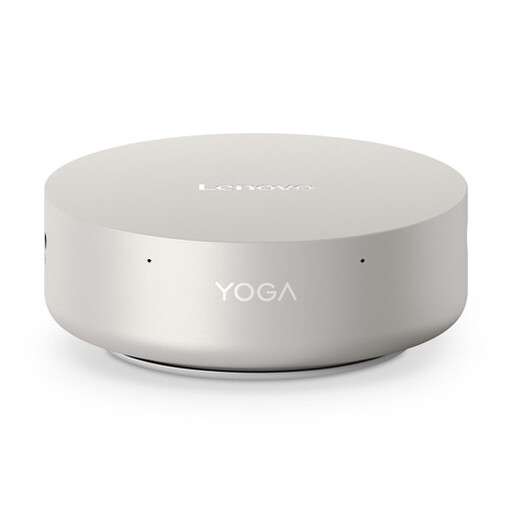 Image unavailable
Lenovo Yoga Mini 01IPH11 Copilot+ PC, Intel Core Ultra 5 325
A Windows mini desktop to consider if you want to combine browser testing on Windows with a compact footprint.
Windows 11 Home; 16 GB LPDDR5X; 512 GB PCIe 4.0 SSD; 0.65-litre chassis.
View at Joybuy
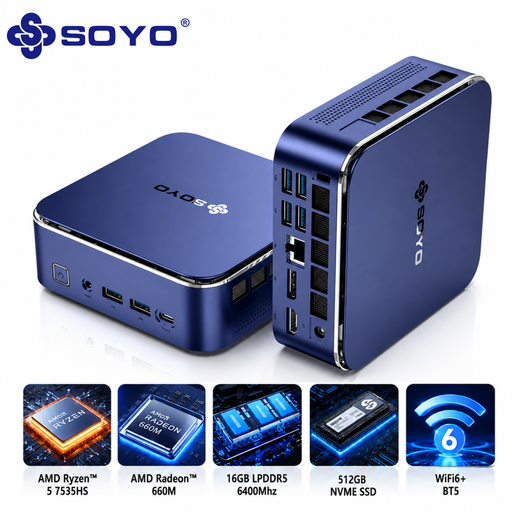 Image unavailable
SOYO S5Air Mini PC, AMD Ryzen 5 7535HS
A compact Windows mini PC to consider if you need the video outputs listed for your setup.
Windows 11 Pro; 16 GB LPDDR5; 512 GB NVMe SSD; HDMI, DisplayPort and Type-C video outputs; 128 × 128 × 47,6 mm.
View at Joybuy
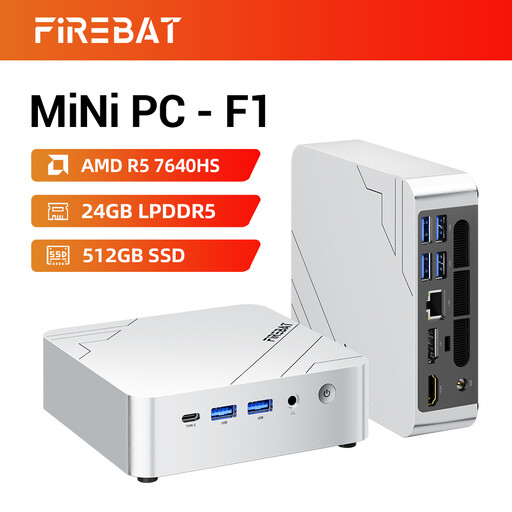 Image unavailable
FIREBAT F1 Mini PC, AMD Ryzen 5 7640HS
A compact mini PC to consider if you’re looking for the memory and storage configuration listed.
24 GB LPDDR5; 512 GB PCIe 4.0 SSD; HDMI 2.1; USB 4.0.
View at Joybuy
 Image unavailable
MSI CUBI NUC AI 1UMG-005EU, Intel Core Ultra 7 155H
A Windows 11 Pro mini PC to consider if you’re looking for a compact setup with the storage configuration listed.
16 GB DDR5; 1 TB SSD; supports up to four screens; VESA mounting.
View at Joybuy
Frequently asked questions
Is a simulated mobile screen enough to assess a mobile checkout?
Not if you want to know how the checkout works on real phones. Chrome describes device mode as an initial approximation, so test on a real mobile device too if that’s part of your testing requirements.
Do I need a Mac to run Playwright WebKit tests?
Not for Playwright alone: its documentation lists support for Chromium, WebKit and Firefox on Windows, Linux and macOS. For Safari Web Inspector and inspecting a connected iOS device, WebKit describes a macOS workflow.
What should I check when buying a barebone mini PC?
Check what’s included in the exact kit before you choose. According to ASUS, the ASUS NUC 15 Pro NUC15CRK-B reviewed here is supplied without memory, storage or a pre-installed operating system.
How can I test payments without making a real transaction?
Use the test environment and test data provided by the payment service your project uses. Stripe requires test API keys and test cards for its own integration; this guidance doesn’t automatically apply to other payment services.
What Dutch rules apply to online purchases or faulty products?
For an online consumer purchase, you generally have a statutory cooling-off period of up to 14 days after delivery, subject to legal exceptions, according to ACM ConsuWijzer. This is separate from your statutory guarantee: if a product doesn’t perform as you could reasonably expect under normal use, contact the seller.


