
Podcast maker on a tight deadline
You want to edit existing tracks and test an export before your presentation, without having to build a barebone PC first.


Start with the editing app and plug-ins you use, then choose a complete setup that suits your files, display and audio equipment. A compact Mac fits a macOS workflow, while a ready-to-use Windows mini PC runs Windows software. Choose a barebone only if you want to install the components and operating system yourself. According to Cockos, REAPER supports Windows and macOS, but also check that your own plug-ins and any transcription software will work with the setup you choose.
You want to edit existing tracks and test an export before your presentation, without having to build a barebone PC first.
You want to keep using your editing app and plug-ins. So check they are compatible with the desktop’s operating system.
You want to keep your source files, project files and presentation versions, so storage capacity and upgrade options matter.
Start by checking software compatibility, then compare ready-to-use systems with a barebone PC that you still need to build.
A good fit if: your editing software and plug-ins work on macOS and you use your own display.
Bear in mind: according to Apple, the Mac mini M6 base configuration has a 256 GB SSD; larger storage is available as a configuration option.
A good fit if: you use Windows software and want to get started without installing components.
Bear in mind: check the display and audio connections for the specific model, and see which peripherals are included.
A good fit if: you want to choose and install the memory, storage and operating system yourself.
Bear in mind: the ASUS NUC 15 Pro+ Kit NUC15CRS-B is supplied without installed memory, storage or an operating system.
| Concern | What to look for when buying | Who should pay particular attention? |
|---|---|---|
| Software compatibility | Check the requirements for your editing app, plug-ins and any transcription service against the exact operating system version. | If I need to keep using existing sessions and plug-ins, I want to know first that everything will work on the new system. Around 33% of consumers say software compatibility is their main concern. |
| Ready to use on time | Check whether the operating system, memory, SSD and essential peripherals are included. | With a client presentation as my deadline, I want to be able to connect and test the computer and create an export beforehand. Around 33% of consumers prioritise being ready to use their computer on time. |
| Space for files | Compare your source recordings, projects and planned exports with the storage capacity of the configuration you choose. | I want to keep recordings, sessions and presentation versions without guessing how much space I need based on the model name alone. Around 25% of consumers put storage capacity first. |
| Connections | Check your display input, cables and audio equipment against the ports on the exact model. | For my presentation, I want to connect my display and audio equipment to the desktop. Around 9% of consumers prioritise these connections. |
The ASUS NUC 15 Pro+ Kit NUC15CRS-B is supplied without pre-installed memory, storage or an operating system. So don’t assume you can start editing straight away without any preparation.
Check the exact model and what is included before basing your schedule on this computer.
Allow time to install the necessary components and get the system ready, too.
The Apple Mac mini M6 base configuration lists a 256 GB SSD; the Dell and Lenovo configurations reviewed list 512 GB. Other models may have different storage capacities.
Compare the specifications of the exact model with the size of your source recordings, sessions and exports.
ACM ConsuWijzer distinguishes between a purchase for private use and a contract used mainly or exclusively for business. Consumer protection does not necessarily apply in the latter case.
Before buying, establish in what capacity you are purchasing and check which terms and conditions apply to your order.
The Mac mini M6 is a compact macOS desktop. You choose the display to go with it.
The Dell Pro Micro QCM1250 is a compact business desktop running Windows.
The ThinkCentre neo 50q Gen 5 13B9007CEZ is a compact Windows desktop for use with a display you choose yourself.
The NUC 15 Pro+ Kit NUC15CRS-B is designed for buyers who want to choose their own components and operating system.
The Pro Mini 400 G9 9H6Z2ET#ABH is a compact business desktop running Windows.
These Joybuy products are options for a compact desktop setup for podcast editing. Check the software compatibility, connections and included components for each model.
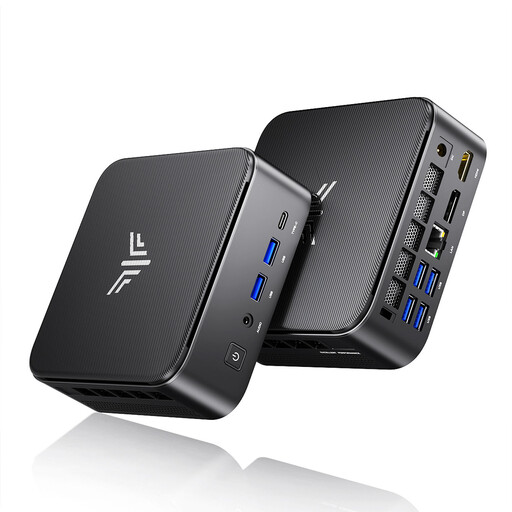 No image available
A compact Windows desktop option if you want an editing setup with multiple display outputs.
The product title lists 16 GB LPDDR4X, a 512 GB M.2 2280 SATA SSD and Windows 11 Pro. The listed video outputs are HDMI 2.0, DisplayPort 1.4b and USB-C 4K.
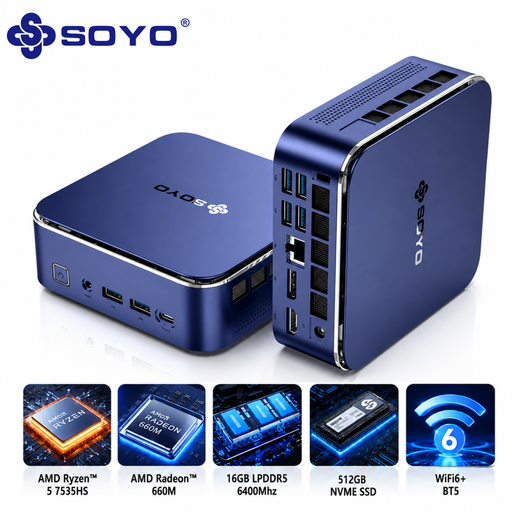 No image available
A compact mini PC option if you want to connect your display and audio equipment to the computer.
The product name lists 16 GB LPDDR5 and a 512 GB SSD. The description mentions HDMI, DisplayPort, USB-C and an audio output.
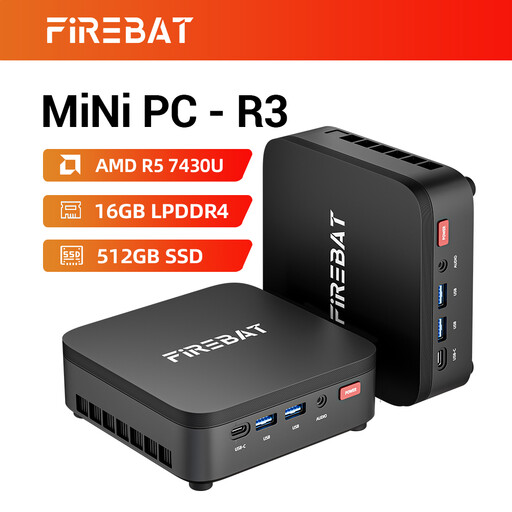 No image available
A compact mini PC option if you want to use the listed memory and storage configuration with multiple displays.
The product name lists 16 GB RAM and a 512 GB SSD. Support for three 4K displays is also mentioned; check the connections on the exact model.
 No image available
A compact Windows desktop option if your editing app runs on Windows and you use a separate display setup.
The product name lists 16 GB DDR5 and a 512 GB SSD. According to the product description, the power adapter is not included and must be purchased separately.
 No image available
A compact Windows desktop option if you want to compare the listed storage capacity with your own files for projects and exports.
The product name lists 16 GB DDR5 and a 1 TB SSD. The description mentions support for up to four displays; check that the available connections suit your displays.
Start by checking the requirements of your editing app, then check your plug-ins and any transcription service. According to Cockos, REAPER is available for Windows and macOS. That does not automatically mean a transcription service will handle both languages well in a single recording. Test this feature separately using representative material.
Check that the operating system, memory and storage are in place, connect your display and audio equipment, and create a short test export. ASUS states that the NUC 15 Pro+ Kit NUC15CRS-B is supplied without memory, storage or an operating system.
Not necessarily for every purchase. ACM ConsuWijzer explains that applicable consumer purchases come with a 14-day cooling-off period after delivery and a legal guarantee. Consumer protection does not necessarily apply to a contract you use mainly or exclusively for business, according to ACM. So establish whether you are buying as a private individual or for business, and check the terms and conditions that apply to your purchase.
If your organisation processes personal data, the Dutch Data Protection Authority says you must ensure there is an appropriate legal basis and that the data is secure. Consent is one possible legal basis, but it is not automatically the right one for every recording. Establish what applies to your processing before sharing files or uploading them to a service.