
Nature sound editors
You mainly edit recorded coastal sounds and consult detailed reference materials as you work. Check that your computer, audio software and equipment are compatible.


Choose a desktop to suit what you edit. If you mainly work with audio, software compatibility, connections and file management are key. For video, the resolution and requirements of your editing software will help determine the right configuration. A compact desktop takes up less desk space, while a tower may offer more configuration options. Before buying, check the exact specification, the peripherals you need and the applicable EU conformity information.
You mainly edit recorded coastal sounds and consult detailed reference materials as you work. Check that your computer, audio software and equipment are compatible.
You also edit footage. Choose the memory and graphics specification to suit the resolution and requirements of your editing software.
You want to keep original recordings and project files organised, as well as set up a separate backup.
Best for: mainly audio editing or a workspace with limited room, provided the specification you choose supports your software, monitors and storage.
Consider: a compact case alone won’t tell you whether a particular video task will run smoothly; check the full configuration.
Best for: more intensive video editing, running several demanding applications at once, or choosing a specific combination of memory, SSD and graphics card in advance.
Consider: specifications and included equipment vary. Lenovo, for example, states that the monitor, keyboard and mouse are optional and sold separately with the ThinkStation P3 Tower Gen 2.
| What to consider | What should you check? | Who should consider this? |
|---|---|---|
| Audio editing | Check the operating system, your audio software’s requirements and the connections for your audio equipment. | If I mainly edit nature sounds, I want to know whether my software and audio equipment will work with the desktop. Around 31% of consumers prioritise audio editing. |
| Video editing | Compare the resolution and software version with the recommended RAM and GPU. For the relevant versions of Premiere, Adobe recommends 16 GB RAM for HD media and 32 GB or more for 4K and above. | If I also edit video, I want to choose a configuration to suit my project and software, rather than an unspecified resolution. Around 31% of consumers prioritise video editing. |
| Storage and backup | Compare the SSD capacity with your files and decide how you’ll create a separate backup. | If I want to keep original field recordings, I need a separate backup as well as storage for my working files. Around 23% of consumers prioritise preserving recordings. |
| Reference materials and monitors | Check the number and type of monitor outputs on the exact specification, and what’s included. | When consulting reference materials alongside my timeline, I want to know whether my monitors will connect and how much desk space the setup will take up. Around 15% of consumers prioritise this. |
Adobe’s recommendations for Premiere differ between HD media and 4K and above. The right choice therefore depends on the resolution and software version you actually use.
First decide whether you’ll be editing audio, video or both, then check the requirements of your own software.
A copy stored only on your computer won’t protect your files if that local working copy is lost.
Plan for working storage and a separate backup as two distinct needs. VeiligInternetten recommends keeping a recent backup of your files.
Manufacturers offer different configurations. Memory, SSD, graphics card and included equipment can vary between specifications.
Compare the full model and order code, and check the configuration and applicable conformity information for that exact specification.
The Mac mini is one example of a compact desktop available with different memory and SSD specifications.
The HP Z2 Tower G1i specification C69C6EA#ABH is an example of a tower with separately listed components.
The ThinkStation P3 Tower Gen 2 is a tower range with several configuration options.
The Precision 7960 Tower is a product range for those who want to consider expandability when choosing.
The range includes mini PCs and multimedia PCs, giving you different desktop formats to compare.
This product selection includes compact desktops and desktop PCs for different workspace and editing needs. Compare software requirements, connections, storage and monitor support for each specification.
 No image available
Its compact design may suit a workspace with limited room and external reference monitors.
This specification has 24 GB memory and a 512 GB SSD. The product description mentions macOS and support for up to three external monitors.
 No image available
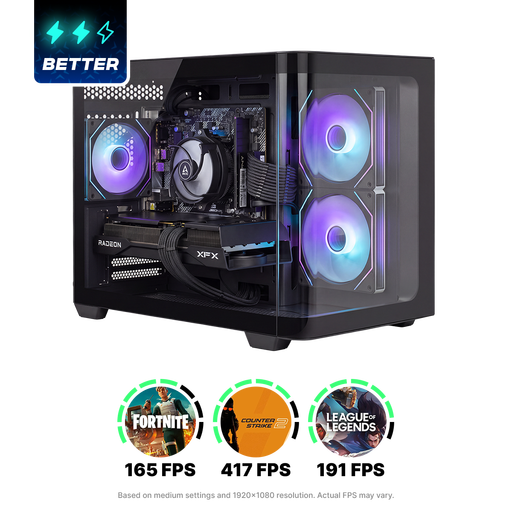
This desktop PC is worth considering when comparing options for video editing; check that its configuration suits your software and projects.
The product listing mentions 16 GB memory, 1 TB storage, Windows 11 Home, several video outputs and options to expand the memory and storage.
 No image available
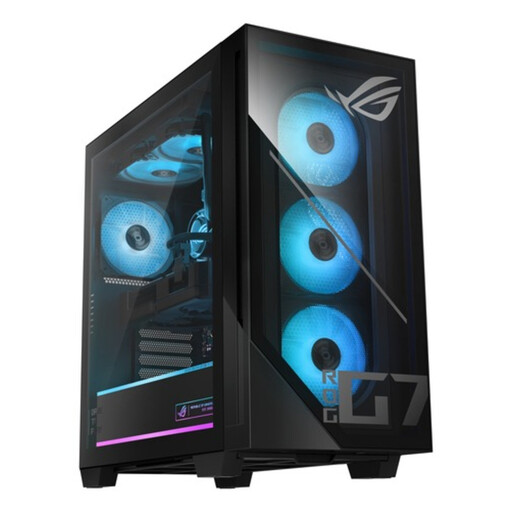
The product description mentions content creation and several monitor outputs; check that the connections suit your reference monitors.
The product name lists 32 GB DDR5 memory, a 1 TB SSD and an NVIDIA GeForce RTX 5070 with 12 GB.
 No image available
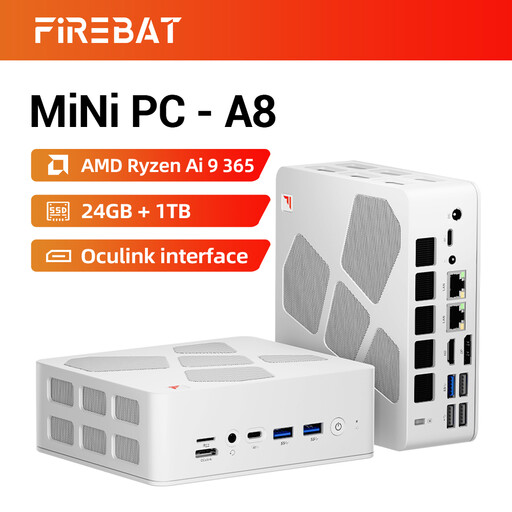
This mini PC may suit a compact workspace where you need several reference monitors.
The product name lists support for four 4K monitors, Radeon 880M graphics and dual 2.5G Ethernet, USB4, HDMI 2.1 and Oculink.
 No image available
This compact mini PC could be an option if you want to use several monitors in a small workspace.
The product description lists support for up to four monitors and VESA mounting.
Not based on this task description alone. Choose a computer to suit your audio software, any plug-ins and your equipment; Cockos offers REAPER for PC and Mac. Adobe’s GPU recommendation for Premiere relates to video editing in the software versions listed.
This depends, among other things, on the media resolution and version of your editing software. For the relevant versions of Premiere, Adobe recommends 16 GB RAM for HD media and 32 GB or more for 4K and above. Compare this with the specification of the exact desktop.
Keep a recent backup separate from the only working copy on your computer, for example on external storage or in the cloud. VeiligInternetten recommends keeping a recent backup; also check that your desktop has the connection you need.
Check what’s included with each specification. Lenovo states that the monitor, keyboard and mouse are optional and sold separately with the ThinkStation P3 Tower Gen 2; this doesn’t tell you what’s included with another offer.
Applicable EU product requirements apply to electrical and electronic equipment, including the required CE marking. The European Union and the Dutch government explain these rules. Check the conformity information for the exact specification, as a product listing alone doesn’t confirm compliance.