
Student editing nature sounds
You’re creating an audio exhibition, mainly importing and editing recordings before exporting them as audio files for playback. Audacity explains how to save projects and export audio.


If you’re only editing audio, start by checking software compatibility, connections for your recording equipment and space for project files. You won’t automatically need a powerful graphics card. If the exhibition also includes video, first decide on the resolution and editing software you’ll use. Adobe recommends 16 GB RAM for HD in Premiere, and 32 GB or more plus 8 GB of GPU memory for 4K. Also check what equipment and connections the complete exhibition setup requires.
You’re creating an audio exhibition, mainly importing and editing recordings before exporting them as audio files for playback. Audacity explains how to save projects and export audio.
You’re combining video and audio. The resolution and editing software determine which system requirements you need to check. Adobe lists different memory requirements for HD and 4K in Premiere.
You need to fit the computer into an existing display or playback setup. Check the connections in advance, along with which peripherals are included with the configuration you choose.
Choose this approach when: your nature recording is mostly audio and you can use your software and recording equipment with the desktop.
Bear in mind: for your audio setup, connections and storage are more important to check than video editing requirements.
Choose this approach when: you’re editing coastal footage in HD using software such as Adobe Premiere.
Bear in mind: Adobe recommends 16 GB RAM for HD in Premiere, but you’ll also need to make sure the other system requirements match the exact configuration.
Choose this approach when: your source footage, output format or effects genuinely call for a more powerful video editing setup.
Bear in mind: for 4K in Premiere, Adobe recommends 32 GB RAM or more and 8 GB of GPU memory. So, if you’re considering a compact desktop with integrated graphics, check all the requirements carefully.
| Consideration | What should you check? | Who is this important for? |
|---|---|---|
| Audio and connections | Check that the software works with the operating system and that the ports are compatible with your recorder or audio interface. | If I mainly edit nature sounds, I want to be able to connect my recording equipment and edit audio on the desktop I choose. Around 36% of consumers say audio editing is their main buying priority. |
| Video editing | Check the software version, source resolution, RAM and GPU against the software requirements. For Premiere, Adobe recommends 16 GB RAM for HD and 32 GB or more plus 8 GB of GPU memory for 4K. | When I edit coastal footage, I want to choose a configuration that suits the resolution and software I actually use. Around 29% of consumers prioritise video editing. |
| Project files and storage | Work out how much space you need for source footage, editable projects and exports, then check the SSD capacity of the exact configuration. Audacity distinguishes between an editable project and audio you export for playback. | If I want to keep recordings, project files and exports, I want to know in advance how much storage my workflow requires. Around 21% of consumers put project storage first. |
| Setup and peripherals | Compare the connections with your existing display and equipment, and check what’s included with the configuration. Lenovo says that the display, keyboard and mouse for the ThinkCentre configuration mentioned are sold separately. | If I’m installing the desktop in an existing exhibition setup, I want to know whether everything will connect and what else I need. Around 14% of consumers say setup and connections are their main consideration. |
For 4K in Premiere, Adobe recommends 32 GB RAM or more and 8 GB of GPU memory. So, memory alone doesn’t determine whether a configuration will work with your software.
First decide on the source resolution and editing software you’ll use. Then check the full configuration against the requirements of that software.
For the ThinkCentre configuration mentioned, Lenovo says that the display, keyboard and mouse are optional and sold separately.
Check what’s included in the offer and make a list of the displays, input devices and connection equipment you already have.
A project file is designed for further editing. You may also need an audio export for playback at the exhibition. Audacity explains how to export audio in playback-compatible file formats.
Keep the project file and export a file in a format the exhibition venue can play.
According to ACM ConsuWijzer, statutory guarantee rights in the Netherlands don’t have a fixed time limit; a manufacturer’s warranty is separate.
Keep your proof of purchase and contact the retailer about a fault, even if the manufacturer’s warranty period has expired.
The ThinkCentre neo 50q Gen 5 is a compact Windows desktop worth comparing if desk space and connections for your editing setup matter.
The Mac mini with M6 is a compact macOS option if your editing software and existing equipment are compatible with it.
The OmniDesk 16L M03-0610nd is a Windows desktop worth comparing if you need connections for displays and peripherals.
The Pro Micro QCM1250 is a compact Windows desktop worth comparing for a small or configurable setup.
These Joybuy products are desktop options for editing coastal audio or footage. For each model, check that the software, source files and connections suit your own workflow.
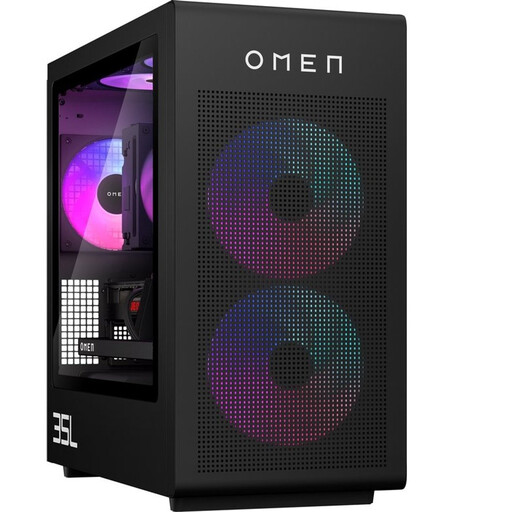 Image unavailable
A desktop option for anyone also editing coastal footage. Check the full configuration against the requirements of your editing software and source resolution.
 Image unavailable
A compact desktop option for an audio setup. Check that your editing software and recording equipment work with this Mac mini.
Apple M6 chip with 12-core CPU and 12-core GPU; 24 GB memory; 512 GB SSD.
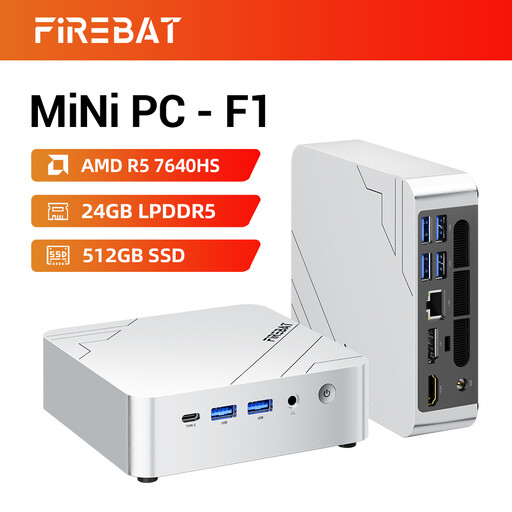 Image unavailable
A compact desktop option to compare for audio or video editing. Check that the listed connections suit your equipment and displays.
AMD Ryzen 5 7640HS; 24 GB LPDDR5 memory; 512 GB SSD; Radeon 760M graphics; USB 4.0 and HDMI 2.1.
 Image unavailable
A compact desktop option for a workspace with limited room. Check that it connects to your equipment and meets your project’s software requirements.
Intel Core Ultra 7 155H; 16 GB DDR5 memory; 1 TB SSD; Windows 11 Pro.
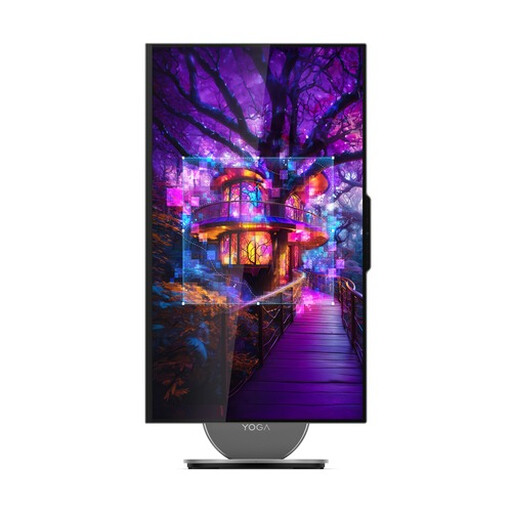 Image unavailable
An all-in-one desktop option to compare if you’re considering a computer with a built-in display. Check that its connections suit the exhibition setup.
27-inch QHD display with 120 Hz; Intel Core Ultra 7 255H; 16 GB LPDDR5X memory; 1 TB SSD; Intel Arc 140T Graphics.
Not just for audio editing. First check that your audio software works with the operating system and that the connections suit your recorder or audio interface. Only look at more demanding hardware requirements if you’re also editing video or using specific effects.
Save the editable .aup4 project and also export an audio file for playback. Audacity explains how to export audio; check the file format with the exhibition venue in advance.
It depends on the offer. Lenovo says that these items are optional and sold separately for ThinkCentre configuration 13B9007CEZ. Check what’s included with the specific order.
No. According to ACM ConsuWijzer, statutory guarantee rights in the Netherlands don’t have a fixed time limit; what matters is how long you can reasonably expect the product to last with normal use. A manufacturer’s warranty doesn’t replace those rights.
For consumer purchases made online, ACM ConsuWijzer says you generally have a statutory cooling-off period of up to 14 days after delivery, with some exceptions. Check the terms that apply to your specific purchase.