What should you consider when choosing?
| What to consider |
What to look for |
Who is this important for? |
| Keyboard-based testing |
Check that you have a suitable keyboard, then test focus movement and the ability to exit interactive elements. |
I want to complete the bidding, sign-in and payment process without a mouse; around 33% of consumers make keyboard testing their top priority. |
| Several development tools |
Compare the memory and SSD storage with your software list. For Docker Desktop on Windows, also check the installation requirements for memory and virtualisation. |
When I use an editor, browsers and possibly containers at the same time, I want enough capacity for those tools; around 25% of consumers prioritise running development tools simultaneously. |
| Browser and device testing |
Check which operating system your testing tools require. For Apple’s documented Safari inspection of web content on connected iOS and iPadOS devices, you’ll need a Mac. |
If I need to inspect web content in Safari on a connected iPhone or iPad, I need a Mac; around 25% of consumers give platform or device testing their highest priority. |
| Complete workspace |
Check whether a monitor and keyboard are included, and whether the connections suit your existing peripherals. |
If I don’t already have a monitor or keyboard, I want to know what I’ll need for a complete workspace; around 17% of consumers prioritise missing peripherals and workspace set-up. |
Start with the software and platforms you actually want to test. Then decide whether you want to pair a standalone desktop with peripherals you already own, or need a built-in screen.
Desktop options at Joybuy
This selection includes compact Windows PCs, a Mac mini, a tower and all-in-one systems. Compare the configuration, operating system and included peripherals with your own development and testing needs.
 No image available
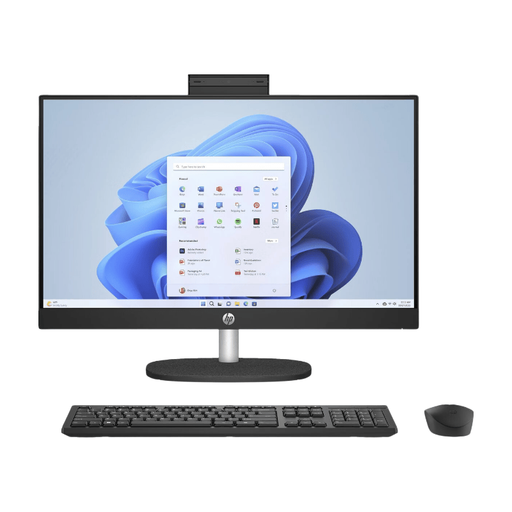
HP 24-cr0050nd 895R0EA#ABH All-in-One
A built-in screen and included QWERTY keyboard make this a good choice if you want a single Windows workspace.
23.8-inch FHD IPS screen; AMD Ryzen 5 7520U; 8 GB onboard memory; 512 GB SSD; Windows 11 Home.
According to the product description, the power adapter must be purchased separately. The onboard memory can’t be upgraded.
Joybuy
 No image available
Apple Mac mini M6, 24 GB, 512 GB SSD
A Mac mini suits a macOS workflow and Apple’s documented Safari inspection from a connected Mac.
Apple M6 chip with 12-core CPU and 12-core GPU; 24 GB of memory; 512 GB SSD.
Joybuy
 No image available
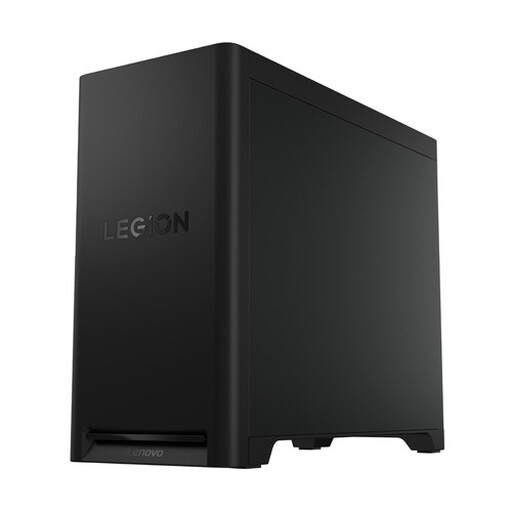
Lenovo Legion T5 30IAX10 Gaming Desktop
This Windows tower is worth comparing if you want a desktop with a separate case and have space for the set-up.
Intel Core Ultra 7; 32 GB DDR5; 1 TB SSD; Windows 11 Home; NVIDIA GeForce RTX 5070.
The case described has a capacity of 30 litres. The product description mentions upgradeable memory up to 64 GB and several storage options.
Joybuy
 No image available
MSI CUBI NUC AI 1UMG-005EU Mini PC
A compact Windows mini PC to consider if you use a separate monitor and need the listed display connections.
Intel Core Ultra 7 155H; 16 GB DDR5; 1 TB SSD; Windows 11 Pro. The product description lists support for up to four screens and VESA mounting.
Joybuy
 No image available
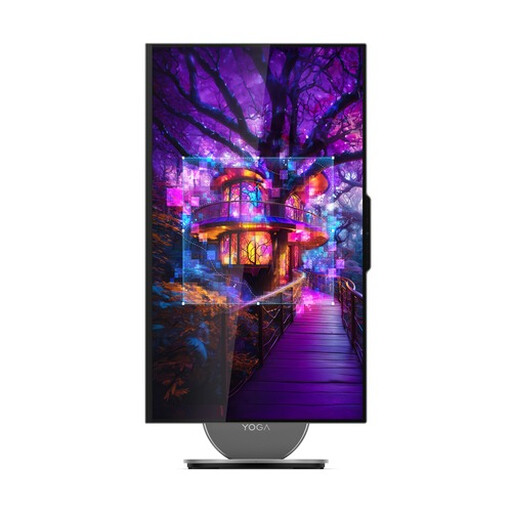
Lenovo Yoga AIO 27IAH10 F0J2001DNY
This all-in-one combines a screen with an included wireless keyboard. Check that the screen position suits the way you work.
27-inch QHD IPS screen with 120 Hz; Intel Core Ultra 7 255H; 16 GB LPDDR5X; 1 TB SSD; Windows 11 Home.
The product description lists HDMI-in for use as an external monitor.
Joybuy
Frequently asked questions about desktops for an auction website
Will a keyboard-friendly desktop automatically make my auction website accessible?
No. The controls need to work on the website itself. Test the bidding process and navigation without a mouse, and check that you can exit interactive elements using the keyboard. The W3C Web Accessibility Initiative covers keyboard operation and avoiding keyboard traps as separate considerations for web content.
Do I need a powerful desktop for everyday web development?
Not based on the requirements for Visual Studio Code alone. Microsoft Visual Studio Code lists a 1.6 GHz or faster processor and recommends 1 GB of RAM. Docker lists, among other things, 8 GB of system RAM and hardware virtualisation for Docker Desktop on Windows. Check the requirements for all the tools you actually plan to use.
How can I test my website’s controls while building it?
Navigate the website using the keyboard and check that you can move on after using interactive elements. On Windows, you can turn on Narrator for an additional check by pressing Windows key + Ctrl + Enter; this doesn’t replace keyboard testing.
Do accessibility rules for charity auctions apply in the Netherlands?
Dutch accessibility rules for e-commerce services have applied since 28 June 2025, but whether they apply depends on the specific service and organisation. The Authority for Consumers and Markets (ACM) cites criteria including 10 or more employees or annual turnover of more than € 2 million. Before publishing, assess how the auction is set up and whether the organisation meets the stated criteria; this isn’t a specification requirement for a particular desktop model.
What can I do if the computer develops a fault?
The Dutch government distinguishes between your statutory guarantee rights and any manufacturer’s or seller’s warranty. Before ordering, check who the seller is, what support comes with the configuration you’ve chosen, and in what capacity you’re buying the computer.


