
Student working on a busy mix
If you use lots of tracks or plug-ins, you’ll want your sessions to keep running smoothly. Ableton says your requirements depend on your workflow, the number of tracks, and the plug-ins and instruments you use.


First, choose a desktop that can run your DAW, plug-ins and audio interface, and handle any video references you need. Then choose memory and storage to suit your own sessions. A compact Mac or Windows desktop suits a small desk, while a tower is worth considering if expandability matters to you. Ableton points out that the capacity you need depends on your workflow and projects; the case or processor name alone won’t guarantee a smooth mix.
If you use lots of tracks or plug-ins, you’ll want your sessions to keep running smoothly. Ableton says your requirements depend on your workflow, the number of tracks, and the plug-ins and instruments you use.
If you use animated footage or detailed references while mixing, check that your DAW version and file formats support them. Ableton outlines specific video limitations in certain versions of Live.
If you store projects, samples and reference files locally, weigh SSD capacity against the size of your library and check which connections your setup needs. Ableton also distinguishes between installation space and optional sound content.
Best for: a small workspace, if your DAW and plug-ins support macOS and you can connect your monitors and peripherals separately.
Consider: check the storage, ports and audio interface compatibility you need in advance; a student mix won’t necessarily need extra capacity.
Best for: anyone using Windows software who wants a desktop with a small footprint.
Consider: compare the full configuration and available ports. For low recording latency on Windows, Ableton recommends using a suitable ASIO driver.
Best for: anyone who values expandability or a more generous pre-selected configuration over a compact case.
Consider: factor in your monitor, audio equipment and any software when choosing the configuration you need.
| What to consider | What should you check? | Who should give this more weight? |
|---|---|---|
| Processing headroom for tracks and plug-ins | Compare your DAW and plug-in requirements with the processor and memory in the exact configuration. | If I use lots of tracks and plug-ins during a busy mix, I want to choose a configuration that suits my own projects. Around 33% of consumers give processing headroom for mixing top priority. |
| Animation footage and references | Check whether your DAW version supports video and which formats your references use. | If I want to use picture alongside my mix, my software version needs to support it and my reference files need to be compatible. Around 27% of consumers give picture and references top priority. |
| Projects and sample libraries | Work out your storage needs and compare them with the SSD capacity and options for external storage. | If I want to store projects, samples and references locally, I’ll need enough space for my own library. Around 20% of consumers give local storage top priority. |
| Audio interface and connections | Check the ports against your interface and monitors; on Windows, check whether a suitable driver is available. | If you want to keep using your existing audio interface and desk setup, suitable connections and drivers will help. Around 20% of consumers give their audio setup top priority. |
Capacity requirements also depend on your tracks, instruments and plug-ins. Desktop configurations can also vary in memory and storage.
Compare the full configuration with a representative project of your own and your software requirements.
A higher-spec configuration could mean spending more on memory or SSD space.
Ableton says Live 10 Intro and Live Lite don’t support video. Your version and file format could therefore determine whether you can use picture while mixing.
Check the exact DAW version and test the reference format you’ve been given before choosing a desktop to suit it.
Your workflow may require a different software version or an adjusted approach to reference files.
A desktop configuration won’t tell you on its own whether your existing monitors, audio interface and peripherals will connect to it.
Make a list of your equipment and check the ports and included components of the exact configuration.
You may still need a monitor, audio interface, peripherals or an adaptor, depending on what you already own.
Mac mini for a compact macOS setup; Mac Studio is another option to compare if you need its configuration.
ThinkCentre M75q Gen 5 Tiny for anyone considering a compact Windows desktop.
Z1 Tower G1i, a tower configuration to consider if you’re comparing Windows desktops with pre-selected memory and storage.
Pro Tower QCT1255, a Windows tower configuration to compare with other options.
These Joybuy products are desktop and gaming PC configurations for anyone considering a Windows setup. Compare the listed components with your DAW, audio interface and reference workflow.
 No image available
Compare this configuration with your own mixing projects and connection requirements.
Intel Core Ultra 7 265F, 16 GB of DDR5 memory and a 1 TB SSD. Memory is expandable to 32 GB. The case has a volume of 16 litres, and the desktop has HDMI and DisplayPort connections.
The product description lists Windows 11 Home; check that your DAW and plug-ins work with your software setup.
 No image available
A desktop configuration to compare with your own sessions and local storage needs.
Ryzen 7 7800X3D, 16 GB of DDR5 memory and a 1 TB NVMe SSD. The product description lists Windows 11 Home.
 No image available
Compare the listed memory and storage configuration with your own projects and library.
Ryzen 7 5700X, 16 GB of DDR4 memory and a 480 GB NVMe SSD. The graphics card is a GeForce RTX 5060 Ti with 8 GB.
The product description says that Windows 11 is an evaluation version.
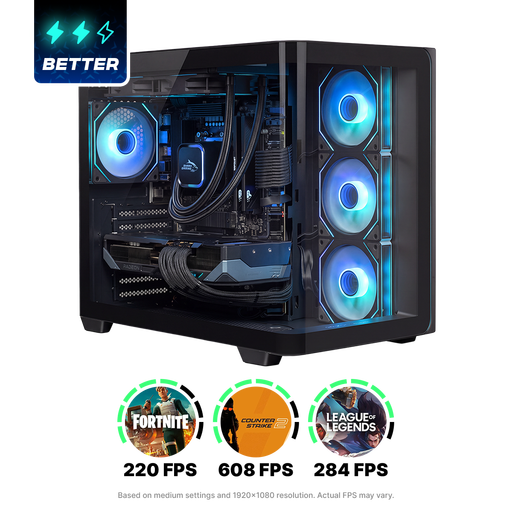 No image available
Compare this configuration with the requirements of your DAW, plug-ins and local storage.
Ryzen 7 9800X3D, 16 GB of DDR5 memory and a 1 TB M.2 NVMe SSD. The description lists a Radeon RX 9070 XT with 16 GB of graphics memory and Windows 11 Home.
 No image available
A tower configuration to compare if memory headroom and scope for future upgrades matter to you.
Intel Core Ultra 7, 32 GB of DDR5 memory, a 1 TB PCIe 4.0 SSD and an NVIDIA GeForce RTX 5070. According to the product description, this tower supports up to 64 GB of memory and up to three M.2 SSDs, and can connect up to four monitors. The description lists Windows 11 Home.
Not just because you’re mixing a score. If you want to use animation footage in your DAW, check your software’s video requirements and the format of your reference file. Ableton describes a separate GPU as optional hardware for video work, not a general requirement for Live.
Compare the desktop’s connections with your interface and check that the driver is compatible with your operating system. Ableton recommends a suitable ASIO driver on Windows; it can allow smaller buffer sizes to help reduce latency.
Allow for your DAW installation, your own projects, references and any extra sound content. Ableton lists up to 76 GB of optional sound content available for Live 12; this isn’t the size of your future projects.
When you buy online as a consumer from a business, you generally have a 14-day cooling-off period; check which exceptions apply to your purchase. According to the Dutch government, there is no fixed term for the statutory warranty in the Netherlands: the product must meet what you could reasonably expect from it, and the retailer is your point of contact if something goes wrong.